




What Is LDAP? How It Works and When to Use It

Key Takeaways
- LDAP is an open, vendor-neutral protocol that stores user data, authenticates identities, and authorizes access to resources across an organization's network
- It organizes directory data in a hierarchical tree (DIT) using Distinguished Names, Organizational Units, and attributes, making lookups fast and structured
- LDAPv3 is the current standard and adds TLS support, SASL authentication, and extensibility over earlier versions
- Plain text transmission over port 389 is a real security risk; always use StartTLS or LDAPS in production environments
- LDAP and Active Directory are related but separate: LDAP is the protocol, Active Directory is a directory service that uses it
- LDAP fits best in legacy application environments, Linux infrastructure, and operational settings with shared workstations; it is a poor fit for cloud-native SaaS
- In a Zero Trust architecture, LDAP can still serve as the identity source of truth when paired with encryption, MFA, and continuous monitoring
- Cloud LDAP and Directory-as-a-Service options now remove the need for on-prem servers, making LDAP accessible without traditional infrastructure overhead
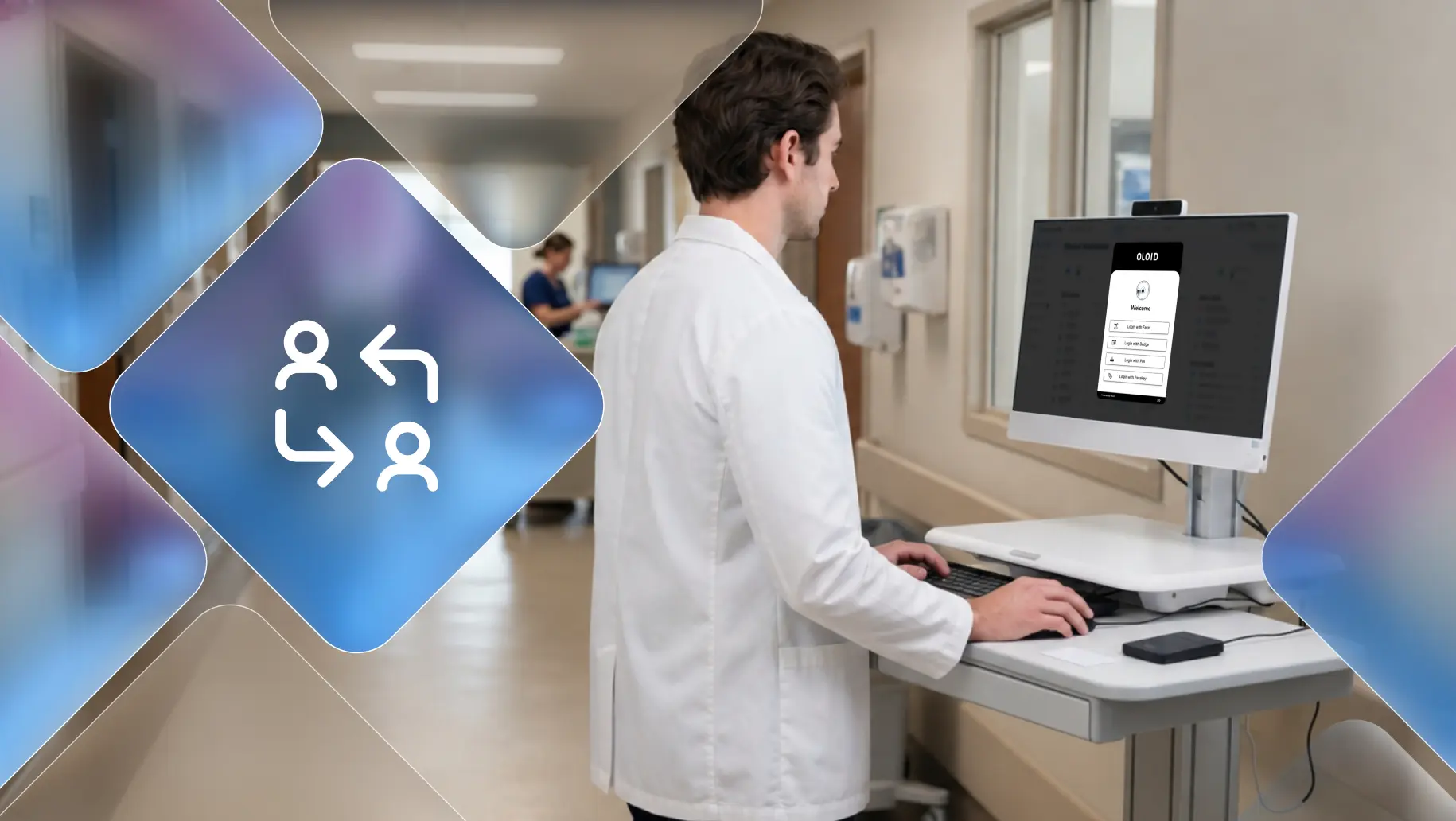
Picture a hospital at 6 AM. Nurses rotate shifts, doctors move between wards, and technicians log into shared workstations dozens of times a day. Every login touches a system that quietly checks: who is this person, what are they allowed to access, and where does that information live? Most people never think about the invisible infrastructure making that happen. But IT teams have a name for it: LDAP.
Enterprises have relied on this protocol for decades, and the numbers back that up. According to Adaxes, 95% of Fortune 1000 companies use Active Directory, which runs on LDAP at its core, to organize their IT environments. That is not a legacy footnote; that is the backbone of how modern organizations verify identity and control access.
So what is LDAP, exactly?
[[content-box]]
This blog explores how LDAP works, its structure, its authentication methods, how it compares to alternatives, and when it makes sense to use it and when it does not.
What is LDAP?
LDAP gives applications a shared language to query and retrieve identity information from a directory. Think of a directory as a company phonebook on steroids: one that stores not just names and numbers but passwords, device access rights, group memberships, and organizational structure.
Before LDAP, the existing directory protocol (DAP, part of the X.500 standard) required heavy infrastructure that most desktop computers in the early 1990s could not support. LDAP solved that by offering a lightweight alternative that ran over the simpler TCP/IP stack.
The three core functions LDAP performs:
Store: It holds user data, group policies, printer connections, and attributes like email addresses and phone numbers in a structured directory.
Authenticate: It verifies that a user's provided credentials match what is stored in the directory before granting access.
Authorize: It checks group memberships and roles to determine what the authenticated user is actually allowed to do.
How LDAP Works
The Directory Information Tree (DIT)
LDAP organizes all directory data as a hierarchical tree. Think of it like a filesystem with nested folders:
- Domain (root): The organization's top-level entry. Example:
dc=company,dc=com - Organizational Units (OU): Subdivisions by department or location. Example:
ou=users - Common Names (CN): Individual users, groups, or resources. Example:
cn=Sarah Kim
A full LDAP query looks like this: cn=Sarah Kim, ou=Nurses, ou=Staff, dc=hospital, dc=com
That single string tells LDAP exactly where to look in the tree to find Sarah's record and validate her login.
Key Components
- DN (Distinguished Name): The unique full address of an entry, formed by chaining RDNs together
- RDN (Relative Distinguished Name): Each segment of a DN, formatted as
attribute=value - Attributes and Values: Descriptors on each entry, such as
mail,uid, anduserPassword, each paired with a value - Schema: The rulebook defining which attributes exist and what data types they accept
- Entries: Individual records in the directory, each with its own DN and attributes
The Authentication Flow
- Bind: The client sends the user's DN and password to the LDAP server
- Search: LDAP navigates the DIT to locate the matching entry
- Validate: It checks the submitted password against the stored value
- Unbind: The client disconnects once the response is sent
LDAP Authentication Methods
Simple Authentication
Simple authentication offers three modes:
- Anonymous: The client gets read access without credentials. Useful for public directories.
- Unauthenticated: A DN is provided, but no password. This mode is for logging purposes only and should never grant actual access.
- Name and Password: The standard mode where a DN and password are both required and verified against directory records.
SASL Authentication
SASL (Simple Authentication and Security Layer) binds the LDAP server to an external authentication mechanism, most commonly Kerberos. Instead of LDAP handling credential verification itself, it delegates to Kerberos, which issues encrypted tickets. This approach supports Single Sign-On and suits environments that require a stronger security posture.
LDAP vs. The Alternatives
The core distinction: LDAP and Kerberos live in on-prem identity infrastructure. SAML, OAuth, and OIDC were designed for the web and cloud. RADIUS specializes in network-layer access. Organizations today often run LDAP alongside SAML or OIDC rather than replacing one with the other.
When to Use LDAP (and When Not To)
LDAP earns its place in specific environments where its strengths align naturally with the infrastructure.
Good Fits for LDAP
- Legacy applications: Tools like Jenkins, Jira, Confluence, OpenVPN, and MySQL authenticate natively via LDAP
- Linux and Unix servers: LDAP integrates deeply with Linux PAM modules for server login management
- File servers: Systems like Synology, QNAP, and FreeNAS support LDAP-based access control
- Printers and shared network devices: LDAP manages who on the network can use which device
- Operational environments with shared workstations: In settings like manufacturing floors or logistics hubs where multiple workers share a single device across shifts, LDAP-backed directories centralize credential management without requiring per-device configuration.
When LDAP is the Wrong Choice
- Cloud-native SaaS applications: Tools built on OAuth 2.0 and OIDC do not need LDAP at all
- Modern web authentication flows: SAML handles federated SSO between cloud services far more efficiently
- Startups with no legacy infrastructure: Setting up and maintaining on-prem LDAP without existing expertise carries disproportionate cost
- Environments moving fully to zero-trust architecture: LDAP's session-bound, network-adjacent model does not align naturally with zero-trust principles, which treat every request as untrusted regardless of network location
Where LDAP Falls Short in Frontline Environments
LDAP was designed for knowledge workers at dedicated desks with personal credentials and predictable login patterns. That assumption breaks down fast in hospitals, manufacturing floors, warehouses, and retail operations.
Shared credentials become the workaround: When ten nurses share one workstation, and LDAP requires individual username and password entry every time, people find shortcuts. Shared credentials and pinned passwords become the norm. LDAP authenticates what is typed, not who is actually standing there.
Login speed creates real friction: A frontline worker does not have thirty seconds to type a username and wait for a directory lookup. On a warehouse floor or in a busy ICU, that delay compounds across every shift change and every device handoff.
No real-time identity on shared devices: LDAP knows who logged in at the start of a session. It does not know who is at the keyboard ten minutes later. In environments where audit trails are a regulatory requirement, that gap is not theoretical.
MFA becomes a barrier, not a safeguard: Push notifications go to a phone that may be in a locker. Hardware tokens get lost or shared. Every extra step that works fine for a desk worker becomes friction for someone completing a two-minute task before handing the device to the next person.
LDAP was never designed for this use case, and most organizations have been forcing it to fit one anyway.
How Modern Identity Layers on Top of LDAP
The answer is not to replace LDAP. The directory infrastructure, user records, group policies, and access controls built into it over the years represent a real organizational investment. Replacing it is expensive and usually unnecessary. The practical approach is to keep LDAP as the authoritative identity store and add a modern authentication layer in front of it. One that replaces the username and password prompt with something faster: a badge tap, a biometric scan, a proximity signal, while identity validation still runs against the same LDAP directory underneath.
OLOID is built specifically for this gap. In healthcare, manufacturing, and logistics environments, OLOID sits between the physical authentication moment and the LDAP directory, translating fast, passwordless credential signals into LDAP bind operations that existing infrastructure already understands. The directory does not change. What changes is that individual identity is tied to every login and every access event in real time, without friction and without shared credentials. LDAP provides the foundation. A modern identity layer activates it for the way frontline work actually happens.
How LDAP Fits Into a Cloud-First World
On-prem LDAP made perfect sense when all your users, servers, and applications sat inside the same walls. Cloud infrastructure, remote workforces, and distributed environments have forced a rethink.
On-Prem Limitations: Traditional LDAP requires servers on the same network as the clients querying them. Remote workers and multi-site environments meant organizations had to deploy VPNs just to run basic authentication.
Cloud LDAP and Directory-as-a-Service: Cloud LDAP providers host the directory infrastructure, removing the need for physical servers and VPNs. A lightweight agent establishes a secure TLS connection from the user's device. Most cloud directory platforms also combine LDAP with SAML, RADIUS, SCIM, and OIDC, giving organizations one central directory for both legacy and modern resources.
Where Entra ID Fits: Microsoft Entra ID does not natively support LDAP. Organizations that need it within a Microsoft cloud environment must use Azure AD Domain Services, which adds managed LDAP at an hourly per-object cost.
LDAP in Zero Trust: Classic LDAP assumes network proximity equals trust, which conflicts with Zero Trust principles. However, LDAP can still serve as the authoritative identity store within a Zero Trust framework, feeding user attributes to policy engines that make access decisions, provided it is paired with StartTLS encryption, MFA at the application layer, and continuous session monitoring.
How to Set Up LDAP
The setup process looks different depending on whether you go on-prem or cloud, but the starting point is always the same: plan before you build.
Planning First: Before touching any software, map out which resources belong in the directory, how to separate organizational units, which operating systems need to authenticate, how shift-based workers will connect, and what your replication strategy is. A poorly structured DIT becomes exponentially harder to reorganize as the directory grows.
On-Prem Setup (OpenLDAP): Install the slapd daemon, define your schema, configure the DIT structure in slapd.conf or cn=config, and populate entries via LDIF files. Changes are applied via the command line or tools like Apache Directory Studio.
Cloud LDAP Setup: Subscribe to a provider such as JumpCloud or Azure AD DS, point your applications at the cloud LDAP endpoint, and configure bind credentials through the provider's GUI. Most providers offer TLS by default.
Common Errors:
- Error 49 (Invalid credentials): DN format is wrong, or password does not match. Verify the full DN path, including every OU in sequence.
- Error 32 (No such object): Search base DN does not exist. Verify the DIT structure matches what the application expects.
- Connection timeout: Firewall blocking port 389 or 636. Confirm the port is open between the client and server.
- TLS handshake failure: Certificate mismatch or expiry. Verify the server certificate is valid and trusted by the client.
Pros and Cons of LDAP
Conclusion
LDAP has lasted over 30 years because it solves a real, persistent problem: organizations need a single, reliable place to store who their users are, what they can access, and how to verify their identity fast. From hospital shift workers logging into shared terminals to engineers authenticating against internal Linux servers, the protocol quietly handles billions of lookups every day.
The landscape around LDAP has evolved. Cloud directories, Zero Trust frameworks, and modern protocols like OIDC have expanded what identity infrastructure can do. For environments serving frontline and operational workers, where OLOID's passwordless authentication bridges modern identity standards and the LDAP directories enterprises already rely on, the protocol remains a foundational layer worth understanding deeply rather than carelessly replacing.
Understanding what LDAP is, how it works, and where its limits lie gives IT and security teams the clarity to build an identity infrastructure that is both practical and secure.
FAQs
1. What is LDAP in simple terms?
LDAP, or Lightweight Directory Access Protocol, is a protocol that lets applications communicate with a directory service, a centralized database that stores information about users, devices, and access rights. When you log into a corporate system, LDAP is often what checks your credentials behind the scenes.
2. What is the difference between LDAP and Active Directory?
LDAP is a protocol. Active Directory is a directory service built by Microsoft that uses LDAP as one of its core communication protocols. Think of LDAP as the language and Active Directory as the system that speaks it. You can use LDAP with other directory services too, including OpenLDAP on Linux environments.
3. Is LDAP still relevant in 2026?
Yes. LDAP remains foundational in enterprise environments, particularly for legacy applications, Linux servers, file servers, and on-prem infrastructure. Most organizations use it alongside modern protocols like SAML and OIDC rather than replacing it entirely. The shift is toward cloud LDAP and Directory-as-a-Service, not away from LDAP itself.
4. What port does LDAP use, and is it secure?
LDAP uses port 389 by default, which transmits data in plain text and is not secure on its own. LDAPS uses port 636 and wraps communication in SSL/TLS. The recommended approach for most production environments is StartTLS, which upgrades a standard port 389 connection to an encrypted mid-session using the latest TLS version.
5. Is LDAP the same as SSO?
No. LDAP is a directory access protocol used to store and retrieve identity data. SSO, or Single Sign-On, is an authentication experience that lets users access multiple systems with one login. LDAP can serve as the identity store that powers an SSO system, but the two serve different functions. Kerberos, SAML, and OIDC are the protocols that typically handle the SSO layer on top of an LDAP directory.


Get the latest updates! Subscribe now!
