




Badge Tap Access: How It Works and Why It Matters for Operational Security

Key Takeaways
- Badge tap access uses RFID or NFC technology embedded in an existing ID badge to authenticate workers into physical spaces and workstations without passwords.
- The technology operates across two layers: physical access control (doors, restricted areas) and logical access control (workstations, applications, EHRs).
- In shared-device environments, badge tap access closes the accountability gap created by shared passwords and unattended open sessions.
- Pairing badge tap with a second factor, automatic session lock, and full audit logging converts convenience into a compliance-grade access control layer.
- For healthcare, manufacturing, logistics, and retail environments managing shift-based workers on shared terminals, badge tap access is the most operationally realistic path to passwordless authentication.
Most authentication problems in operational environments do not start with a sophisticated attack. They start with a shared password on a terminal that twenty people use across three shifts. They start with a session left open because logging out takes thirty seconds that nobody has. They start with an access log that shows a username, but cannot tell you which person was actually sitting at that workstation at 2 AM. These are standard operating conditions in healthcare, manufacturing, logistics, and retail, and they create a compliance gap that most identity programs are not built to close.
The security stakes behind that gap are measurable. According to the 2024 Change Healthcare breach investigation, attackers accessed the network using a single set of stolen credentials on a portal with no MFA enabled, exposing the protected health information of 190 million Americans. The entry point was not a zero-day exploit. It was an unprotected credential on a shared access point. Badge tap access solves this at the point where the risk actually lives. Badge tap access is a passwordless authentication method that allows workers to securely access workstations and applications using RFID or NFC-enabled ID badges instead of passwords. Every session is tied to a named individual. Every tap event is logged, and access is granted, managed, and revoked centrally.
This blog covers how badge tap access works, the specific security and compliance problems it solves, how it compares to alternatives, and what a deployment needs to include to actually close the gap.
What is Badge Tap Access?
Badge tap access is a form of proximity-based authentication. Each employee carries an ID badge embedded with an RFID or NFC chip. When the badge is brought near a compatible reader, the chip transmits a unique credential token. The system validates that token against an identity directory, confirms authorization, and grants access, all in under a second.
The key distinction worth understanding: badge tap access operates across two layers.
Physical access uses a badge tap to unlock doors, controlled areas, server rooms, or restricted floors. This is the traditional use case most people recognize.
Logical access uses badge tap to authenticate into workstations, clinical systems, enterprise applications, or web portals. This is the higher-stakes layer and the one driving adoption in healthcare, manufacturing, logistics, and retail; environments where workers share terminals across shifts and individual accountability matters for compliance.
Both layers can work from the same badge and the same underlying identity record, which is where badge tap access becomes powerful as a unified access control mechanism.
How Badge Tap Access Works
Badge Issuance and Identity Binding
Each badge is provisioned and linked to a specific user's profile in the identity management system. The badge does not store a password; it stores a unique credential identifier mapped to that individual in a central directory. Administrators control who gets a badge, what they can access, and when those permissions change.
Proximity Detection and Credential Handoff
When a user brings their badge within range of a reader (typically a few centimeters for NFC, or slightly further for RFID), the chip activates and transmits the credential identifier to the reader. The transmission is encrypted. The reader passes the token to the authentication layer.
Authentication and Session Grant
The authentication system checks the credentials against the directory of authorized users, confirms the user has permission for that specific resource, and opens the session. If the credential does not match or if the user's access has been revoked, the system denies entry. The entire process takes less than a second.
The Real Security Problem Badge Tap Access Solves
Most discussions of badge tap access focus on speed and convenience. Those benefits are real. But the more important story is what badge tap access eliminates as a security and compliance liability.
Shared credentials on shared workstations
When multiple workers share a single login to access a shared terminal, individual session accountability disappears. Audit logs show a username, not a person. In regulated environments, that breaks compliance. HIPAA requires that access to electronic protected health information (ePHI) be attributed to a specific individual. NIST 800-53 requires individual user identification before granting system access. Badge tap access ties every session to a verified, named individual automatically.
Unattended open sessions
Workers who step away from a shared workstation without logging out leave active sessions exposed. Badge tap systems can be configured to lock the session automatically when the badge moves out of range, which removes the human memory requirement entirely.
Proxy authentication and borrowed badges
When someone authenticates using another person's badge, the access log still shows the badge owner. Badge tap access paired with a second factor (face recognition, PIN, or push notification) closes this gap by confirming that the person holding the badge is the person it belongs to.
Helpdesk burden from forgotten passwords
Password resets are among the highest-volume helpdesk tickets in most organizations. In shift-based environments, where workers may not log in for several days at a stretch, forgotten passwords are routine. Badge tap access removes the password from the equation entirely.
Compliance exposure
HIPAA, HITRUST, PCI DSS, and ISO 27001 all require demonstrable access controls and individual accountability. Shared passwords and unattributed sessions are audit findings. Badge tap access, with proper logging, converts every session into an auditable, attributable event.
Where Badge Tap Access Makes the Most Difference
Healthcare
Clinical environments are the highest-density use case for badge tap access. Clinicians move constantly between shared terminals, workstations on wheels (WOWs), and exam room kiosks. Every login is a potential delay. Every password prompt is time taken away from a patient.
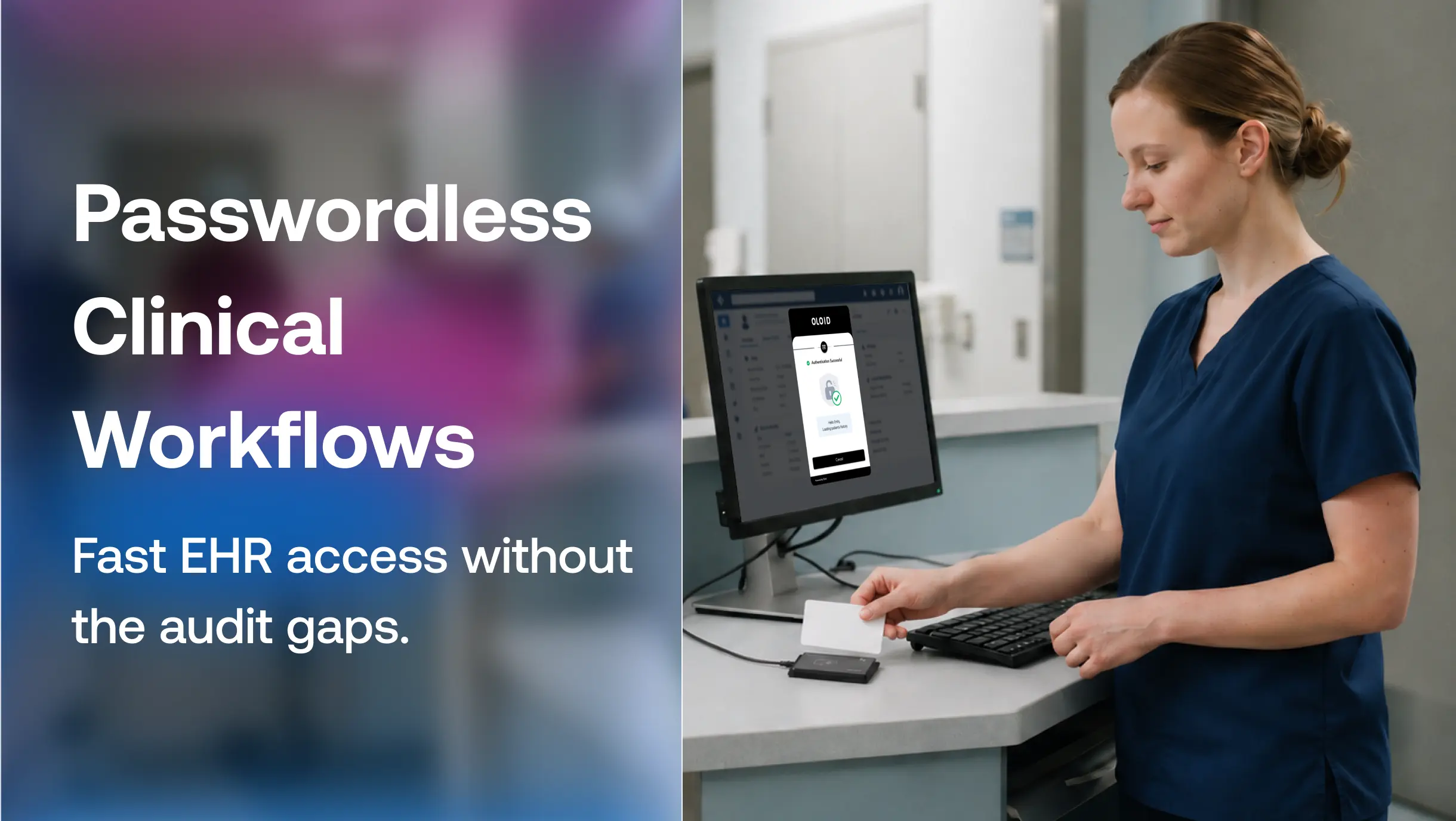
Badge tap access integrated with EHR Single Sign-On (SSO) means a clinician taps in, their session launches with the correct patient chart and role-based permissions, and taps out when they move to the next station. The compliance case is equally strong: every session is attributed to a specific badge holder, satisfying HIPAA access control and audit requirements.
Manufacturing and Logistics
Factory floors and warehouse environments share a different set of access challenges: high worker turnover, contractor access, shift handoffs, and terminals used by dozens of people per day. Badge tap access enables role-based permissions to be applied per shift and per worker, with access revocation handled centrally. When a contractor's engagement ends, their badge access is deactivated immediately across every system, with no password changes required.
Retail
In retail environments with rotating staff and POS terminals accessible to multiple employees per shift, badge tap access ties each transaction session to a verified individual. Managers can hold different access tiers than associates, and access changes can be applied across locations from a single admin console.
Badge Tap Access vs. Passwords vs. Hardware Security Keys
Passwords remain the default authentication method in most organizations. They are familiar, but they are consistently the top breach vector. They get shared, forgotten, written down, and phished. In shared-device environments, passwords are a structural liability.
Hardware security keys (like USB FIDO2 keys) offer strong phishing-resistant authentication, but they introduce operational friction: physical keys get lost, USB ports get damaged from repeated insertions, and IT teams face ongoing costs for procurement, inventory, and replacement. They also require users to carry and manage a dedicated device beyond what they already have.
Badge tap access turns the credential workers already carry, their ID badge, into the authentication factor. There is no additional device to manage, no password to remember, and no USB port to damage. When badge tap access is implemented on a FIDO-compatible architecture, it also delivers phishing-resistant authentication that meets the same security bar as hardware security keys, without the associated overhead.
| Authentication Method | Shared Devices | Phishing Resistant | Fast User Switching | Requires Phone | Audit Attribution |
|---|---|---|---|---|---|
| Passwords | Poor | No | Poor | No | Weak |
| Push MFA | Poor | Moderate | Poor | Yes | Moderate |
| Hardware Keys | Moderate | Strong | Moderate | No | Strong |
| Badge Tap Access | Excellent | Strong | Excellent | No | Strong |
For organizations building toward passwordless authentication, badge tap access is often the most operationally realistic path, especially in frontline and shift-based environments where adoption friction determines whether a rollout actually sticks.
Why Traditional MFA Fails on Shared Workstations
Most MFA methods, including push notifications, OTPs, and SMS codes, are designed around a single assumption: one person, one device, one persistent session. Frontline environments operate differently.
Workers share terminals across shifts. Many operate in environments where phones are restricted or impractical. Clinicians wear gloves. Warehouse workers move fast. Requiring any of these workers to retrieve a phone, open an app, or enter a six-digit code dozens of times per shift creates friction that leads directly to workarounds: shared credentials, bypassed authentication steps, and sessions left open between users.
Badge tap access removes that friction without removing accountability. Each tap is attributed to a specific individual, no phone required, no code to enter, and no session left open when the worker moves on.
What a Strong Badge Tap Access Deployment Looks Like
Speed and convenience matter. But a badge tap access deployment that improves the login experience without tightening security controls trades one problem for another. A well-built deployment includes:
Pairing with a second factor for high-risk access
Badge-only access is sufficient for many use cases. For access to sensitive data, clinical records, or privileged systems, adding face recognition, a PIN, or a push notification confirmation creates a person-bound factor that badge-only access cannot provide on its own.
Session lock on badge removal
Configuring workstations to lock automatically when the badge leaves the reader's range eliminates unattended session risk without requiring any action from the user.
Centralized enrollment and policy management
Users should enroll once. From that point, their badge credential should be usable across every enrolled workstation in the organization, with access policies managed centrally and applied in real time.
Fallback options for lost or forgotten badges
A strong deployment includes a verified fallback path (typically PIN plus secondary factor) so a lost badge does not lock a worker out of critical systems during a shift.
Full audit logging
Every tap event (successful authentication, failed attempt, session lock, or badge removal) should be captured in a tamper-evident log tied to the individual's identity. This is what turns badge tap access from a convenience feature into a compliance asset.
Platforms built specifically for frontline and shared-device environments, like OLOID, are designed with these requirements as defaults rather than configuration options. Standard IAM platforms are built around the assumption of one worker, one device. OLOID’s badge tap authentication is built for the opposite: shift-based teams sharing terminals, contractors cycling through access points, and clinicians moving between workstations across a floor. Every session is tied to a verified individual, every tap event is logged, and access can be granted or revoked centrally in real time. In environments where audit accountability is non-negotiable, and adoption friction determines whether a rollout actually sticks, the deployment architecture matters as much as the technology itself.
In frontline environments, authentication is not just a security control. It is an operational workflow. If it slows workers down, they work around it. If identity cannot follow the individual across shared devices, auditability breaks down entirely.
Badge tap access works because it aligns with how frontline operations actually function: fast movement, shared workstations, and continuous shift-based access. That is why it is increasingly becoming the foundation for passwordless authentication in healthcare, manufacturing, logistics, and retail.
FAQs
1. What is the difference between badge tap access for physical access and logical access?
Physical badge tap access unlocks doors and controlled areas. Logical badge tap access authenticates workers into workstations, applications, and systems. Both use the same badge and underlying identity record, but logical access carries additional compliance requirements around session attribution and audit logging.
2. Is badge tap access secure enough on its own, or does it need a second factor?
For standard workstation access in lower-risk environments, badge tap access alone provides strong security. For access to sensitive data, clinical records, or privileged systems, adding a second factor (face recognition, PIN, or push notification) ensures that the person presenting the badge is the authorized badge holder.
3. How does badge tap access support HIPAA compliance?
HIPAA's Technical Safeguards require unique user identification, automatic logoff, and an audit control mechanism. Badge tap access tied to individual identity records satisfies unique user identification. Session auto-lock on badge removal supports automatic logoff. Full tap-event logging fulfills the audit control requirement.
4. Can badge tap access work on shared workstations where multiple workers log in per shift?
Yes. Badge tap access is specifically designed for shared-device environments. Each worker taps in with their own badge, opening a session under their own identity and permissions. When they tap out, the session closes. The next worker taps in under their own credentials. This is the core value proposition in clinical, manufacturing, and retail environments.
5. What happens if a worker loses their badge?
A lost badge can be deactivated immediately from the central admin console, removing access across all enrolled systems in real time. A secondary fallback path (typically PIN plus a second factor) allows the worker to continue operating until a replacement badge is issued.
6. Can badge tap access integrate with Okta or Microsoft Entra ID?
Yes. Modern badge tap platforms integrate with identity providers like Okta, Microsoft Entra ID, and Ping Identity using standards such as SAML, OIDC, and SCIM, allowing badge tap to work within existing identity infrastructure without replacing it.
7. Does badge tap access require replacing existing employee badges?
In most cases, no. Organizations can use existing RFID or NFC-enabled badges already deployed for physical access control, which significantly reduces the cost and complexity of rollout.

Get the latest updates! Subscribe now!

