


How to Replace Imprivata Tap-and-Go Without Re-Badging Staff

Key Takeaways
- Your physical access control system (PACS) issues the badges, so replacing Imprivata Tap-and-Go only changes the software that reads them.
- Most Imprivata readers run on rf IDEAS hardware, and many replacement platforms support rf IDEAS readers without new installs.
- The badge-to-user mapping table decides whether staff have to re-enroll. Export it or sync it from your PACS before cutover.
- Audit card formats (125 kHz prox, iCLASS, Seos, MIFARE DESFire) and reader configurations before you shortlist vendors.
- EPCS signing carries DEA identity-proofing rules, so run it as a separate workstream.
- Moving one unit at a time, with both systems running side by side, keeps clinicians working while you retire appliances and agents.
When one enterprise priced a badge reissue for 10,000 employees, the new cards alone cost about $5 each, and the full project came to between $50,000 and $200,000. Add the hours staff spend in photo lines, the surge in help desk tickets, and the clinicians locked out on day one. That cost keeps many hospitals on Imprivata Tap-and-Go long after the contract stops making sense. The pressure to move builds anyway. Imprivata ended support for its G3 appliances on December 31, 2023, which pushed every customer into a migration project. If your team has to migrate regardless, the platform you land on is open for discussion.
One important distinction changes the migration equation: the system that manages your employee badges and physical access credentials is separate from the software that authenticates users at shared workstations. If your existing badges and readers are compatible with the replacement platform, you may be able to retain that infrastructure while replacing the authentication layer.
That means clinicians can continue using familiar credentials and workstation workflows without automatically triggering a facility-wide badge replacement project. This guide explains how to evaluate that transition and plan a migration without re-badging your staff.
What Is Imprivata Tap-and-Go?
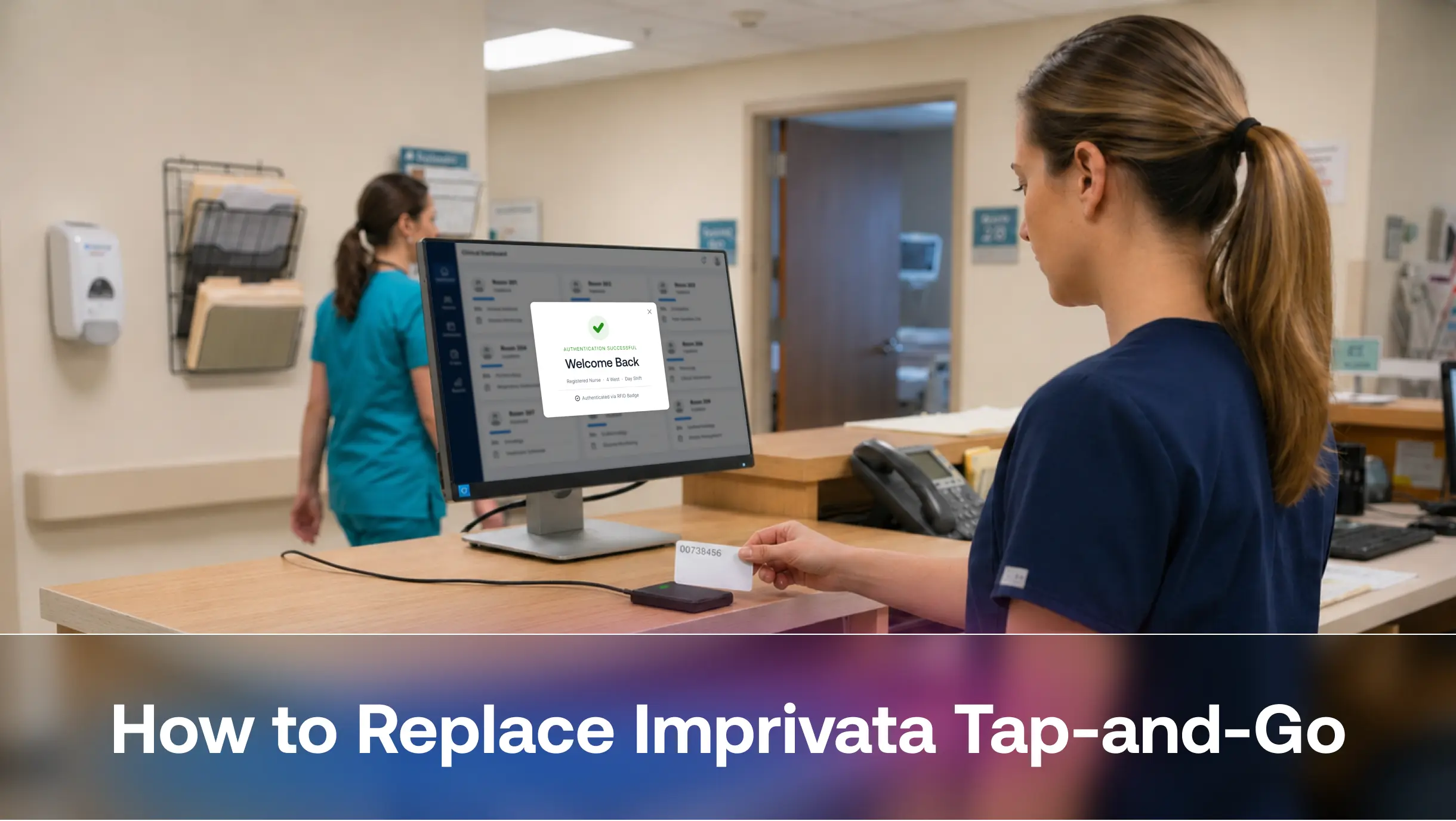
Imprivata Tap-and-Go is the badge-based single sign-on workflow inside Imprivata Enterprise Access Management, the product formerly called OneSign. A clinician taps a proximity badge on a USB reader. The Imprivata agent on the workstation checks the badge ID against the Imprivata appliance, and the clinician lands in Windows and the EHR without typing a password. A second tap locks the session or hands the workstation to the next user.
Four components make this work:
- The badge: Security issues it through your PACS, such as LenelS2, Pro-Watch, C-CURE, or Genetec.
- The reader: A USB proximity reader at each workstation or workstation on wheels.
- The agent: Imprivata software on every endpoint and thin client.
- The appliance: The Imprivata server, on premises or in Azure, that stores badge enrollments and SSO profiles.
Imprivata owns only the agent and the appliance. Replace those two layers, and clinicians keep tapping the same badge on the same reader. For a deeper look at the mechanics, see how badge tap access works on shared terminals.
What Re-Badging Means in a Migration
Re-badging means printing and issuing new credentials to every employee, usually because the new system can’t read the old card technology. It pulls staff off the floor for photos, floods the help desk, and creates a gap where some people hold working badges and others don’t. In a hospital running 24/7 shifts, that gap can last for weeks.
A clean move off Imprivata Tap-and-Go avoids re-badging in three ways. The new platform reads your current card formats, it reuses the readers already installed, and it carries over each badge-to-user link so nobody re-enrolls.
Why Your Existing Badges and Readers Can Stay
Imprivata’s own documentation says its platform supports rf IDEAS USB readers, the most common readers in the market, and that many brands resell rf IDEAS hardware, Imprivata included. Any platform that supports rf IDEAS and HID Omnikey readers can run the readers already mounted on your workstations.
Badges work the same way. Your PACS encodes them and your door readers depend on them, so security teams rarely change formats just to switch SSO vendors. A replacement for Imprivata Tap-and-Go reads each card’s unique ID and maps it to a user account in Microsoft Entra ID, Okta, or Ping Identity. Look for RFID badge authentication that supports all major card types and keeps working offline, since network drops happen at the bedside.
What Changes When You Replace Imprivata Tap-and-Go?
Replacing Imprivata Tap-and-Go does not necessarily require rebuilding your entire badge and workstation infrastructure. The extent of the changes depends on your existing deployment and the compatibility of the replacement platform.
| Infrastructure component | Migration consideration |
|---|---|
| Employee badges | Retain existing badges if their technologies and formats are supported |
| USB badge readers | Reuse compatible readers after model and configuration validation |
| Badge-to-user mappings | Migrate existing enrollment data or recreate mappings through provisioning integrations |
| Identity provider | Continue using Microsoft Entra ID, Okta, or Ping Identity where supported |
| Workstation authentication | Replace the existing authentication software and associated workflows |
| Shared workstation workflows | Revalidate tap-in, tap-out, tap-over, and session switching |
| Backend infrastructure | Transition to the replacement platform's supported deployment architecture |
| EPCS workflows | Independently validate authentication, identity proofing, and prescriber enrollment requirements |
The goal is to minimize infrastructure changes while ensuring that the replacement platform meets the organization's security, usability, and compliance requirements.
How to Replace Imprivata Tap-and-Go Without Re-Badging Staff: 5 Steps
A successful migration changes only the software that reads the badge. Badges, readers and clinician habits stay the same. These five steps take you from inventory to the final unit’s cutover, and each one closes a gap that would otherwise force staff to re-enroll or wait for new cards.
Step 1: Audit Badge Formats and Reader Models
Before evaluating replacement vendors, document the badge technologies and reader configurations deployed across your healthcare environment. Do not rely solely on the badge manufacturer or reader brand. Two cards that look identical may use different technologies, credential formats, or encoding configurations. Build an inventory using four sources:
- PACS records: Card technology and format for each group, including employees, contractors, residents, and travel nurses.
- Reader fleet: Model numbers, firmware, and configuration. Newer Imprivata readers hold up to four card configurations, so one reader may serve several badge types.
- Edge cases: Dual-technology badges, FIDO-enabled cards, and affiliated physicians who carry badges from other health systems.
- Credential configuration: Card technology, frequency, facility codes, card numbers, encryption requirements, and the credential formats exposed to the workstation reader.
Cards that hold both FIDO2 and DESFire credentials need an early decision on which credential the new platform will read. Hospitals that use badges for medication cabinets and restricted zones should include those readers too. This overview of RFID use cases across hospital operations helps you scope the full inventory.
Step 2: Export Badge-to-User Mappings From Imprivata
The enrollment table decides whether staff notice the switch at all. Each row links a badge ID to a user account. Lose it, and every clinician has to tap, type a password, and re-enroll on day one.
You have two paths:
- Export and import: The Imprivata Admin Console manages badge data on its Proximity cards page, and CSV files move data in and out of it. Ask your Imprivata administrator or support team for the export early, because the hardened appliance limits direct database access.
- Sync from PACS: A zero-touch PACS integration pulls badge numbers straight from your access control system and links them to directory accounts. New hires get workstation access the day security prints their badge. Departing staff lose it the moment security disables the card.
The PACS sync solves the mapping problem for good, because the access control system becomes the single source of truth. OLOID supports this sync with systems such as Honeywell Pro-Watch, LenelS2 OnGuard, and Genetec.
Step 3: Rebuild Shared Workstation Workflows
Clinicians judge a new system in the first hour of a shift. List every workflow Imprivata Tap-and-Go handles today and test each one:
- Tap-in to Windows and the EHR
- Tap-out to lock the screen without closing the patient chart
- Tap-over, where a second clinician takes over a locked session
- Automatic lock when a clinician walks away
- Thin client and VDI sessions on Citrix, Omnissa, or IGEL
Fast user switching matters most. Nurses expect their apps to stay open with patient context preserved. Compare passwordless methods for shared EHR workstations against switching speed, glove tolerance, and hygiene. Presence-based session locking closes the gap when someone walks away mid-session.
Also confirm that the new platform authenticates directly against your existing identity provider, so you avoid running a second directory. Check native support for Microsoft Entra ID, Okta, or Ping Identity.
Step 4: Plan EPCS and EHR Signing Separately
Electronic prescribing of controlled substances (EPCS) carries DEA requirements for identity proofing, two-factor authentication, and audit records. Many hospitals run EPCS through Imprivata Confirm ID, and their prescribers enrolled through supervised identity proofing. Treat EPCS as its own project with its own timeline.
Confirm three things with any vendor:
- DEA certification for the factor combinations you plan to use, such as badge plus PIN or badge plus face
- Native support for Epic signing contexts, including EPCS and medication administration
- A prescriber re-enrollment plan that respects your existing DEA proofing records
OLOID holds EPCS certification and appears in Epic’s End-User Authentication Toolbox, which shortens validation for Epic organizations. See the Epic integration details and this MFA implementation guide for healthcare when you scope signing workflows.
Step 5: Run Both Systems in Parallel, Then Cut Over by Unit
Avoid a big-bang migration wherever possible. Start with a pilot unit and validate the replacement platform against the workflows clinicians use throughout a typical shift. Where technically supported, retain the existing Imprivata environment as a fallback during the transition.
Before deploying both systems in parallel, confirm whether their agents can coexist on the same workstation image without conflicts. If coexistence is not supported, plan a controlled transition using separate workstation images or unit-by-unit deployment. Include day, night, and weekend shifts in the pilot to identify issues that may not appear during standard business hours.
Measure authentication time, failed badge reads, session-switching performance, and help desk tickets against the existing Imprivata baseline. Once the pilot meets the agreed success criteria, expand deployment one unit at a time.
Start with units where the workflows and technical dependencies are relatively straightforward. Plan more carefully for critical-care environments, emergency departments, and units with complex clinical workflows. Keep the existing Imprivata infrastructure available until the replacement platform has been validated across all required workflows and the final unit has transitioned successfully.
For broader governance during the move, follow these healthcare IAM best practices.
Questions to Ask a Replacement Vendor
Use these questions to compare platforms that claim to replace Imprivata Tap-and-Go:
- Which card formats and reader models do you support without new hardware?
- Can you import existing badge enrollments or sync them from our PACS?
- How do you handle tap-over and fast user switching inside Epic Hyperspace and Hyperdrive?
- Do you require an on-premises appliance or server?
- What happens to authentication when the network drops?
- Which factor combinations carry DEA certification for EPCS?
- Do you connect natively to our identity provider?
Health systems that want to keep their badges, readers, and identity provider can use OLOID’s passwordless healthcare authentication for cloud-delivered tap-and-login across shared clinical workstations, without on-site appliances.
FAQs
1. Can I keep my existing badge readers if I replace Imprivata Tap-and-Go?
In most cases, yes. Many Imprivata-branded readers use rf IDEAS hardware, and most modern authentication platforms support rf IDEAS and HID Omnikey USB readers. Record each reader’s model and configuration first. Some older 125 kHz-only readers can’t read newer smart cards, so replace those only if you also plan to upgrade badge technology.
2. Do staff need to re-enroll their badges after leaving Imprivata?
Only if you lose the badge-to-user mappings. Export enrollment data from the Imprivata Admin Console, or sync badge numbers directly from your PACS, before cutover. With either method, clinicians tap their existing badge on day one and land in their session without a self-enrollment prompt.
3. What are the main alternatives to Imprivata Tap-and-Go?
Options include Cisco Duo, Microsoft Entra ID with partner authenticators, Okta’s NFC authenticator (in early access), and platforms built specifically for frontline workers and shared devices. Compare them on reader support, fast user switching, Epic signing, EPCS certification, and offline login. General-purpose MFA tools often struggle with tap-over on shared clinical workstations.
4. How long does it take to migrate off Imprivata?
Timelines depend on the number of units, the delivery model (thin clients, VDI, or full desktops), and whether EPCS is in scope. Plan a pilot that covers at least one full shift rotation, then move one unit at a time. Projects that skip re-badging move faster, because badge printing and distribution usually set the slowest pace.
5. What happens to EPCS when we leave Imprivata Confirm ID?
You need a DEA-certified replacement for two-factor signing, and your prescribers need enrollment in the new system. Check how the vendor handles your existing identity-proofing records and which factor combinations it supports inside Epic. Run EPCS as a separate workstream so prescribing never goes offline during cutover.



Get the latest updates! Subscribe now!

