




MFA for Healthcare: Implementation Guide for IT and Security Leaders

Key Takeaways
- MFA blocks 99.9% of automated account attacks. Most organizations still have gaps in EHR platforms, shared workstations, and vendor connections; exactly where the risk is highest.
- Stolen credentials drive the majority of healthcare breaches. MFA makes them useless. A stolen password without the second factor gets an attacker nowhere.
- Method selection matters. Badge-tap for shared workstations. FIDO2 keys for privileged accounts. Biometrics for clinical floors. SMS is a last resort only.
- HIPAA does not explicitly mandate MFA today, but the 2025 HHS proposed rule will change that. OCR already treats its absence as a compliance failure.
- Full MFA for 1,000 users costs $36K–$120K per year. One breach costs $9.8M. Cyber insurers are pricing that gap into your premiums right now.
- Phased rollout works. Remote access and privileged accounts first. Clinical systems and vendors second. Shared workstations in Phase 2; never deferred indefinitely.
- Passkeys, behavioral authentication, and adaptive access are coming. None of it matters without solid MFA coverage as the foundation today.
Most healthcare organizations have MFA. Almost all have it in the wrong places. And the harder conversation is the one happening in the conference room: which systems get priority, how do you deploy without disrupting clinical workflows, what do you tell the CFO, and how do you handle the healthcare workers who log into six shared workstations per shift and cannot afford to lose 30 seconds at each one.
The Change Healthcare breach made that conversation unavoidable. One unprotected server, no multi-factor authentication, and the result was a $1.6 billion recovery effort that paralyzed pharmacy transactions and claims processing across the United States. According to IBM's 2024 Cost of a Data Breach Report, healthcare has ranked as the costliest industry for data breaches for 14 consecutive years, averaging $9.8 million per incident, more than double the global cross-industry average.
This guide covers what security and IT leaders need to move from intent to execution: threat context, method selection by environment, workflow integration, compliance requirements, and a phased rollout framework built around the realities of clinical settings, including shared-device environments where frontline workers need speed as much as security.
Why Healthcare Stays in the Crosshairs
The numbers that belong in your board deck
Healthcare breaches take an average of 213 days to detect and contain, nearly three weeks longer than the cross-industry average, according to IBM's 2024 Cost of a Data Breach Report. Every one of those days adds to forensic costs, legal exposure, and patient notification work.
In 2024, more than 275 million Americans had health data exposed or stolen, roughly 82% of the entire U.S. population, making it the worst year on record for breached healthcare records, as per the HIPAA Journal 2024 Healthcare Data Breach Report. The average cost per breach in healthcare that year: $9.8 million, the highest of any industry for the 14th consecutive year.
Why attackers keep targeting healthcare
Medical records carry durable exploitation value. A stolen credit card gets cancelled within hours, but a patient record never expires. It contains a full identity stack: name, date of birth, insurance details, diagnostic history, and often a Social Security number. Records sell for 10 to 20 times the price of credit card data on criminal markets.
The operational urgency of healthcare also gives attackers leverage that other industries cannot match. A hospital cannot take its EHR offline during a ransomware negotiation without affecting patient care. Attackers price that urgency into their demands, which is why healthcare organizations pay ransoms at higher rates than any other sector.
The Threat Landscape Your MFA Deployment Has to Address
Credential theft and phishing
Compromised credentials appear in approximately 86% of healthcare breaches. Attackers use fake IT support emails, cloned login pages, and vendor impersonation to harvest valid usernames and passwords. Once inside, they access EHRs, billing systems, and patient portals without triggering alerts because they are using legitimate credentials.
MFA closes this door. A stolen username and password without the second factor produce nothing.
Ransomware through remote access
Internet-facing VPN gateways and remote desktop portals without MFA are the most commonly exploited entry points in healthcare ransomware attacks. An attacker with valid credentials from phishing or a credential dump authenticates directly to the network with no friction. From there, lateral movement to backup systems and clinical applications takes hours.
Insider threats and privilege abuse
Credential-sharing on shared workstations, a common workaround when MFA feels slow, eliminates individual accountability. When a breach occurs, a forensic investigation cannot establish which user performed which action if multiple staff members shared the same session. MFA tied to individual identities, even on shared devices, restores the audit trail that compliance and incident response both require.
Third-party and vendor compromise
In 2024, business associates and third-party vendors accounted for 16% of all healthcare breaches. Vendors accessing billing platforms, hosted EHR modules, or remote monitoring tools frequently operate under weaker authentication controls than internal staff. Any vendor with access to systems that touch PHI extends your attack surface.
AI-assisted credential stuffing
Generative AI lowered the operational cost of credential stuffing campaigns significantly. Attackers now run automated tests of stolen credential pairs against healthcare portals at a scale that overwhelms traditional monitoring. MFA renders these campaigns ineffective because a valid username-password pair without the second factor returns nothing usable.
The Limits of MFA and What to Pair It With
MFA blocks most credential-based attacks. It does not block everything.
Session hijacking bypasses MFA entirely because the attack happens after a legitimate login, not during it. Push bombing exploits user fatigue by flooding staff with approval requests until someone taps accept. Legacy protocols like NTLM and basic auth predate MFA enforcement and create bypass paths that most deployments leave open. And on clinical floors, MFA friction drives credential sharing, which quietly eliminates the individual accountability that both security and compliance depend on.
Pair MFA with EDR for session-level visibility, network segmentation to limit lateral movement, PAM for just-in-time privileged access, and authentication methods built for shared workstations, so friction never becomes the reason staff work around the control.
What Good MFA Coverage Looks Like vs. What Most Organizations Actually Have
This comparison maps the current state of MFA for healthcare against the standard that meaningfully reduces breach risk.
Most healthcare organizations have MFA on VPN and email. Very few have it on EHR platforms, shared workstations, and vendor connections, which is precisely where the highest-risk access happens.
Choosing the Right MFA Method for Each Environment
Selecting the right MFA for healthcare environments depends on who authenticates, on what device, and under what time pressure.
Biometrics on managed devices
Fingerprint and facial recognition authenticate in under a second with no memorization required. For clinical staff at dedicated workstations, face-based authentication removes the friction of touch-based methods when gloves are in use. Works best on individually assigned devices or in environments where each session scopes cleanly to one user.
Badge tap with PIN or biometric
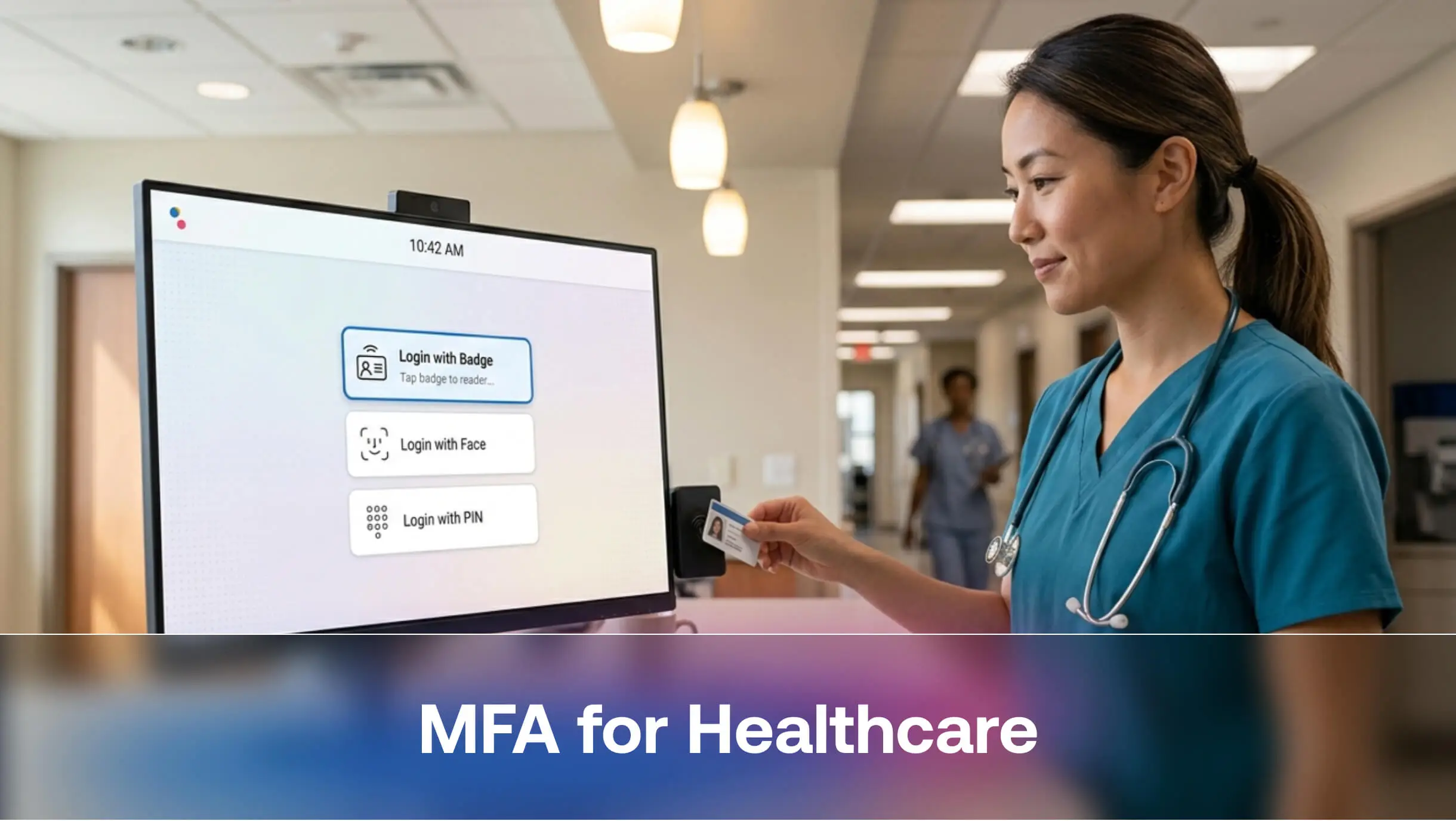
The right answer for shared workstation environments. A nurse or technician taps their access badge to log in and taps again to log out. The session ties to that individual, the audit trail holds, and login takes under three seconds. This is the model that makes MFA viable on the clinical floor rather than a bottleneck to patient care.
FIDO2 hardware security keys
Passkeys are the strongest available option and the only one that is fully phishing-resistant by design. Hardware keys cryptographically bind authentication to the specific domain being accessed, so a fake login page cannot capture or replay the credentials. Best suited for privileged accounts, IT administrators, and any role with access to bulk PHI export.
Push notifications with number-matching
A significant improvement over basic SMS. The user sees a numeric code on the login screen and matches it in their authenticator app, which blocks push-bombing attacks where an attacker floods a user with approval requests, hoping for an accidental tap. Works well for office-based staff and remote access scenarios.
Implementing MFA Without Breaking Clinical Workflows
The objections your clinical staff will raise, and how to answer them
It slows us down.
Modern MFA on a well-configured workstation adds 2 to 5 seconds per login. A badge-tap model adds almost none. Demonstrate the faster method rather than arguing the point.
We share logins on this floor.
Credential sharing is a workflow problem that predates MFA and will not survive an audit or a breach investigation. Deploy MFA methods that make individual login fast enough that sharing stops being a shortcut. Badge-based or biometric authentication on shared workstations removes the friction that drives the behavior.
Our EHR does not support MFA.
Most legacy EHRs support SAML or OAuth at the gateway level, which allows MFA to layer on top without changes inside the EHR itself. The authentication challenge happens before the application, not inside it.
What if the system goes down?
Every MFA deployment needs a documented fallback: hardware backup codes in a secure location, an offline authentication mode for critical systems, or a break-glass process with full audit logging. This is a deployment requirement, not a reason to delay.
SSO paired with MFA
SSO removes repeated authentication without removing security. A clinician authenticates once with MFA at the start of a session and accesses all authorized applications within that session. SSO plus MFA is the standard that balances security with usability for clinical environments.
Step-up authentication for high-risk actions
Routine EHR navigation during a normal shift does not require a fresh MFA prompt every few minutes. Exporting bulk patient records, e-prescribing controlled substances, or logging in from an unrecognized device should each trigger an additional verification step. Adaptive authentication applies friction where risk is highest without slowing down routine tasks.
Compliance: What Auditors Actually Look For
HIPAA, HITECH, and EPCS in practice
HIPAA's Security Rule requires "reasonable and appropriate" technical safeguards for ePHI. The HHS Office for Civil Rights does not mandate MFA by name, but its enforcement actions consistently identify weak authentication as a root cause. OCR investigators look for three things: unique user identification, entity authentication controls, and documented policies specifying which systems require MFA and which methods meet the standard.
HITECH increases breach notification requirements and maximum penalties. EPCS, electronic prescribing for controlled substances, explicitly requires two-factor authentication before a prescription can be submitted, with no flexibility.
How MFA supports cyber insurance eligibility
Cyber insurers began treating MFA as a baseline underwriting criterion around 2021 and have tightened requirements since. Insurers now ask specifically about MFA coverage on remote access, email, privileged accounts, and EHR systems. Gaps in any of these areas can trigger exclusions, higher premiums, or policy denial. Organizations that document comprehensive MFA deployment consistently report premium reductions of 10 to 30% at renewal.
US vs. EU requirements
US organizations align primarily with HIPAA, HITECH, and state-level regulations. Organizations serving patients in the EU must also address GDPR, which requires appropriate technical measures for personal data protection, and NIS2, the EU's updated network and information security directive that explicitly covers authentication controls for critical infrastructure, including healthcare.
MFA for Medical Devices and IoT
Connected medical devices represent the fastest-growing and least-protected authentication gap in healthcare. Infusion pumps, imaging equipment, patient monitoring systems, and smart beds share network access with EHRs and administrative systems. Most run embedded firmware that was never designed to support user authentication.
The near-term answer is network segmentation: isolating medical device traffic from systems that handle ePHI so that a compromised device cannot serve as a lateral movement path into clinical data. Identity-based access controls at the gateway level, where the device authenticates to the network rather than the reverse, add another layer without requiring firmware changes.
Healthcare organizations planning infrastructure upgrades should evaluate vendor roadmaps for FIDO-based device identity support, because device-level authentication is where regulatory attention is heading.
The Business Case Your CFO Will Approve
Cost of a breach versus cost of MFA
The math fits on one slide. According to IBM's 2024 Cost of a Data Breach Report, the average healthcare breach costs $9.8 million. Enterprise MFA solutions typically run $3 to $10 per user per month, based on published pricing from vendors like Cisco Duo, Microsoft Entra, and Okta. For a 1,000-person organization, full MFA coverage costs roughly $36,000 to $120,000 per year. The ROI calculation does not require a spreadsheet.
The point that lands hardest in CFO conversations: a breach does not just cost money. It costs 213 days of operational disruption, regulatory investigation, patient notification, reputational damage, and lost trust that takes years to rebuild. Cyber insurance premiums also rise after a breach, compounding the ongoing cost.
Insurance and regulatory savings
MFA coverage reduces cyber insurance premiums, lowers OCR enforcement exposure, and supports the documentation requirements that reduce HIPAA fine calculations. MFA deployment reduces cyber insurance premiums, lowers OCR enforcement exposure, and cuts the baseline cost of operating in a regulated, high-risk environment year over year.
Phased Rollout: A Framework Built for Clinical Reality
Phase 1: Close the highest-risk doors first
Secure identity infrastructure first: Active Directory, Azure Entra, and privileged access management platforms. Then secure remote access: VPN gateways, remote desktop portals, and cloud-hosted administrative consoles. These are the entry points most commonly exploited in ransomware attacks and the ones that deliver the highest return on deployment effort.
Phase 2: Extend to clinical systems and vendors
Bring EHR platforms, e-prescribing tools, patient portals, telehealth platforms, and cloud-hosted clinical applications into scope. Extend MFA requirements to all third-party vendor connections and make documented MFA compliance a condition of vendor agreements. Deploy RFID badge-based authentication or biometric MFA on shared workstations during this phase, not as an afterthought.
Phase 3: Monitor, audit, and close remaining gaps
Track MFA adoption rates across all covered systems. Identify accounts or systems still operating without it. Monitor authentication logs for anomalies, including failed MFA attempts in volume, unusual login locations, and off-hours access. Review coverage as part of your annual HIPAA security assessment and include MFA metrics in board-level security reporting.
Where OLOID Fits: MFA Built for the Clinical Workflows
Standard enterprise MFA tools were built for office workers with a personal laptop and a stable internet connection. They were not designed for a nurse logging into six shared workstations across a shift, a lab technician who needs hands-free authentication while handling specimens, or a floor worker who needs to pull up a record in under five seconds and get back to a patient.
This is the environment OLOID was built for. Designed specifically for frontline and operational workplaces, including healthcare, OLOID delivers passwordless, proximity-based MFA that ties individual identity to shared devices without adding friction to the care workflow. Staff tap a badge or authenticate with a biometric; sessions stay individually scoped and fully auditable, and the login experience does not compete with the clinical task at hand.
Organizations that have MFA deployed in the executive suite and the IT department but are still running shared passwords on the clinical floor carry their most consequential gap exactly where patient care happens.
What Comes Next: The Future of MFA in Healthcare
Passkeys and FIDO2 going mainstream
Passkeys replace passwords entirely with device-bound cryptographic credentials. They are phishing-resistant by design, faster than traditional MFA flows, and increasingly supported by major EHR vendors and identity platforms. Healthcare adoption will accelerate as platform support matures over the next two to three years.
Continuous and behavioral authentication
Beyond login-time MFA, continuous authentication monitors behavioral signals during an active session, including typing patterns, navigation behavior, device posture, and network context, then flags anomalies without interrupting the user. A session hijacked after a legitimate MFA login becomes detectable rather than invisible.
AI-driven adaptive access
Risk-based authentication uses real-time signals to adjust verification requirements dynamically. A physician logging in from their usual workstation during normal hours receives a seamless experience. The same account authenticating from an unrecognized device at 2 a.m. triggers a stricter step-up check automatically. The system calibrates security to risk rather than applying uniform friction to every login.
Conclusion
Healthcare organizations that have not completed MFA deployment are not unaware of the risk. They are managing competing pressures: clinical workflow continuity, legacy system constraints, staff resistance, and budget cycles that move more slowly than the threat landscape. The case for MFA for healthcare has moved past awareness. The work now is execution.
Start with the access points that carry the highest breach probability: remote access, privileged accounts, and EHR gateways. Extend to clinical systems and vendor connections. Solve the shared workstation problem with authentication methods built for the clinical environment, not adapted from tools designed for office workers. Every covered system reduces exposure. Every individual identity tied to an authenticated session restores accountability. Every day of delay keeps open the gap that the next attack will find.
If your organization is ready to close that gap, especially on the clinical floor where shared workstations and frontline workflows make standard MFA tools fall short, OLOID was built for exactly that environment. Passwordless, proximity-based, and purpose-built for the people who cannot afford friction at the point of care.
The technology exists. The financial case is clear. Regulators have established the expectation. The only question left is whether your organization makes the decision, or your next breach makes it for you.
FAQs
1. Does HIPAA legally require MFA?
Not by name yet. The current HIPAA Security Rule requires "reasonable and appropriate" technical safeguards for ePHI access, and OCR already flags the absence of MFA as a compliance failure in breach investigations. HHS published a Notice of Proposed Rulemaking in January 2025 that proposes making MFA an explicit mandatory requirement, with the final rule expected in 2026.
2. Our EHR is a legacy system. Can we still implement MFA without replacing it?
Yes, and most organizations do exactly this. SAML and OAuth gateways allow MFA to sit in front of the EHR without touching the application itself. For systems that support neither, access proxies enforce MFA at the network edge and produce the audit logs that compliance requires: no rip-and-replace needed.
3. How do you implement MFA without slowing down frontline clinical staff?
By matching the method to the environment. Badge-tap and proximity-based authentication add under three seconds per session on shared workstations. Biometrics add almost none. The friction problem is real, but it is a method selection problem, not an MFA problem.
4. What happens if the MFA system goes down during a clinical emergency?
Every deployment needs a documented fallback before go-live: hardware backup codes stored securely on-site, a break-glass emergency access process with full audit logging, and, where possible, an offline authentication mode for critical systems.
5. Where should we start if our MFA coverage is inconsistent?
Start where breach probability is highest: remote access infrastructure, privileged accounts, and EHR gateways. These are the entry points most exploited in ransomware attacks. Extend to clinical applications and vendor connections next, and treat shared workstation authentication as a Phase 2 priority.
Get the latest updates! Subscribe now!
