




What is Passkey Authentication? How Passkeys Work and Why They Matter

Key Takeaways
- Passkey authentication replaces traditional passwords with device-based cryptographic credentials, reducing risks associated with password theft and phishing attacks.
- Passkey authentication relies on public-key cryptography, where a private key is stored securely on the user’s device while the public key is stored by the service or application.
- Because the private key never leaves the device, passkeys are phishing-resistant and significantly reduce exposure to credential stuffing and password reuse attacks.
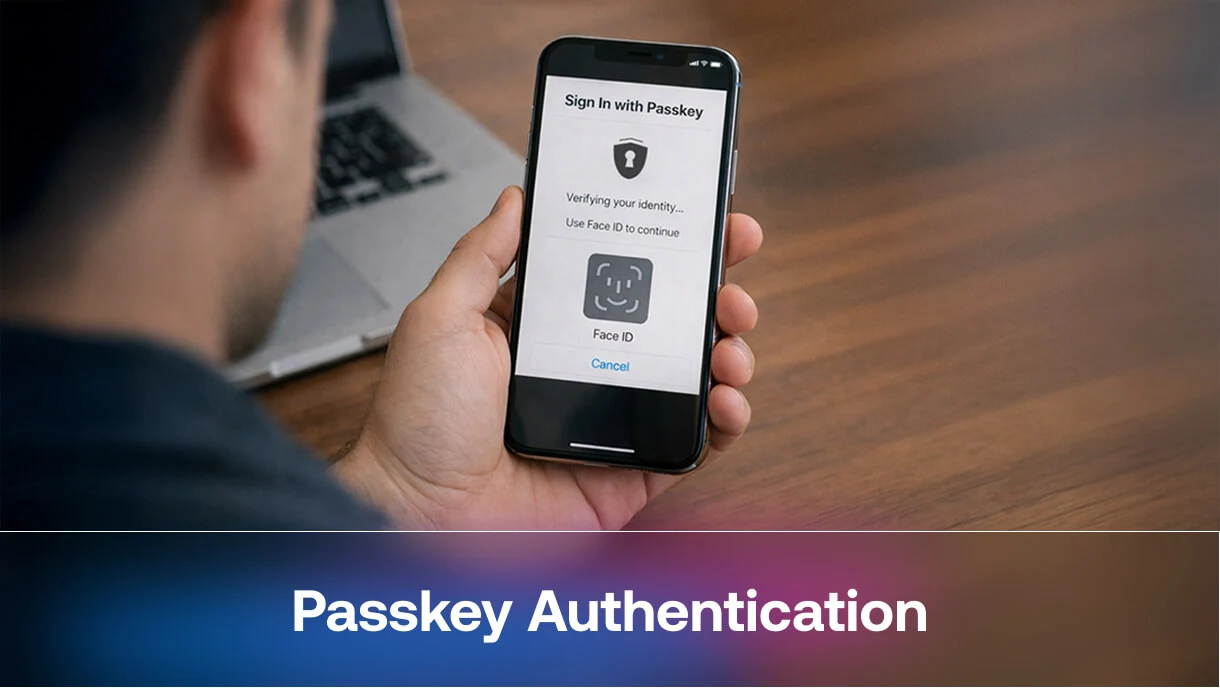
- Passkeys simplify the login experience by allowing users to authenticate with biometrics such as Face ID, Touch ID, or device PINs instead of typing passwords.
- Enterprises can benefit from passkeys in environments with shared workstations and frontline employees, where frequent logins can slow productivity.
- As more platforms adopt FIDO and WebAuthn standards, passkeys are becoming a core component of modern passwordless authentication strategies.
Authentication sits at the center of enterprise security. Every login attempt determines whether a legitimate user gains access or a threat actor moves deeper into the environment. Despite years of stronger password policies and deployments of multi-factor authentication, credential-based attacks remain one of the most common causes of security breaches.
Weak passwords, password reuse, and large-scale phishing campaigns continue to expose organizations to credential theft across websites and apps. Microsoft’s security research shows that password-based attacks now exceed 4,000 attempts per second globally, highlighting how frequently attackers target login systems. This growing threat landscape is one reason the FIDO Alliance, the industry group behind modern identity standards such as WebAuthn, has pushed for stronger authentication methods for online identity.
As a result, many security leaders are shifting toward passwordless authentication models. Among the most promising approaches is Passkey Authentication, a method that replaces traditional passwords with cryptographic credentials tied to trusted devices.
Major technology providers, including Apple, Google, and Microsoft, have already integrated passkeys login capabilities across their platforms. Enterprises are now evaluating how passkeys can strengthen identity security while improving the user experience. For organizations managing distributed teams, shared workstations, and operational environments, Passkey Authentication offers a compelling path toward more resilient access control.
What is Passkey Authentication
Passkey Authentication is a passwordless authentication method that allows users to sign in to applications and services without entering a password. Instead of relying on credentials that users must remember, passkeys use public-key cryptography, where cryptographic keys are generated and stored securely on trusted devices.
When a passkey is created, two keys are generated. The private key remains securely stored on the user’s device, while the public key is stored by the service or application the user wants to access. During login, the user verifies their identity using their device. This often happens through fingerprint recognition, facial recognition, or a device PIN. Once the user confirms their identity, the device uses the private key to respond to a cryptographic challenge issued by the server. The server verifies the response using the stored public key and grants access if the verification succeeds.
As the private key never leaves the user’s device, passkey authentication, explained in simple terms means this: authentication happens without sending or storing passwords. This approach significantly reduces the risk of credential theft.
How Passkey Authentication Works
Understanding how passkeys work helps explain why they are gaining momentum across the identity ecosystem. The authentication process relies on public key cryptography and modern standards such as FIDO passkeys and WebAuthn, which allow secure authentication directly through a browser or operating system.
Passkey creation during registration: When a user registers with an application that supports Passkey Authentication, the system generates a cryptographic key pair. The private key remains securely stored on the user’s device, while the public key is associated with the user’s account on the server.
Login request and challenge: When the user later attempts to log in, the application sends a cryptographic challenge to the device.
User identity verification: The device prompts the user to confirm their identity using biometric authentication, such as Face ID, Touch ID, or other supported biometrics.
Signing the challenge: After verification, the device signs the challenge using the private key stored on the device. This private key remains protected on the user’s device and is never shared with the website or app during authentication.
Server validation and access: The signed response is sent back to the server, where it is validated using the stored public key. If the verification succeeds, the system confirms the user’s identity and grants access within seconds, without requiring a password.
This design ensures that authentication depends on device possession and user verification rather than memorized credentials, which significantly reduces exposure to common credential-based attacks.
Where Passkeys are Stored for Secure Passwordless Authentication
Passkey authentication relies on cryptographic credentials that are stored securely on trusted devices. Modern operating systems such as Android, iOS, and Windows act as secure authenticators, protecting cryptographic credentials inside trusted hardware components.
One common storage location is the secure enclave or trusted platform module within a device. These components isolate cryptographic operations and prevent private keys from being extracted. Passkeys can also sync across devices through credential managers such as Apple iCloud Keychain or Google Password Manager, allowing seamless sign-ins across phones, laptops, and tablets.
In enterprise environments, organizations may also rely on hardware security keys or managed authentication platforms to control how passkeys are issued and used. Because private keys remain protected within secure hardware or encrypted credential stores, attackers cannot easily obtain them even if other systems are compromised.
Passkeys vs Passwords: How Passkeys Replace Traditional Passwords
Organizations evaluating Passkey Authentication often compare it with traditional password-based login systems. The differences between passkeys and passwords become clearer when looking at security risks and user experience.
Traditional passwords depend on shared secrets that are vulnerable to credential stuffing, phishing attacks, and password reuse across websites or apps. Even when organizations implement multi-factor authentication, phishing kits and social engineering attacks can still bypass one-time passcodes.
Passkey Authentication introduces a stronger authentication method for secure sign-ins. Instead of relying on passwords, authentication happens through device-based cryptographic keys tied to a specific application or domain.
Because passkeys remove the need for memorized credentials, they significantly reduce the risks associated with password theft while improving the overall login experience for users.
Benefits of Passkey Authentication for Secure Sign-ins
As more organizations adopt passkeys, they discover that passwordless authentication improves both security and user experience. Several advantages stand out.
Key passkey security benefits include:
Phishing-Resistant Authentication
Passkeys are tied to the legitimate domain of the service being accessed. This prevents attackers from capturing credentials through fake login pages, making Passkey Authentication far more resistant to phishing attempts.
No Reusable Credentials
Unlike passwords, passkeys cannot be reused across services. Each passkey is uniquely generated for a specific application or domain, which helps prevent credential stuffing attacks that rely on stolen passwords.
Reduced Impact of Data Breaches
With passkey authentication, servers store only public keys instead of password hashes. Even if a database is compromised, attackers cannot use these public keys to access accounts.
Built-in Multi-Factor Authentication
Passkeys combine device possession with biometric or PIN verification during login. This creates a strong form of multi-factor authentication without requiring users to complete additional steps.
Faster and Simpler Login Experiences
Users authenticate using biometrics or device unlock methods rather than entering passwords. This reduces friction during sign-ins and improves the overall user experience.
Lower Helpdesk Costs
Password resets account for a significant portion of IT support requests. Because Passkey Authentication eliminates passwords, organizations can reduce the volume of reset requests and lower operational support costs.
Together, these benefits allow organizations to enhance security while making authentication easier for users across applications and devices.
Enterprise Benefits and Real-World Use Cases
Passkey Authentication for enterprises offers benefits that extend beyond stronger security controls. In many operational environments, authentication friction directly affects productivity.
Consider healthcare settings where clinicians access shared workstations throughout a hospital shift. Frequent password entry can slow workflows and create frustration during critical tasks. A passkeys login approach allows clinicians to authenticate quickly using device verification while maintaining strong identity assurance.
Manufacturing environments present similar challenges. Workers often interact with shared terminals on factory floors where traditional login processes are impractical. Passkeys combined with device-based authentication can streamline access to operational systems while reducing the risk of credential sharing.
Logistics and retail environments also benefit from simplified authentication. Employees accessing inventory systems or point-of-sale platforms often rely on shared devices. Integrating passkeys with badge credentials or device identity signals can improve both security and efficiency.
These scenarios highlight why many organizations are exploring modern identity approaches that align with how work actually happens in frontline and operational environments.
How to Implement Passkey Authentication in Enterprise Environments
Adopting Passkey Authentication requires careful planning to ensure they integrate smoothly with existing identity systems and user workflows.
Integrate with existing IAM systems: Ensure passkeys work smoothly with current identity and access management platforms, especially in hybrid environments with legacy apps and cloud services.
Enable passkey creation during onboarding: Most deployments allow users to create a passkey during account registration or their first login.
Manage trusted devices: Establish processes to enroll, monitor, and secure devices used for passkey authentication.
Design secure account recovery: Provide safe recovery options if users lose access to their registered devices without weakening security.
Align with broader identity strategy: Integrate passkeys with device identity, contextual authentication signals, and continuous access evaluation.
Where Passkeys Alone are Not Enough in Enterprise Environments
While passkeys significantly improve authentication security, they are not a complete solution for every enterprise scenario. Many organizations operate in environments where identity workflows extend beyond individual user devices.
Challenges often arise in shared-device environments, shift-based workforces, and operational settings such as factories or hospitals, where multiple employees access the same systems throughout the day. In these cases, device ownership can be unclear, and traditional device-bound authentication models become harder to manage. Enterprises also need to consider legacy application compatibility and identity workflows across scanners, kiosks, and shared workstations.
These challenges highlight the need for identity platforms that can extend passkeys into operational environments. In such cases, OLOID helps organizations enable passwordless authentication securely across shared systems, frontline devices, and distributed workforces.
How Passkeys are Replacing Passwords in Passwordless Authentication
As organizations adopt passkey authentication, traditional password-based logins are gradually being replaced by device-based authentication. Technology vendors have already integrated FIDO passkeys into operating systems, browsers, and developer frameworks, making it easier for organizations to implement passwordless authentication.
As this ecosystem evolves, authentication will rely more on device trust, biometric verification, and contextual signals instead of memorized credentials.
For enterprises managing complex environments that include cloud services, operational technology systems, and shared devices, this shift offers a more scalable approach to identity security. It is especially relevant in frontline environments where workers move between shared workstations, scanners, and operational systems. Identity platforms built for these scenarios, including OLOID, help extend passwordless authentication to frontline workflows where traditional login methods often create friction.
Organizations exploring passkeys today will be better prepared for a future where secure authentication relies on trusted devices and cryptographic identity rather than traditional passwords.
Conclusion
Passkey Authentication represents an important evolution in identity security. By replacing passwords with cryptographic credentials stored on trusted devices, organizations can significantly reduce exposure to phishing attacks, credential theft, and brute force attempts.
At the same time, passkeys simplify the authentication experience for users. Employees can sign in using biometric verification or device unlock instead of managing complex passwords.
For enterprises exploring passwordless authentication, passkeys offer a practical path toward stronger security and smoother user access. As adoption continues to grow across platforms and applications, organizations will also need identity solutions that work reliably in operational environments. Passwordless authentication platform like OLOID helps bridge this gap by enabling secure, passwordless access for frontline workers and shared-device systems, bringing modern authentication to environments where traditional login methods often fall short.
FAQs
1. What is Passkey Authentication?
Passkey Authentication is a passwordless login method that uses cryptographic key pairs stored on trusted devices. Users authenticate through biometrics or a device PIN, which helps eliminate the need for users to remember passwords.
2. Are passkeys safer than passwords?
Yes. Passkeys reduce the risk of phishing, credential reuse, and brute force attacks because authentication relies on device-based cryptographic keys rather than shared secrets.
3. Do passkeys replace multi-factor authentication?
In many cases they do. Passkey Authentication combines device possession and biometric verification in a single step, which effectively provides multi-factor authentication during the login process.
4. Can passkeys be used across multiple devices?
Yes. Many passkey providers allow passkeys to sync across devices using secure credential managers built into modern operating systems. This allows users to sign in seamlessly across different devices such as smartphones, tablets, and laptops while keeping cryptographic keys protected.
5. What happens if a user loses the device that stores their passkey?
Most platforms support account recovery through backup authentication methods or synced passkeys stored across devices. In enterprise environments, identity administrators can also manage recovery workflows to restore access securely without relying on traditional passwords.




Get the latest updates! Subscribe now!

