




What is Proximity Authentication?

Key Takeaways
- Proximity authentication verifies identity through physical presence, not passwords or PINs. The user's paired device acts as the credential.
- The auto-lock behavior on session exit is as security-critical as the login itself, and it runs passively without any action from the user.
- BLE is the most common underlying protocol, but NFC, Wi-Fi, and geofencing serve different range and use-case requirements.
- Shared-device environments in healthcare, manufacturing, logistics, and retail are where proximity authentication delivers the greatest security and operational value.
- Proximity authentication satisfies HIPAA automatic logoff, CMMC access control, and PCI DSS identity requirements, often without any additional configuration burden.
- Deployment success depends on fallback planning, token lifecycle management, and environment-specific range calibration, not just the technology itself.
Think about the last time you watched a nurse rush between patients, or a warehouse worker sprint between stations during a peak shift. They share workstations and operate under time pressure; the last thing they need is a password prompt every time they approach a screen. Yet that is exactly what most organizations still ask of them, and they pay for it in security gaps, wasted seconds, and frustrated workers.
The people facing this friction every day are not a niche group. Frontline and deskless workers make up 80% of the global workforce, totalling over 2.7 billion people, and the majority of them have no dedicated workstation, no personal corporate device, and no authentication flow built around how they actually work. At the same time, the threat targeting their credentials continues to grow: according to SlashNext's 2023 State of Phishing Report, credential phishing surged by 967% since late 2022. Every shared terminal with a live session, every password written on a sticky note, every credential reused across shifts is an open door.
There is a better way, and it does not involve remembering anything at all. Proximity authentication is a method of verifying identity based on physical presence: specifically, how close an authenticated device or token is to the system being accessed. Walk up to the workstation, get logged in. Walk away, get logged out. No password, no PIN, no friction.
This blog explores how proximity authentication works, why it matters, where it fits best, and what to consider before deploying it.
The Problem with Traditional Authentication on Shared Devices
Password-based login was designed for a world where one person owned one device. That world no longer exists in most operational environments.
In healthcare, a single workstation can see dozens of clinicians across a single shift. In manufacturing and logistics, workers constantly rotate between shared terminals, kiosks, and handheld devices. Asking each of them to type a full username and password every time they access a system creates a predictable outcome: workers start cutting corners. Sessions stay open, passwords get shared, screens get left unattended.
This is the shared-device problem, and it sits at the intersection of security risk and operational reality. Badge tap helps, but requires physical contact and does not automatically log users out. Biometrics work, but create friction in environments where workers wear gloves, have dirty hands, or move too fast for a fingerprint reader. Standard MFA adds steps that break the workflow in high-frequency access scenarios.
Proximity authentication solves this specific gap. It makes the act of being physically present the authentication event itself.
Why Proximity Authentication is Gaining Momentum
The shift toward proximity authentication is part of a broader move away from credential-based security that has been accelerating across regulated industries for the last three years.
Several forces are pushing it forward simultaneously. Passwordless mandates are moving from best practice to regulatory expectation, with NIST 800-63B and CISA guidance both pushing organizations toward phishing-resistant, possession-based authentication. At the same time, the cost of credential-based breaches keeps climbing.
On the operational side, the case is just as strong. Organizations in healthcare, manufacturing, and logistics are facing pressure to reduce login friction without sacrificing accountability. Shared-device environments cannot absorb more authentication steps. The workforce will not comply with security controls that visibly slow them down.
Proximity authentication sits at the intersection of both pressures. It strengthens security by eliminating shared secrets and enforcing automatic session closure, and it reduces operational friction by removing every active authentication step from the worker. That combination is rare enough in enterprise security that it is driving real adoption across environments where traditional IAM tools have consistently failed.
What is Proximity Authentication?
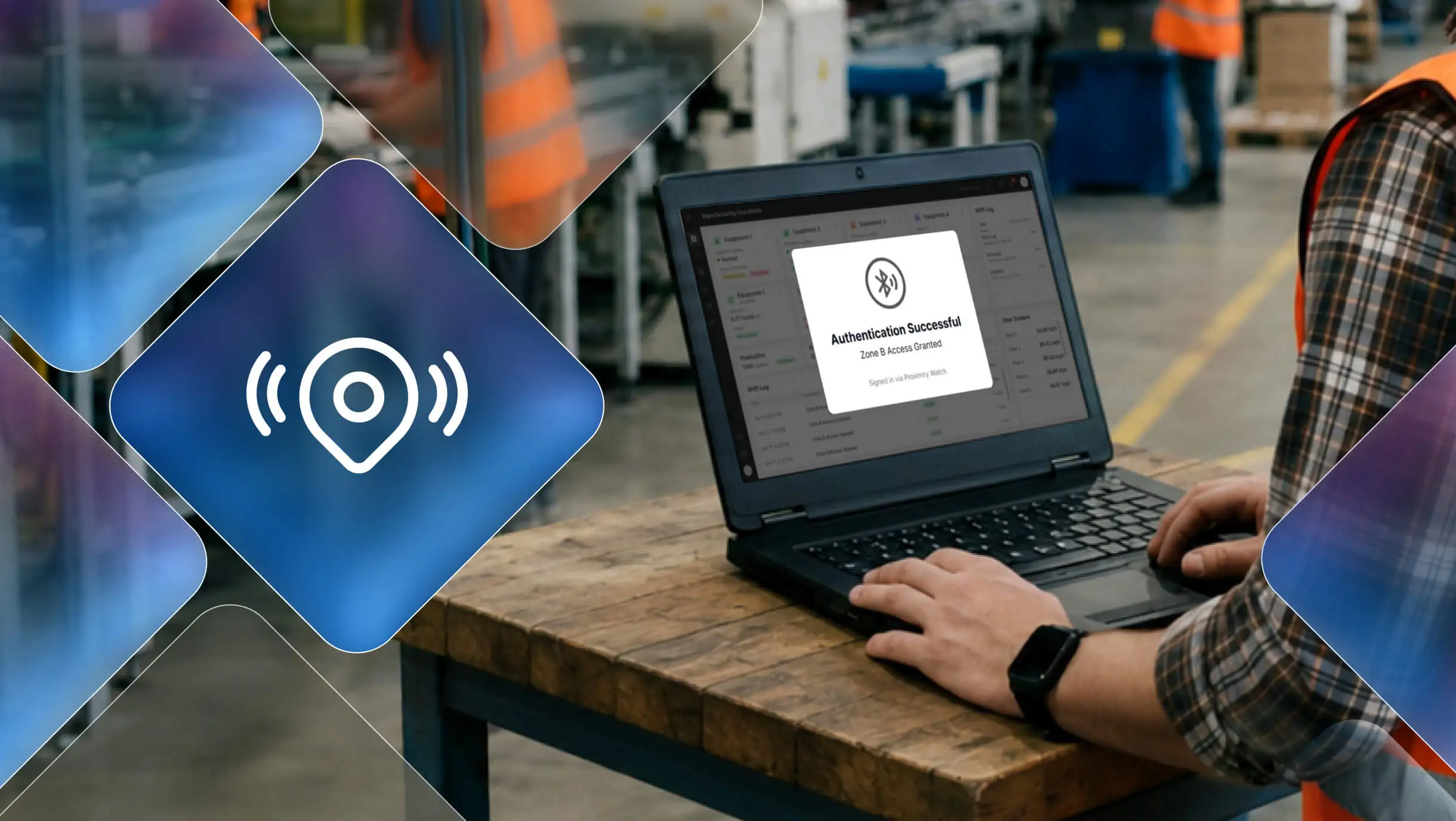
Proximity authentication is the process of verifying a user's identity by detecting the physical proximity of a paired device or token (such as a smartphone, Bluetooth key fob, or wearable) to a host system. When the device is within a defined range, the system authenticates the user automatically. When the device moves out of range, the session locks.
It is passwordless by definition; the user carries a token that acts as their identity credential. The system detects presence, validates it cryptographically, and grants or revokes access based entirely on distance. No input is required from the user at any step.
Proximity authentication sits within the broader passwordless authentication category as a possession-based factor: the user proves identity through something they have rather than something they know.
How Proximity Authentication Works
Step-by-Step Authentication Flow
- Pairing: The user's secondary device (phone, token, or wearable) is enrolled and paired with the host system during setup.
- Approach: As the user walks toward the workstation or device, the proximity engine detects the paired token entering a predefined range.
- Signal exchange: The host system and token exchange a cryptographic handshake to confirm the token's identity.
- Access granted: Credentials are validated automatically, and the session opens before the user even sits down.
- Continuous monitoring: The system keeps tracking proximity throughout the session, not just at login.
- Auto-lock: When the user walks away and the token moves out of range, the session locks automatically without any action from the user.
This last step matters as much as the first. Automatic session revocation on exit eliminates one of the most common security failures in shared-device environments: the unattended, still-logged-in screen.
Communication Protocols
Proximity authentication uses several underlying technologies depending on the use case, range requirements, and environment:
Bluetooth Low Energy (BLE): The most widely used protocol for short-range proximity authentication, typically within 1 to 10 meters. Ideal for workstation login in clinical, manufacturing, and office environments. BLE is power-efficient, fast, and works reliably in dense hardware environments.
NFC (Near Field Communication): Operates at very close range (a few centimeters), making it ideal when intentional, deliberate tap-to-authenticate behavior is required. Common in access control and high-security zones.
Wi-Fi / LAN: Broader range that can cover an entire floor or building. Used to verify that a user is present within a specific location rather than at a specific device. Useful for facility-level access policies.
Geolocation / Geofencing: Used to define virtual boundaries. Access is permitted only when the user's device falls within a defined geographic area. Common in remote work policies and facility security contexts.
Continuous Authentication and Automatic Session Management
Most authentication methods treat login as a single event. The user proves identity once, gets access, and the system moves on. What happens to that session five minutes later, when the user has walked away and someone else is standing at the screen, is left to policy, training, or a timer.
Proximity authentication works differently. The verification does not stop at login. The system continuously monitors the distance between the paired token and the host device throughout the entire session. If the signal drops below the defined proximity threshold, the session closes. Not after a timeout, not after a reminder, immediately.
This is what makes proximity authentication a continuous authentication mechanism, not just a faster login method. The user's presence is the ongoing credential. The moment they are no longer present, the credential is gone, and the session ends with it.
In shared-device environments, this distinction carries real security weight. A timed screen lock protects an unattended terminal after two minutes. Continuous proximity authentication protects it after two seconds. For environments handling patient records, financial data, or operational system access, that gap matters.
Proximity Authentication vs. Other Authentication Methods
| Method | Speed | Friction | Shared-Device Fit | Auto-Lockout | Phishing Resistance |
|---|---|---|---|---|---|
| Password | Slow | High | Poor | No | Low |
| Badge Tap | Fast | Low | Good | No | Medium |
| PIN | Medium | Medium | Poor | No | Low |
| Biometrics | Fast | Medium | Limited (gloves, dirt) | No | High |
| Proximity Auth | Fastest | Minimal | Excellent | Yes | High |
| Passkeys (FIDO2) | Fast | Low | Good | No | Very High |
Proximity authentication leads in two dimensions that matter most in operational environments: speed and automatic session management. The system handles both login and logout without requiring the user to initiate either.
Key Benefits of Proximity Authentication
No Credentials to Remember or Steal
Because proximity authentication removes shared secrets from the equation entirely, there are no passwords to phish, guess, or steal. The attack surface shrinks to physical geography. An attacker would need the user's actual paired device at the actual physical location.
Auto-Lock Eliminates the Unattended Session Risk
In most shared-device environments, users rely on manual logout or timed screen locks. Both fail in practice. Proximity-based auto-lock removes the dependency on user behavior. The session closes the moment the user walks away, every time, without exception.
Faster Access in High-Frequency Workflows
For workers who access systems dozens of times per shift, every second of login friction compounds into real lost time. Proximity authentication reduces that to zero active steps. Approach the device, work, walk away. That is the entire interaction.
Where Proximity Authentication is Used
Proximity authentication is particularly valuable in environments where workers move fast, share devices, and cannot afford interruptions:
Healthcare: Nurses and clinicians access EHR systems repeatedly across a shift. Proximity authentication enables fast, automatic login at each workstation while ensuring sessions close when they step away, supporting HIPAA automatic logoff requirements without adding any burden on clinical staff.
Manufacturing and Logistics: Floor workers rotating between shared terminals benefit from touchless, glove-compatible access that does not break workflow. Proximity tokens survive environments that defeat fingerprint readers.
Retail: POS terminals and back-office workstations shared across shifts gain automatic session isolation per worker without requiring manual logout protocols.
Critical Infrastructure: High-security OT and control room environments where access control must be continuous, auditable, and hands-free.
This is the environment OLOID was built for. Its passwordless authentication platform supports proximity-based and tap-based access across shared-device environments in healthcare, manufacturing, logistics, and critical infrastructure, where traditional IAM tools were never designed to operate.
Why Proximity Authentication Works Differently for Frontline and Shared-Device Environments
Most IAM tools are built around a single assumption: one worker, one device, one session. That assumption breaks the moment you walk onto a hospital floor, a manufacturing line, or a retail back office.
Frontline workers do not have dedicated workstations. They share terminals across shifts, hand off devices mid-task, and access systems dozens of times in a single hour. In these environments, every friction point in the authentication flow compounds. A five-second login repeated forty times a shift is over three minutes of dead time per worker, per day, before accounting for failed attempts, forgotten credentials, or sessions left open by the previous user.
Standard IAM tools respond to this with workarounds: shared passwords, extended session timeouts, or badge tap systems that require deliberate action but provide no automatic logout. Each workaround trades one problem for another. A shared password means a shared identity. An extended timeout means an unattended session stays live. Badge tap without auto-lock means the terminal is open the moment the last person walks away without swiping out.
Proximity authentication removes the workaround entirely. The system ties every session to a verified individual through a paired token, logs them in the moment they approach, and closes the session the moment they leave. No shared credentials. No manual logout dependency. No decisions required from the worker at any point in the flow.
Platforms purpose-built for frontline environments combine proximity authentication, tap-based access, and automated session management into a single workflow, so every session on a shared terminal is tied to a verified individual regardless of how many workers rotate through in a single shift. OLOID’s NFC and proximity authentication is designed exactly for this: operational workplaces where shared devices, glove-wearing workers, and high-frequency access patterns make legacy IAM assumptions unworkable.
Compliance Relevance
Proximity authentication maps directly to regulatory requirements that most organizations in regulated industries already need to meet:
HIPAA: The Security Rule requires covered entities to implement automatic logoff controls for electronic PHI. Proximity-based auto-lock satisfies this requirement passively, without training users to manually log out.
CMMC / NIST 800-171: Access control requirements under AC.1.001 and AC.2.006 mandate that organizations limit system access to authorized users and control access to systems and resources. Proximity authentication enforces both at the hardware and session levels.
PCI DSS: Requirement 8 mandates unique identification and authentication for all users with access to cardholder data environments. Proximity tokens paired per user satisfy the unique identity requirement on shared terminals.
Limitations and Deployment Considerations
Proximity authentication is not without practical constraints. Teams evaluating it should account for:
Token loss or damage: A lost token means lost access. Organizations need a defined fallback and recovery flow before deployment, not after.
Battery dependency: Bluetooth tokens require power. Dead batteries create access failures at the worst possible moments. Centralized token management with battery monitoring helps, but requires operational discipline.
Signal interference: Dense metal environments (manufacturing floors, server rooms) can affect BLE signal reliability. Site surveys before deployment help identify dead zones and calibrate range thresholds.
Range calibration: Setting the right proximity threshold matters. Too wide, and a user at the next workstation unlocks your screen. Too narrow, and the session drops while the user is still seated. Proper configuration during deployment is not optional.
Fallback authentication: Every deployment needs a secure fallback for edge cases. That fallback itself should not reintroduce password vulnerabilities.
Conclusion
Authentication should happen when workers need access, not when they stop to enter credentials. For organizations managing shared devices and frontline workflows, proximity authentication replaces passwords with presence, strengthening security without adding any burden on the people doing the work.
The case for it goes beyond convenience. Continuous session management, automatic logout, and per-individual attribution on shared terminals address compliance requirements that timed locks and shared passwords have never reliably satisfied. As passwordless adoption accelerates across regulated industries, proximity-based access is becoming one of the most practical ways to secure shared environments without disrupting operations.
OLOID is built for exactly this reality. If your workforce shares terminals across shifts and your current authentication setup depends on workers doing the right thing at logout, the gap is already there.
FAQs
1. What is the difference between proximity authentication and badge tap?
Badge tap requires deliberate physical contact with a reader to trigger login and does not auto-lock when the user leaves. Proximity authentication logs in on approach and locks on exit, both automatically, with no action required from the user.
2. Can proximity authentication work as part of an MFA setup?
Yes. Proximity serves as the possession factor. Organizations can layer a biometric prompt or PIN on top for higher-privilege access, so standard access requires presence alone while elevated access requires an additional step.
3. What happens if a proximity token is lost or stolen?
A stolen token only creates risk if the attacker is physically present at the organization's systems. The token must be deprovisioned immediately from the admin console, and a secure fallback must be in place that does not reintroduce passwords.
4. How is proximity authentication different from geofencing?
Geofencing grants or denies access based on whether a device is inside a defined geographic boundary such as a building or campus. Proximity authentication operates at device level, typically within a few meters, and triggers session login and lockout at that specific workstation.
5. Is proximity authentication suitable for remote workers?
Proximity authentication is designed for on-site, device-specific access. For fully remote workers, FIDO2 passkeys or device-bound passwordless methods are a better fit. Both approaches can coexist within the same identity platform, serving different user populations with the right method for each.

Get the latest updates! Subscribe now!

