




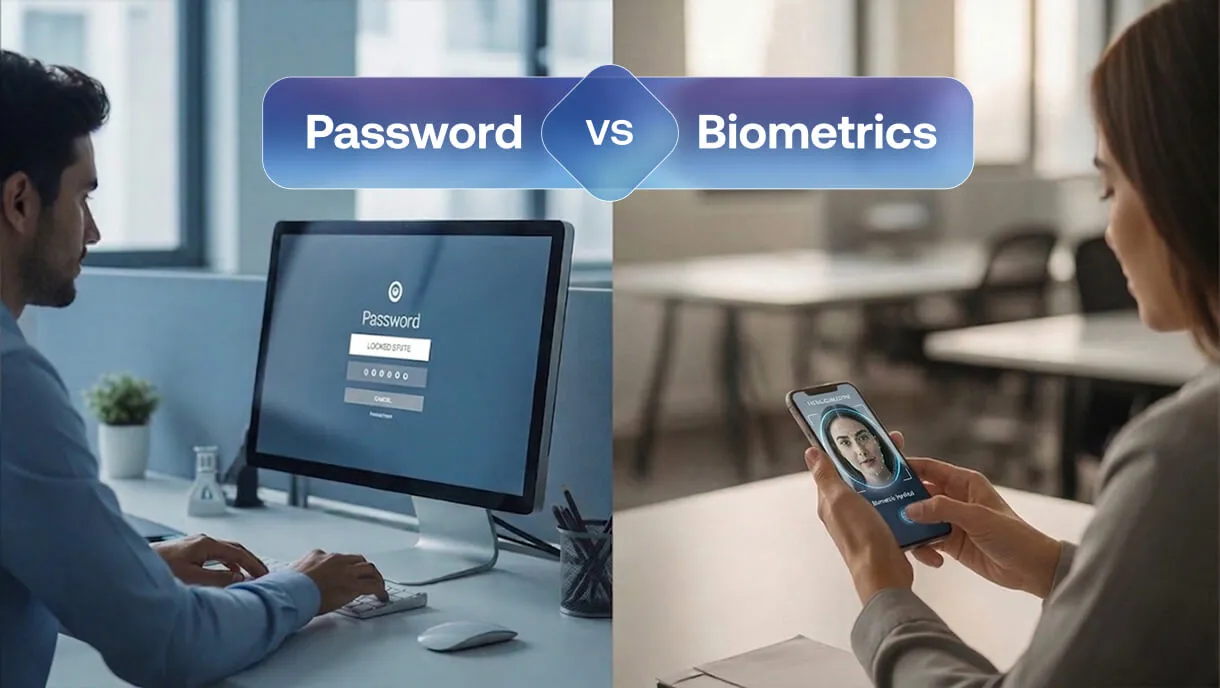
Password vs Biometrics: Which Authentication Method is More Secure?

Key Takeaways
- Passwords and biometrics serve different roles in modern identity systems.
- Passwords remain common but continue to be heavily targeted.
- Biometrics improve usability and reduce credential exposure.
- Passwordless authentication is becoming the long-term direction.
- Layered security delivers the strongest enterprise protection.
Most authentication systems today still start with a password. But as phishing attacks, credential leaks, and user friction continue to rise, many organizations are questioning whether passwords should remain the default way to verify identity. Biometrics such as fingerprint and facial recognition are increasingly part of modern login experiences, offering a faster and potentially more secure alternative.
The challenge is that passwords are far from disappearing. They remain deeply embedded in legacy systems and enterprise workflows, making them difficult to replace outright. Risky user behavior further compounds the problem. A Google security study found that 52% of users reuse the same password across multiple accounts, dramatically increasing the impact of credential breaches. At the same time, organizations are under pressure to deliver faster access while strengthening security. This tension is what keeps the biometric vs password debate active across modern identity strategies.
At first glance, the biometric vs password decision seems simple. Passwords rely on what users know, while biometrics verify who they are.Passwords rely on what users know, while biometrics verify who they are. In practice, authentication decisions are rarely that binary. Security teams must evaluate how each method fits within their risk model, user environment, and long-term zero-trust identity strategy. In this blog, we examine the security trade-offs, real-world use cases, and how modern enterprises should approach authentication decisions.
What is Password Authentication?
Password authentication is a knowledge-based identity verification method in which users prove their identity by entering a secret credential that only they are expected to know. The system validates this credential against stored records before granting access to sensitive information. Despite newer methods emerging, password authentication remains the most widely deployed mechanism for identity verification across enterprise systems.
How password-based login works
In a typical flow, users enter a username and password. The identity provider hashes the credential and compares it against stored values. Many organizations now layer multi-factor authentication or two-factor authentication on top of this process to strengthen access management. This model has survived for decades because it is simple, cheap, and universally supported.
Where passwords are still commonly used
Even as passwordless authentication gains traction, passwords remain embedded in:
- Legacy enterprise applications: Many older systems still depend on passwords because modern authentication support is limited or costly to retrofit.
- VPN access: Remote access workflows often continue to rely on passwords as the primary login factor, usually paired with MFA.
- Shared workstation environments: In shift-based settings, passwords remain a simple way to manage quick user switching.
- Backup authentication flows: Passwords frequently serve as the fallback when biometric or passwordless methods fail.
- Low-assurance internal tools: For non-critical applications, organizations often retain passwords due to ease of deployment and low overhead.
Removing passwords from these environments often requires significant architectural change.
Key security limitations of passwords
Security teams continue to see recurring weaknesses, especially when users rely on weak or predictable credentials instead of strong passwords. In many breach scenarios, attackers exploit several common weaknesses in password-based authentication, including:
- Password reuse across services
- Phishing attacks that capture credentials
- Credential stuffing using breach data
- Poor password hygiene from users
This is why the password vs biometrics debate keeps resurfacing in security discussions. Passwords still introduce a large attack surface.
What is Biometric Authentication?
Biometric authentication verifies users through unique physical or behavioral traits. A modern biometric authentication system analyzes biometric information such as fingerprints or facial features to confirm identity with a higher level of security than traditional knowledge-based methods.
Types of biometric authentication
Common enterprise modalities include:
- Fingerprint recognition
- Facial recognition
- Iris scanning
- Voice recognition
Among these, fingerprint and facial recognition dominate most deployments.
How biometric authentication works in modern IAM
Today’s implementations rarely transmit raw biometric data. Instead, the biometric scan unlocks a secure credential stored locally on the device. This model aligns closely with passwordless authentication and zero-trust security principles.
For example, when an employee unlocks a secure app using Face ID on a managed device, the biometric check typically unlocks a device-bound key. The server never receives the biometric itself.
Benefits of biometric authentication
Organizations adopt biometrics for authentication because they deliver measurable usability and security improvements. They offer:
- Faster login experiences
- Reduced password fatigue
- Strong resistance to credential theft
- Better alignment with passwordless authentication initiatives
Still, when evaluating password vs biometrics, teams must consider both strengths and tradeoffs.
Biometric vs Password: Key Differences
This comparison highlights why passwords and biometrics are used together in many mature environments rather than treated as mutually exclusive controls.
Are Biometrics More Secure Than Passwords?
Security teams must evaluate biometrics and passwords through an enterprise threat lens rather than treating them as interchangeable controls.
Phishing and credential theft risks
Passwords remain highly exposed to phishing and credential stuffing. Attackers only need one successful capture.
Biometrics tied to device-bound credentials significantly reduce this exposure. This is one reason many teams evaluating password vs biometrics authentication are accelerating passwordless roadmaps.
Biometric spoofing and liveness concerns
Biometrics introduce different risks. Weak implementations may be vulnerable to biometric spoofing using photos or synthetic voice samples. Mature platforms mitigate this with liveness detection and secure hardware enclaves.
At the same time, organizations must carefully address privacy concerns associated with storing and processing biometric identifiers, especially in regulated industries.
The revocation problem in biometrics
If a password is compromised, it can be changed instantly. A fingerprint cannot. Modern systems address this by revoking the underlying credential rather than the biometric itself. Still, this remains an architectural consideration when evaluating biometric vs password authentication strategies.
Why passwords remain a common attack vector
Breach reports consistently show compromised credentials among the top entry points. This reality keeps the biometric and password conversation active across security teams.
When Passwords Still Makes Sense
Despite their well-documented weaknesses, passwords continue to exist in certain constrained environments. In most cases, their use reflects technical or operational limitations rather than best practice.
Passwords may still appear in:
- Legacy systems that cannot yet support modern access control
- Air-gapped or highly isolated environments
- Low-risk internal tools with limited exposure
- Backup or recovery authentication flows
In these scenarios, passwords should be tightly controlled and always reinforced with multi-factor authentication, strong monitoring, and a defined migration path toward more secure methods.
When Biometrics are the Better Choice
Biometrics deliver the most value where speed and assurance must co-exist. They work especially well for:
- Passwordless workforce initiatives
- Frontline and healthcare environments
- Shared workstation environments
- High-assurance access scenarios
- Mobile-first workforces
- Zero-trust security environments
For example, a nurse moving between clinical workstations benefits far more from badge plus biometric access than repeated password entry. In real deployments, this shift often improves both productivity and security posture.
The Rise of Passwordless Authentication
Passwordless authentication can take several forms, including hardware security keys, smart cards, one-time passcodes, and device-based credentials. However, many modern identity architectures are increasingly prioritizing phishing-resistant approaches built on FIDO2 standards and passkey-based authentication.
Passkeys and FIDO2 in Passwordless Authentication
FIDO2 enables authentication using public-key cryptography instead of passwords. Instead of transmitting a reusable credential, the user’s device proves possession of a private cryptographic key during login.
Passkeys simplify this model by storing device-bound credentials on trusted user devices. Because the credential is tied to both the device and the legitimate domain, attackers cannot reuse it in phishing attacks.
Where Biometrics Fit in Passwordless Journeys
Biometrics typically serve as the local user verification step within passwordless authentication. A fingerprint or facial scan unlocks the secure credential stored on the device, which then authenticates to the service.
This combination allows organizations to reduce password exposure while maintaining strong identity assurance and a seamless user experience.
Best Practice: Layered Authentication Strategy
Mature programs rarely rely on one factor. A modern stack often combines:
- Biometrics for user verification
- Device trust validation
- Adaptive MFA policies
- Continuous monitoring aligned with zero-trust security
This layered model reduces friction while maintaining strong protection. Many organizations are now moving toward unified identity platforms that bring together biometrics, device trust, and adaptive policies into a single control plane. Passwordless authentication solutions such as OLOID are designed to help enterprises operationalize this layered approach across physical and digital environments while keeping user friction low.
[[cta]]
Authentication Challenges in Shared Device and Frontline Environments
Many authentication discussions assume a traditional workforce model where each employee uses a dedicated laptop or mobile device. In reality, large segments of the workforce operate very differently. In environments such as hospitals, manufacturing plants, warehouses, and retail stores, employees often share workstations and operational systems across shifts.
Passwords create friction in these settings. Workers may need to log in and out repeatedly during a shift, which slows operations and often leads to risky behaviors such as password sharing or leaving sessions active.
Biometric authentication and passwordless access models can improve both security and usability in these environments. For example, a healthcare worker moving between clinical workstations can authenticate quickly using a badge tap combined with biometric verification rather than repeatedly entering credentials. Approaches like these help organizations enforce strong authentication while maintaining the speed required for frontline workflows.
Common Implementation Mistakes to Avoid
Several patterns repeatedly undermine otherwise solid authentication programs.
- Treating biometrics as standalone security: Biometrics verify the user but do not secure the session by themselves. Without device trust, strong access control, and policy enforcement, the overall risk posture remains exposed.
- Ignoring fallback authentication risks: Many deployments harden the primary login but leave password recovery or backup flows weak. Attackers often target these secondary paths because they are easier to exploit.
- Skipping liveness detection: Basic biometric checks can be vulnerable to spoofing using photos, masks, or synthetic inputs. Robust liveness detection and hardware-backed validation are critical for high-assurance environments.
- Weak device binding: If biometric authentication is not tightly bound to trusted devices, credentials may still be replayed or misused. Strong device identity is essential for zero trust security alignment.
- Poor MFA orchestration: Multi-factor authentication applied uniformly can frustrate users without meaningfully reducing risk. Risk-based and adaptive policies deliver better security with less friction.
- Underestimating enrollment complexity: Large-scale biometric rollouts often fail during user onboarding. Poor capture quality, inconsistent devices, and weak user guidance can create long-term operational headaches.
Avoiding these pitfalls improves the success rate of passwordless authentication programs.
Final Verdict: biometric vs password
Biometrics deliver stronger protection against credential theft and provide a smoother user experience. Passwords remain deeply embedded in many environments and still play a role in fallback scenarios. For most enterprises, the path forward involves evolving beyond the traditional biometric vs password debate and adopting risk-aware, layered authentication.
Organizations that align authentication with zero-trust security, device trust, and adaptive controls are better positioned to reduce risk without slowing users down. Organizations exploring this transition often benefit from seeing how these controls work in real environments. You can explore how OLOID enables passwordless and biometric-driven access across frontline and enterprise use cases by booking a demo.
FAQs
1. Are biometrics safer than passwords?
In most modern deployments, biometrics offer stronger protection against phishing and credential reuse because there is no shared secret to steal. However, their effectiveness depends heavily on proper implementation, including secure device storage and liveness detection. Many organizations still use biometrics alongside other controls rather than relying on them alone.
2. Can biometric authentication be hacked?
Biometric systems can be attacked, particularly if liveness detection or secure hardware protections are weak. For example, poor facial recognition systems may be vulnerable to spoofing attempts. That said, well-implemented biometric authentication tied to device-bound credentials is significantly harder to exploit than traditional password-based login.
3. Do biometrics replace passwords completely?
Not in most enterprise environments today. Many systems still maintain passwords as a backup or for legacy compatibility. The long-term industry direction is passwordless authentication using passkeys and device trust, where biometrics act as the local user verification step.
4. Which is better for enterprises: passwords or biometrics?
It depends on risk level, infrastructure maturity, and user workflows. High-assurance and mobile-heavy environments typically benefit more from biometrics and passwordless methods. Legacy systems or low-risk applications may still rely on passwords, usually strengthened with multi-factor authentication.
5. Are biometrics safe for compliance-heavy industries like healthcare?
They can be, provided organizations handle biometric data properly and use secure, standards-based implementations. Many healthcare and frontline environments adopt biometrics to reduce login friction while maintaining strong access controls. Proper governance, encryption, and device security remain essential.


Get the latest updates! Subscribe now!

