




Final Thoughts on Two-Factor Authentication
Two-factor authentication (2FA) adds a critical security layer beyond passwords to protect your digital accounts. This comprehensive guide explores what 2FA is, how it works, and why it matters for both individuals and enterprises. Learn common authentication methods, key benefits, real-world applications, and best practices for implementation.

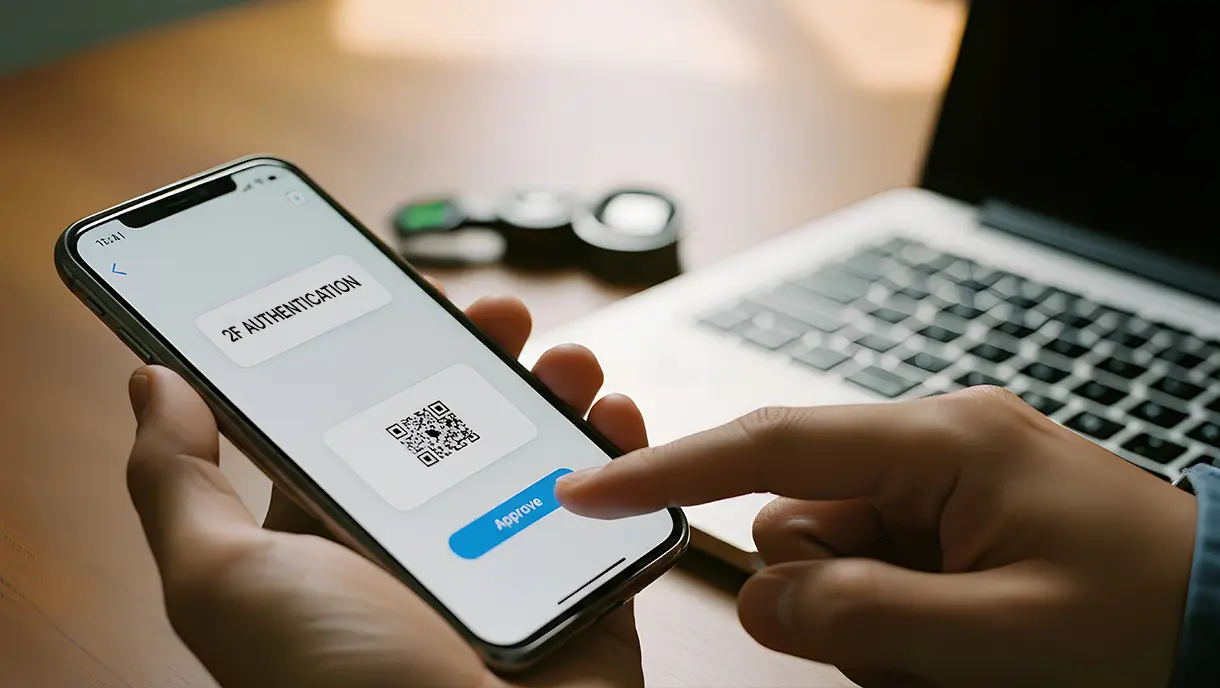
Let’s be honest, passwords just don’t cut it anymore. They get reused, guessed, stolen, and shared, making them one of the weakest links in modern security. That’s why so many businesses and users are turning to two-factor authentication (2FA), a simple way to add an extra layer of protection to every login.
If you’ve ever wondered what exactly two-factor authentication is, how it works, or why everyone’s talking about it, this guide is for you. Whether you’re trying to secure employee logins, protect sensitive customer data, or just understand how 2FA keeps accounts safe, we’ll break it down in plain language.
You’ll learn what 2FA means, how it works in practice, and why it’s become essential for digital security today. Let’s get started.
What Is Two-Factor Authentication (2FA)?
Two-factor authentication, or 2FA, is a security process that adds an extra checkpoint to verify your identity before granting access to an account, system, or device. Instead of relying only on a password, something you know, it asks for a second form of verification, typically something you have (like your phone or a security key) or something you are (like your fingerprint or face).
Think of it as an extra lock on your digital door. Even if someone manages to steal your password, they can’t get in without that second factor, whether it’s a one-time code, a push notification, or a biometric scan.
For example, when you log in to your email or bank account and are prompted to enter a code sent to your phone, that’s 2FA in action. It ensures that only the rightful user, not a hacker with stolen credentials, can complete the login.
In short, two-factor authentication combines convenience with stronger protection, making it one of the simplest and most effective ways to secure user accounts and sensitive data. It’s the foundation of modern identity security and a key step toward the future of passwordless access.
Factors Used in Two-Factor Authentication
Two-factor authentication relies on three distinct categories of authentication factors to create robust security layers. They are knowledge factors, possession factors, and inherent factors.
- Knowledge factors include passwords, PINs, security questions, or any information that only the user should know.
- Possession factors are physical or digital items the user owns, such as smartphones, hardware tokens, smart cards, or USB security keys.
- Inherent factors are biometric characteristics unique to the user, including fingerprints, facial recognition, iris scans, or voice patterns.
Two-Factor Authentication vs Multi-Factor Authentication
Here is a quick comparison of how 2FA and MFA stack up across security, usability, and implementation needs.
| Feature | Two Factor Authentication (2FA) | Multi-Factor Authentication (MFA) |
|---|---|---|
| Number of Factors | Always uses two factors | Uses two or more factors |
| Security Level | Strong protection against password breaches | Higher security through additional verification layers |
| User Experience | Fewer steps and easier for users | Can introduce extra steps and more friction |
| Common Methods | Password plus OTP, security key, or biometric | Any combination of passwords, biometrics, device trust, location, and behavior patterns |
| Implementation Complexity | Simple to deploy and manage | More complex setup and maintenance |
| Ideal Use Cases | Workforce logins, customer accounts, and general security enhancement | High-risk environments, sensitive data access, compliance-heavy industries |
2FA offers simplicity, while MFA delivers deeper protection. Today, industries like healthcare, manufacturing, and retail use a passwordless MFA platform to create a seamless experience that is both secure and easy to adopt.
Now that we understand the foundation of 2FA, let's explore the specific methods used to implement this security measure in real-world applications.
Common Two-Factor Authentication (2FA) Methods
There’s more than one way to add a second layer of security. Depending on the system and the level of protection you need, two-factor authentication can take many forms, from simple one-time codes to advanced biometric checks. Here are some of the most popular 2FA methods:
1. SMS-Based Authentication
SMS-based authentication sends a unique verification code to your registered mobile phone number via text message. After entering your password, you receive a time-sensitive code that you must enter to complete the login process.
This method works on any phone that can receive text messages, making it universally accessible. The code typically expires within a few minutes, reducing the window for potential interception.
Key Characteristics of SMS-Based Authentication
- Works on basic phones without internet connectivity or smartphone features.
- A quick setup process that requires only a phone number.
- Familiar and easy to use for non-technical users.
- Vulnerable to SIM swapping attacks, where attackers transfer your number to their device.
- Codes can be intercepted through SS7 protocol vulnerabilities in cellular networks.
- Delivery delays may occur in areas with poor cellular coverage.
2. Email-Based Authentication
Email-based authentication delivers verification codes or magic links directly to your registered email address. You enter your password on the login page, then check your email for the authentication code or clickable link.
This method leverages existing email infrastructure without requiring additional software installation. Many users find this approach convenient since they already check their email regularly throughout the day.
Key Characteristics of Email-Based Authentication
- No additional hardware or apps required beyond email access.
- Works across all devices with email capability.
- Allows users to authenticate from any location with internet access.
- Security depends on the protection level of the email account itself.
- Phishing attacks can compromise both the email and the target account simultaneously.
- May create delays if email servers experience technical issues.
3. Authenticator Apps
Authenticator apps generate time-based one-time passwords (TOTP) that change every 30 seconds, eliminating the need for internet connectivity. Apps like Google Authenticator, Microsoft Authenticator, or Authy create these codes using cryptographic algorithms synchronized with the authentication server.
You install the app on your smartphone, scan a QR code during setup, and the app generates codes whenever needed. This method provides stronger security than SMS since codes are generated locally on your device.
Key Characteristics of Authenticator Apps
- Generate codes offline, eliminating dependency on cellular or internet connectivity.
- Resistant to SIM swapping and network interception attacks.
- Support multiple accounts within a single app for convenient management.
- Free to use with no ongoing service costs.
- Require a smartphone or a device capable of running the authenticator application.
- Lost devices without a backup can permanently lock users out of their accounts.
4. Push Notification Authentication
Push notification authentication sends approval requests directly to your registered mobile device through a dedicated app. When you attempt to log in, your phone receives a notification asking you to approve or deny the login attempt.
You simply tap the approval button to authenticate, eliminating the need to enter codes manually. This method provides real-time alerts about login attempts, enabling the immediate detection of unauthorized access attempts.
Key Characteristics of Push Notifications
- Eliminates typing errors since approval requires just a tap.
- Provides context about login attempts, including location and device information.
- Faster than typing codes, improving the user experience significantly.
- Requires internet connectivity on the mobile device for notifications.
- Users may accidentally approve malicious login attempts without careful review.
- Notification fatigue can reduce security awareness over time.
5. Hardware Security Keys
Hardware security keys are physical devices that plug into your computer's USB port or connect via Bluetooth or NFC authentication. These keys use cryptographic protocols to verify your identity without transmitting codes that could be intercepted.
You insert or tap the key when prompted during login, and the device completes authentication automatically. Hardware keys offer the highest level of 2FA security, as they cannot be remotely compromised like codes or notifications.
Key Characteristics of Hardware Keys
- Immune to phishing, man-in-the-middle attacks, and remote hacking attempts.
- Support multiple accounts and services with a single physical key.
- No battery required for USB keys, ensuring long-term reliability.
- One-time purchase with no recurring subscription costs.
- Physical devices can be lost, stolen, or damaged, necessitating the use of backup authentication methods.
- Require compatible hardware ports and may need adapters for different devices.
6. Biometric Authentication
Biometric authentication uses your unique physical characteristics, like fingerprints, facial features, or iris patterns, for verification. Modern smartphones and laptops often include built-in biometric sensors, making this authentication method seamless and fast.
You register your biometric data during initial setup, and the system compares future authentication attempts against this stored template. Biometric factors are challenging to replicate, offering strong security while providing excellent user convenience.
Key Characteristics of Biometric Authentication
- Cannot be forgotten, lost, or shared like passwords or physical tokens.
- Speedy authentication process, typically completing in under a second.
- Provides strong security since biometric characteristics are unique to each individual.
- Privacy concerns about storage and potential misuse of biometric data.
- Physical injuries or changes can temporarily or permanently affect recognition accuracy.
- Sophisticated spoofing attempts, using photos or models, can sometimes bypass basic security systems.
Now that you know the most common ways two-factor authentication works, let’s look at why it matters and the key benefits it brings to both users and organizations.
[[cta]]
Key Benefits of Two-Factor Authentication
Adding a second layer of verification does more than just stop unauthorized access. It builds trust, strengthens compliance, and gives users confidence that their data is truly protected. Here are the benefits of two-factor authentication:
1. Strengthens Protection Against Unauthorized Access
Two-factor authentication creates a formidable barrier that stops unauthorized users, even when passwords are compromised. 2FA blocks automated credential stuffing attacks that rely solely on stolen passwords. When attackers acquire password databases through breaches, those credentials become useless without the second authentication factor.
2. Reduces Risk of Phishing and Credential Theft
Credential phishing remains one of the most common and successful attack methods, tricking users into revealing passwords through fake login pages. Two-factor authentication mitigates this threat because stolen passwords alone cannot grant access to protected accounts.
Even if users inadvertently enter credentials on malicious websites, attackers still need the second factor to authenticate. Modern 2FA methods, such as hardware keys and push notifications, provide additional context about login attempts, helping users identify suspicious activity before approving access.
3. Improves Compliance with Security and Data Protection Regulations
Many regulatory frameworks now require multi-factor authentication for systems that handle sensitive information. Standards such as PCI DSS, HIPAA, SOC 2, and GDPR explicitly require or strongly recommend the implementation of two-factor authentication (2FA) for data protection.
Businesses that implement two-factor authentication (2FA) demonstrate due diligence in protecting customer information and reducing liability in the event of a data breach.
4. Builds User Trust and Brand Credibility
Customers increasingly expect businesses to implement robust security measures protecting their personal and financial information. Offering 2FA demonstrates organizational commitment to security, differentiating your brand in competitive markets. When users see two-factor authentication (2FA) options available, they feel more confident sharing sensitive data and conducting transactions.
5. Offers Easy Integration and Cost-Effective Security Upgrade
Modern passwordless authentication platforms provide straightforward 2FA integration with existing systems through APIs and standard protocols. Implementation typically requires minimal infrastructure changes, making 2FA accessible even for organizations with limited technical resources. The cost of deploying 2FA is substantially lower than recovering from data breaches, which average millions in remediation expenses.
6. Adopt Across Devices and Modern Authentication Methods
Two-factor authentication works seamlessly across desktop computers, mobile devices, tablets, and web applications. Users authenticate consistently whether accessing systems from office workstations or personal smartphones. Cloud-based authentication services synchronize two-factor authentication (2FA) settings across all platforms, eliminating configuration complexity.
Understanding the benefits is one thing, but seeing how two-factor authentication actually works in action makes its value even clearer. Let’s break down the process step by step.
[[cta-2]]
How Two-Factor Authentication Works: Explained in 5 Simple Steps
At its core, two-factor authentication follows a simple flow: Verify your identity using two different types of information before granting access. Here’s how the process typically works in five easy steps.
Step 1: User Initiates Login
The authentication process begins when you navigate to a protected application or service and enter your username and password. The system receives your credentials and immediately validates them against stored user information in its database.
If the password matches, the system recognizes this as a valid first factor but does not yet grant access. Instead, it flags the login attempt as requiring additional verification and prepares to issue a second-factor challenge.
Step 2: Second Factor Activation
Once the system verifies your password, it determines which two-factor authentication (2FA) method you have configured for your account. The authentication server triggers the appropriate second factor mechanism based on your registered preferences.
- For SMS or email methods, the system generates a random verification code and sends it through the specified channel.
- For authenticator apps, the server expects a code generated by your device using a shared secret key.
Push notification methods send an approval request to your registered mobile application.
Step 3: Unique Code Generation
The system generates a time-sensitive, one-time code that is valid for only a brief window, typically between 30 seconds and 10 minutes. This code uses cryptographic algorithms that ensure each generated number is unique and cannot be predicted or reused.
For TOTP-based methods, both your device and the server generate the same code simultaneously using synchronized clocks and secret keys. Hardware security keys generate cryptographic signatures that verify both your identity and the specific website you're accessing, preventing phishing attacks.
Step 4: User Submits Second Factor
You receive the verification code or approval request on your registered device and respond according to the 2FA method.
- For code-based systems, you type the numbers into the login page before the timeout expires.
- Push notification methods require you to review the login attempt details and tap the approve button.
- Hardware keys require you to physically insert or tap the device when prompted by your browser.
- Biometric methods require you to scan your fingerprint or use your device's camera for facial recognition.
Step 5: Server Validation and Access Grant
The authentication server receives your second-factor response and immediately validates it against the expected values.
- For codes, the system checks if the submitted number matches what was sent or generated within the valid time window.
- Push notifications verify that approval came from the correct registered device and within the appropriate timeframe.
Once both factors are successfully verified, the server generates a session token or cookie that maintains your authenticated state. You gain access to the protected system, and the session remains active until you log out or the session times out.
While two-factor authentication greatly improves security, it isn’t without its challenges. Knowing these limitations helps organizations choose the right balance between protection and user convenience.
Challenges and Limitations of Two-Factor Authentication
While two-factor authentication significantly strengthens security, its implementation presents practical challenges that organizations and individuals must address. Here are the most common 2FA pitfalls and strategies to overcome them:
1. Added Login Friction for Users
Problem Statement
The additional verification step in 2FA can frustrate users accustomed to quick, single-password access, especially when authenticating multiple times daily. This extra time may lead to user resistance, decreased productivity, and potential workarounds that compromise security. Users often perceive the second factor as an unnecessary inconvenience rather than valuable protection.
How to Overcome This
- Implement adaptive authentication that requires two-factor authentication (2FA) only for sensitive actions or when unusual patterns are detected.
- Deploy single sign-on solutions to reduce the frequency of authentication across applications.
- Select user-friendly methods, such as push notifications or biometrics, that minimize manual data entry.
- Conduct educational campaigns explaining the security benefits and importance of two-factor authentication (2FA).
- Allow users to mark trusted devices requiring less frequent verification.
2. Risks of SIM Swapping and Phishing Attacks
Problem Statement
SMS-based and email-based authentication remain vulnerable to attacks where criminals gain control of phone numbers or email accounts. SIM swapping occurs when attackers convince carriers to transfer a victim's number to their own device.
Phishing campaigns can trick users into providing both passwords and codes simultaneously on fake pages. These vulnerabilities can bypass 2FA protection entirely, leaving accounts vulnerable despite the additional layer of security.
How to Overcome This
- Move from SMS-based codes toward authenticator apps or hardware keys.
- Implement recovery verification processes that require multiple forms of identification to ensure enhanced security and integrity.
- Conduct regular security training to help users recognize phishing attempts and protect themselves against potential threats.
- Use methods providing context about login attempts, such as location and device details.
- Enable alerts for any changes to phone numbers or recovery information.
3. Device Loss or Unavailability of Second Factor
Problem Statement
Users who lose smartphones, forget hardware keys, or travel without authentication devices face significant access challenges. Device theft, damage, or malfunctions can completely lock users out of critical accounts. This creates both security and operational risks, as users may be unable to access important information when needed.
How to Overcome This
- Provide backup authentication methods, such as recovery codes stored securely offline, to ensure additional security.
- Allow users to register multiple devices for authentication redundancy.
- Implement time-limited backup codes for emergency access situations.
- Establish clear account recovery procedures with proper identity verification.
- Educate users to store recovery codes in password managers before emergencies occur.
4. Cost and Complexity of Implementation at Scale
Problem Statement
Deploying two-factor authentication (2FA) across large organizations requires a significant investment in infrastructure, hardware, integration work, and training. Smaller organizations with limited resources may struggle with the technical complexity of system integration. The cost of hardware keys for thousands of employees can be substantial, although it is less than the cost of breach expenses.
How to Overcome This
- Prioritize 2FA deployment for the highest-risk systems first, then gradually expand to other systems.
- Choose software-based solutions, such as authenticator apps, with minimal per-user costs.
- Leverage cloud-based authentication services, reducing infrastructure requirements.
- Calculate total ownership cost, including breach prevention savings, to justify investment.
- Phase implementation across departments to spread costs and enable learning.
Businesses that proactively address these limitations through proper planning, user education, and strategic technology choices create robust authentication frameworks. The key is recognizing that 2FA is not a perfect solution but rather an essential component of comprehensive security strategies.
Despite these challenges, two-factor authentication continues to prove its value across industries. Let’s explore how organizations can successfully put 2FA into action.
[[cta-3]]
Real-World Use Cases of Two-Factor Authentication
Two-factor authentication protects a wide range of applications and systems across both personal and enterprise environments. Here are practical scenarios where 2FA makes a critical difference:
- Email and social media accounts, such as Gmail, Outlook, Facebook, LinkedIn, and Twitter, utilize two-factor authentication (2FA) to prevent account takeovers and safeguard personal communications.
- Banking and financial applications require two-factor authentication (2FA) for mobile banking, investment platforms, payment processors, and cryptocurrency wallets to secure transactions and prevent fraud.
- Enterprise access to cloud platforms, including AWS, Azure, Google Cloud, and Microsoft 365, utilizes two-factor authentication (2FA) to protect corporate infrastructure and business applications.
- VPN and remote access systems implement two-factor authentication (2FA) to verify employee identity before granting access to internal networks and resources.
- Healthcare systems utilize two-factor authentication (2FA) to comply with HIPAA regulations, thereby protecting electronic health records and patient management systems from unauthorized access.
- Manufacturing and industrial control systems deploy 2FA for accessing critical operational technology and supervisory control systems.
- E-commerce platforms and online marketplaces protect both merchant accounts and customer payment information by utilizing two-factor authentication (2FA) during checkout and account management processes.
- Educational institutions implement two-factor authentication (2FA) for student information systems, learning management platforms, and administrative access to protect sensitive educational records and data.
These examples show how two-factor authentication adapts to different security needs, from enterprise networks to customer-facing applications. To make the most of 2FA, it’s important to follow proven best practices that keep your authentication process both secure and user-friendly.
Best Practices for Strengthening Your 2FA Strategy
Implementing two-factor authentication is just the first step toward comprehensive account security. Maximizing the effectiveness of two-factor authentication (2FA) requires thoughtful configuration, ongoing maintenance, and user education to address evolving threats.
1. Use Authenticator Apps Instead of SMS Codes
Authenticator apps provide substantially stronger protection than SMS-based verification codes by eliminating vulnerabilities in cellular networks. SMS codes are susceptible to interception through SIM swapping attacks, where criminals convince mobile carriers to transfer your number to their control.
Network-level attacks exploiting SS7 protocol weaknesses can also intercept text messages in transit. Authenticator apps generate codes locally on your device using cryptographic algorithms, making remote interception impossible.
2. Enable Multi-Factor Authentication Wherever Possible
Comprehensive security requires enabling 2FA or MFA across every critical account and system in your digital ecosystem. Start with high-value targets, such as email, banking, and cloud storage, that contain sensitive information or provide access to other systems.
Extend protection to work applications, social media accounts, and any service storing personal or financial data. Creating a systematic approach to enable 2FA ensures that no critical access points remain protected by passwords alone.
3. Regularly Update and Review Security Settings
Security configurations require periodic review to maintain effectiveness as your usage patterns and available technologies evolve. Schedule quarterly reviews of authenticated devices to check for unfamiliar entries that may indicate compromised accounts.
Update recovery contact information to ensure you can regain access if authentication factors become unavailable. Review login activity logs to spot unusual access patterns or unauthorized attempts that 2FA successfully blocked.
4. Protect Backup and Recovery Codes Securely
Every 2FA system provides backup codes that allow account recovery if primary authentication methods become unavailable. These codes function as master keys to your accounts, making their protection absolutely critical for maintaining security.
Store recovery codes in secure, offline locations, such as password managers with master password protection or physical safes. Never save backup codes in easily accessible digital files, email, or cloud storage without encryption.
5. Educate Users About Phishing and Social Engineering
Technical security measures only work when users recognize and adequately respond to authentication requests and potential threats. Training programs should teach employees and users how to identify fake login pages that attempt to steal credentials and two-factor authentication (2FA) codes.
Explain how legitimate authentication requests appear versus suspicious prompts that might indicate compromise attempts. Regular security awareness refreshers keep protection strategies at the forefront of mind as attackers continually develop new social engineering techniques.
6. Combine 2FA with Strong Password Practices
Two-factor authentication works best when paired with robust password security rather than replacing good password hygiene. Create unique passwords for every account using 16 or more random characters, combining letters, numbers, and symbols.
Never reuse passwords across multiple services, as breaches can compromise those credentials permanently. Password managers generate and store complex passwords securely, eliminating the need to remember dozens of different credentials while maintaining strong protection.
Following these best practices helps strengthen your current 2FA setup, but security is constantly evolving. As threats grow more sophisticated and users expect seamless access, two-factor authentication is paving the way for a passwordless future.
The Future of Authentication: Beyond 2FA
The authentication is rapidly evolving beyond traditional password and 2FA models toward more secure and user-friendly approaches. Understanding emerging authentication trends helps prepare for the transition to future security architectures.
1. Passwordless Authentication Eliminates Password Vulnerabilities: Passwordless authentication methods use cryptographic keys, biometrics, or hardware tokens as primary authentication mechanisms without passwords. This approach prevents password-related attacks, including phishing, credential stuffing, and brute force attempts.
2. FIDO2 and WebAuthn Standards Enable Seamless Security: These open standards provide the technical foundation for secure passwordless authentication across websites and applications using cryptographic protocols.
3. Biometric and Device-Bound Credentials Become Mainstream: Modern smartphones and computers integrate advanced sensors for fingerprint and facial recognition, binding authentication to specific devices. These credentials are tough to steal or replicate while providing a seamless user experience.
4. Zero-Trust Security Models Verify Every Access Request: Zero-trust architecture frameworks combine continuous authentication, conditional access policies, and unified identity management across all systems. Rather than trusting network perimeters, these architectures validate every attempt based on identity, device health, and behavior.
5. Adaptive Authentication Adjusts Security Based on Risk: Intelligent systems automatically adjust authentication requirements based on real-time risk assessments of user behavior and context. This approach balances strong security and minimal friction for legitimate users in trusted scenarios.
Strengthen Your Workforce Security Beyond 2FA with OLOID
Two-factor authentication continues to play a vital role in strengthening access security across modern organizations. By adding a simple second step to the login process, 2FA helps protect accounts from stolen passwords, phishing attempts, and unauthorized access.
It is straightforward to implement, easy for users to understand, and effective in reducing the most common identity-related risks. As cyberthreats grow more advanced and the workforce becomes increasingly connected, 2FA remains a reliable and necessary layer of defense.
Whether used on its own or as part of a broader authentication strategy, it sets a strong foundation for secure access and helps organizations build greater confidence in their overall security posture.
Frequently Asked Questions on 2FA
1. What is the main purpose of two-factor authentication?
The primary purpose of two-factor authentication is to protect accounts from unauthorized access even when passwords are compromised. By requiring two separate verification factors, 2FA ensures that stolen passwords alone cannot grant access to protected systems.
This additional security layer significantly reduces the likelihood of successful cyberattacks and protects sensitive personal and business information from breaches.
2. Can hackers bypass 2FA?
While 2FA significantly strengthens security, sophisticated attackers can sometimes bypass 2FA through advanced techniques. Methods include SIM swapping to intercept SMS codes, phishing attacks that capture both passwords and 2FA codes simultaneously, or malware that hijacks authentication sessions.
However, these attacks require substantially more effort and skill than simple password theft, and stronger two-factor authentication (2FA) methods, such as hardware keys, remain highly resistant to compromise.
3. Is SMS-based 2FA secure enough?
SMS-based 2FA offers better protection than passwords alone, but it represents the weakest form of two-factor authentication. Vulnerabilities include SIM swapping attacks, network interception through SS7 protocol weaknesses, and delivery delays that frustrate users.
For protecting highly sensitive accounts or meeting regulatory compliance requirements, authenticator apps or hardware security keys offer significantly stronger security than SMS codes.
4. How do I recover access if I lose my second factor?
Most services provide backup recovery codes during two-factor authentication (2FA) setup that you should store securely offline for emergency access. You can also register multiple authentication methods, such as backup phone numbers or alternate devices, to maintain access if your primary method fails.
Contact the service provider's support team with identity verification if you lose all authentication factors and backup options.
5. What’s the difference between 2FA and MFA?
Two-factor authentication specifically requires exactly two verification factors, while multi-factor authentication requires two or more factors. MFA represents a broader category that includes 2FA as its most common implementation. Organizations sometimes use MFA to describe systems that adaptively require different numbers of factors based on risk assessment, whereas 2FA always requires exactly two factors.
6. How does 2FA fit into zero-trust security models?
Two-factor and multi-factor authentication serve as foundational components of zero-trust architectures by providing strong identity verification. Zero-trust models verify every access request regardless of network location, using MFA as one verification layer among many.
These frameworks combine authentication with device health checks, location analysis, and continuous monitoring to ensure comprehensive security throughout user sessions rather than just at initial login.




Get the latest updates! Subscribe now!

