




What is Secure Web Authentication? A Practical Guide for 2026

Key Takeaways
- Secure web authentication verifies identity and protects credentials and session data throughout a login, not just at the password prompt.
- HTTPS/TLS encryption and secure session tokens are the foundation that every other authentication method builds on.
- Passkeys built on FIDO2 and WebAuthn are becoming the default recommendation because they remove the password, and the phishing risk entirely.
- Standard secure web authentication assumes one person and one device, an assumption that breaks down on shared terminals in healthcare, manufacturing, logistics, and retail.
- Effective implementation requires combining strong authentication methods with secure session management, continuous monitoring, and compliance-driven access controls.
- Strong practice means mapping every authentication control to compliance requirements such as HIPAA, PCI DSS, SOC 2, and ISO 27001, and treating shared-device environments as their own risk category.
On a distribution center floor, a single handheld scanner terminal can get picked up and logged into more than a dozen times before a shift ends, passed hand to hand as workers rotate through picking, packing, and loading. Nobody logs out between handoffs. Nobody re-enters a password every time the device changes hands. Whatever session is open just carries over to whoever picks up the terminal next. That pattern is not an edge case: roughly 2.7 billion people, about 80% of the world's workforce, do not sit behind a desk to do their jobs, and for a large share of them, sharing a device is a basic condition of the job, not an exception to it. Secure web authentication is the set of practices and technologies built to solve a very different problem than that scenario describes: verifying that the person requesting access to a web application is actually who they claim to be, and protecting the credentials and session data exchanged along the way, one person, one device, one verified session at a time. This guide walks through how it actually works, why passwords are losing ground to passwordless methods, and where those standard assumptions break down once devices start getting shared.
What Secure Web Authentication Means
[[content-box]]
The broader definition covers the full set of techniques, from passwords and multi-factor authentication to passkeys and certificate-based login, used anywhere a person or system needs to prove identity over the web.
How Secure Web Authentication Works
Encryption and secure sessions
Every secure web authentication flow starts with a protected channel. HTTPS, backed by TLS encryption, encrypts the data traveling between a user's browser and the server so credentials cannot be read in transit, even if traffic is intercepted.
Session Management Matters as Much as Login
Authentication does not end after a successful login. Once the server verifies a user, it issues a session token, typically stored as a cookie, so credentials are not re-entered on every click. That token now becomes the thing worth stealing, which is why ongoing session protection matters: well-configured systems mark cookies HttpOnly, Secure, and SameSite, rotate session tokens, expire sessions after a set period of inactivity, and guard against session fixation and hijacking attacks.
Core authentication mechanisms
Beyond encryption, several mechanisms work together to confirm identity. Password-based login remains the most widely deployed authentication method, despite being the weakest from a security perspective. Multi-factor authentication adds a second proof, something the user has or is, on top of something they know. Token-based approaches like OAuth 2.0 and OpenID Connect let users authenticate through a trusted provider without handing a password to every app directly, and SAML-based single sign-on extends that convenience across an entire organization's tool stack. Certificate-based and biometric authentication round out the list for environments that need stronger guarantees than a password can offer.
Adaptive Authentication
Many identity providers now use adaptive authentication, where the authentication requirements change based on contextual risk. A login from a familiar device inside the corporate network may only require a passkey, while a login from a new country or unmanaged browser may automatically require additional verification.
The Shift Toward Passwordless Authentication
Passwords remain the weakest link in most web authentication systems because they rely on human behavior rather than cryptographic proof of identity. People reuse them, write them down, and fall for phishing pages built to steal them. That is why passkeys, built on the FIDO2 and WebAuthn standards, have moved from an emerging idea to the default recommendation from major identity vendors. A passkey ties a login to a specific device using cryptographic key pairs instead of a shared secret, which means there is no password for an attacker to phish, guess, or buy on a criminal marketplace. Because authentication relies on public-key cryptography rather than shared secrets, attackers cannot steal reusable credentials through phishing pages or database breaches. Adoption data backs this up: Microsoft has reported passkey sign-ins succeeding roughly three times more often than password logins, and completing far faster. For any organization serious about secure web authentication, passwordless is no longer an experiment. It is the direction the entire industry is moving.
Common Threats Secure Web Authentication Defends Against
The credential-stuffing example above is only one of several threats secure web authentication is designed to stop. Phishing tricks users into entering real credentials on fake login pages. Phishing-resistant MFA closes this gap by removing the shared secret an attacker could capture in the first place. Brute-force attacks try large volumes of password guesses against a login endpoint until one works. MFA fatigue attacks take a newer approach: after obtaining valid credentials, attackers bombard users with repeated push notifications until one gets approved by mistake. Passwordless authentication cuts off this attack chain at the start, since there is no stolen password to trigger the prompts with. Man-in-the-middle attacks intercept traffic between a user and a server, which is exactly what TLS encryption is built to prevent. Session hijacking targets the token or cookie issued after login rather than the password itself, which is why short session lifetimes and secure cookie flags matter as much as the initial login step. None of these threats is new, but they remain effective precisely because so many organizations still treat authentication as a one-time checkpoint rather than something to monitor continuously.
Comparing Secure Web Authentication Methods
| Method | How It Verifies Identity | Main Weakness | Best Fit for Secure Web Authentication | Phishing Resistant? |
|---|---|---|---|---|
| Password only | Shared secret the user memorizes | Reused, phished, or brute-forced | Low-risk, legacy systems only | No |
| SMS-based MFA | Password plus a one-time code | Vulnerable to SIM-swapping | Better than nothing, not a long-term standard | No |
| Authenticator app MFA | Password plus a time-based code | Still phishable via fake login pages | Individual accounts, moderate risk | Partially |
| SSO (OAuth/SAML) | Trusted identity provider handles login | Single point of failure if provider is compromised | Organizations with many connected apps | No |
| Certificate-based login | Digital certificate installed on device | Requires certificate management infrastructure | High-security enterprise environments | Yes |
| Passkeys (FIDO2) | Cryptographic key pair tied to a device | Assumes one device, one user | Individual, dedicated-device accounts | Yes |
Use Cases of Secure Web Authentication
Migrating a SaaS Login to Passwordless Secure Web Authentication
A B2B SaaS platform moving off password-only login typically starts by enabling passkeys as an option alongside the existing password, not as a hard cutover. Users who opt in skip the password entirely on return visits, authenticating instead with a fingerprint or device PIN. Over a few months, the password becomes a fallback rather than the primary path, phishing attempts targeting login credentials drop off since there's no password to steal, and support tickets tied to forgotten passwords or reset links decline alongside them.
Enforcing SSO-Based Secure Web Authentication Across a Growing Tool Stack
As a company adds more SaaS applications, each with its own login, the number of passwords employees manage grows in parallel, and so does the attack surface. Routing every application through a single identity provider via SAML or OAuth means one strong login, protected by MFA, that controls access everywhere. It also means offboarding an employee is a single action, revoking access at the identity provider, rather than a checklist of individual app logins that can be missed.
Strengthening Secure Web Authentication for Admin and Privileged Accounts
Standard employee accounts and administrator accounts carry very different risks if compromised, so they're often treated as one category by mistake. Requiring certificate-based login or hardware security keys specifically for admin roles, on top of whatever the rest of the organization uses, means a phished employee password can't be the single point of failure for infrastructure-level access.
Healthcare shared workstations
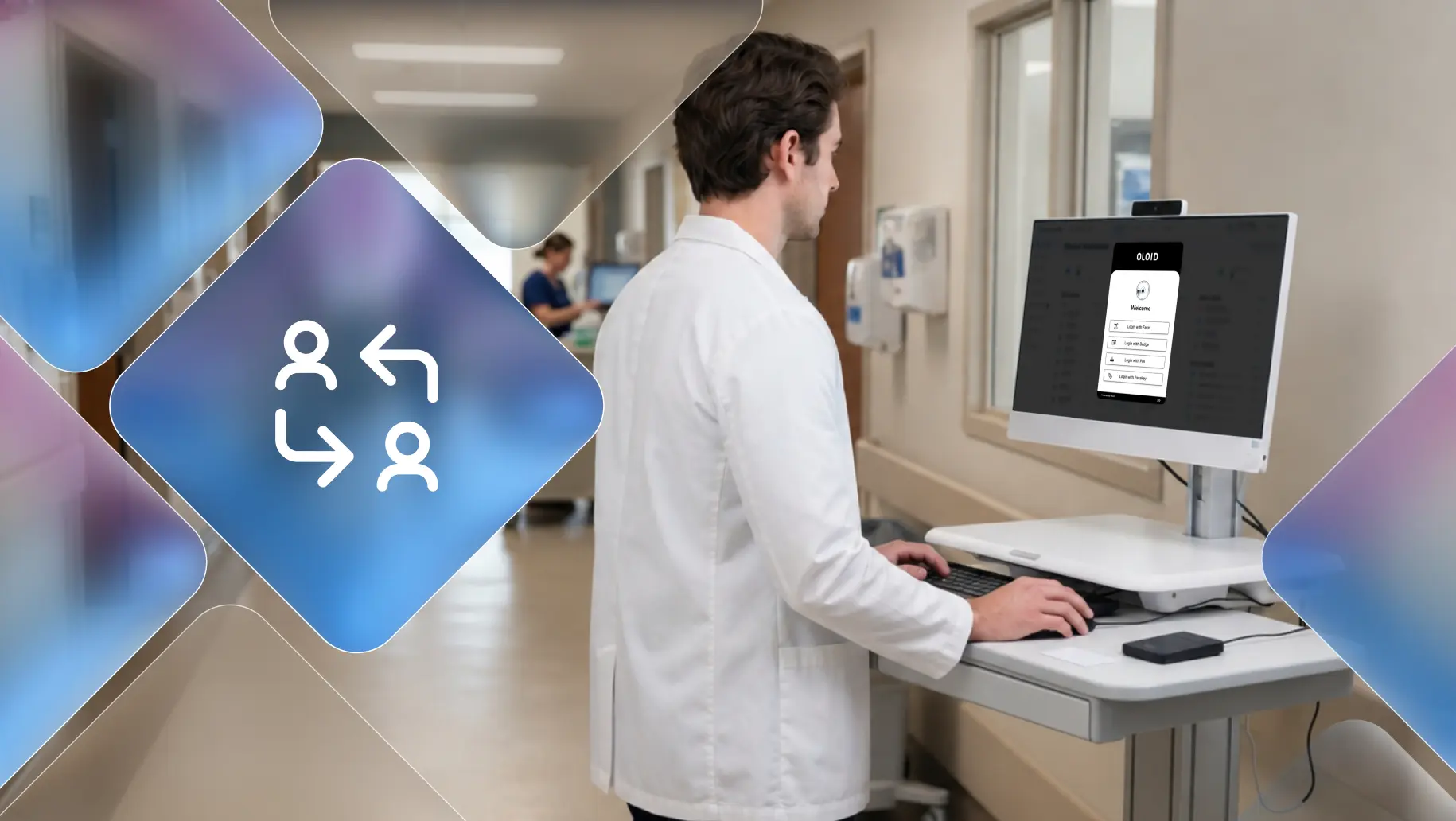
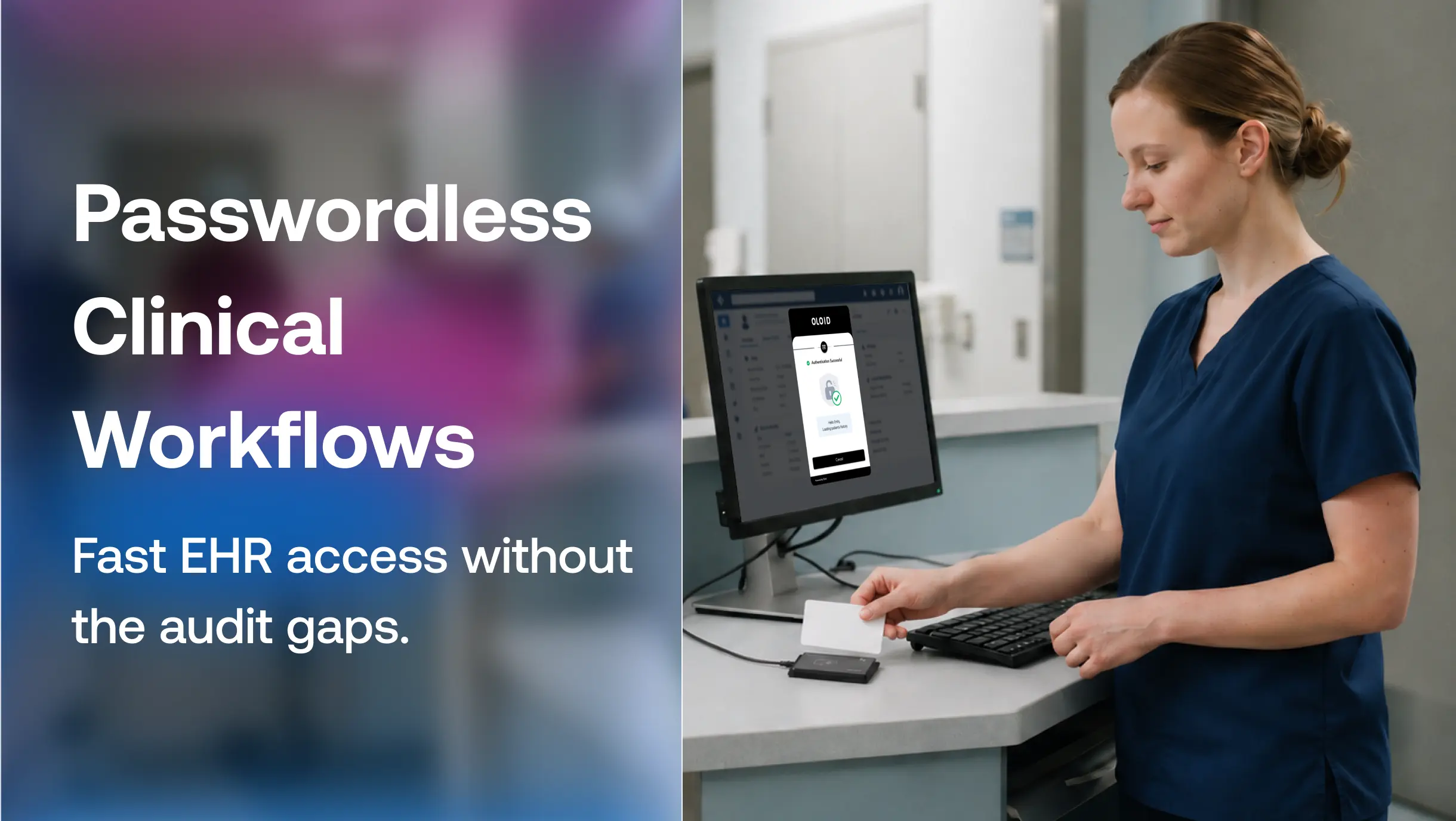
Nurses frequently move between shared clinical workstations throughout a shift. Traditional authentication leaves workstations logged in between users, making audit trails unreliable. Passwordless authentication with continuous identity verification allows each clinician to access patient records quickly while maintaining the individual accountability required under HIPAA.
Why Standard Authentication Breaks Down in Shared-Device and Frontline Environments
Most secure web authentication guidance assumes one person, one device, one session. That assumption holds in a typical office job. It does not hold on a hospital floor, a warehouse dock, or a retail sales counter, where a single terminal might get used by a dozen employees across three shifts. In those environments, a shared login or a badge left logged in from the last shift quietly breaks the entire authentication model, since nobody can say with confidence who actually performed a given action on that device. Traditional web authentication verifies who started the session. It rarely verifies who continues using the device after the session begins.This is precisely the gap OLOID is built to close, tying every session on a shared terminal back to the specific person using it in that moment, rather than relying on a device-level login that anyone on shift can pick up. For operational workplaces in healthcare, manufacturing, logistics, and retail, that distinction is not a nice-to-have. It is the difference between an auditable access trail and a compliance blind spot.
Secure Web Authentication vs Authorization
| Authentication | Authorization |
|---|---|
| Confirms identity | Determines permissions |
| Login | Access control |
| Who are you? | What can you access? |
Authentication Requirements Across Compliance Standards
Organizations often implement strong authentication not only to reduce cyber risk but also to satisfy regulatory and industry requirements. While the specific controls vary, most modern compliance frameworks require organizations to uniquely identify users, protect privileged access, and maintain auditable records of authentication events.
| Compliance Framework | Authentication Requirement |
|---|---|
| HIPAA | Requires unique user identification and access controls to protect electronic protected health information (ePHI). |
| PCI DSS 4.0 | Requires multi-factor authentication (MFA) for administrative access and access to the cardholder data environment. |
| SOC 2 | Evaluates logical access controls, user authentication, and monitoring as part of the Security Trust Services Criteria. |
| ISO 27001 | Requires organizations to implement appropriate identity and access management controls based on risk. |
| CJIS Security Policy | Requires advanced authentication for users accessing Criminal Justice Information (CJI). |
| CMMC 2.0 | Mandates MFA and secure authentication practices to protect Controlled Unclassified Information (CUI). |
In shared-device environments, meeting these requirements becomes more challenging because multiple users may access the same workstation throughout the day. Organizations need authentication methods that verify each user, not just the device or the initial login session, to maintain accurate audit trails and demonstrate compliance.
Best Practices for Implementing Secure Web Authentication
Getting this right in practice comes down to a short list of habits. Turn on multi-factor authentication everywhere it is available, and prioritize authenticator apps or passkeys over SMS codes, which remain vulnerable to SIM-swapping. Move toward passwordless login wherever the workflow allows it, starting with the highest-risk applications first.
Pair authentication with least privilege access, so a verified user only reaches what their role requires, and layer in risk-based authentication that steps up verification when the context looks unusual, such as a new device, location, or time of day. Verify device trust before granting access, since a valid credential on a compromised endpoint is still a breach waiting to happen. Set session timeouts that match how the device is actually used, tighter on shared or public terminals than on a single employee's laptop, and revoke sessions regularly rather than letting tokens live indefinitely. For sensitive systems, continuous authentication takes this further by validating the user throughout the session instead of only at login.
Map every authentication control back to the compliance frameworks that apply, whether that is HIPAA, PCI DSS, SOC 2, or ISO 27001, so gaps surface during planning rather than during an audit. And treat shared-device environments as their own category of risk rather than a variant of standard desktop authentication. Tools built for that specific problem, like OLOID’s passwordless authentication for shared devices, exist because generic identity platforms were not designed with shift-based, multi-user terminals in mind, and closing that gap is often the single highest-leverage step a frontline organization can take toward genuinely secure web authentication.
FAQs
1. What is secure web authentication?
It is the practice of verifying a user's identity when they access a web application, while protecting the credentials and session data involved so they cannot be intercepted or misused.
2. How does secure web authentication work?
A user submits credentials over an encrypted HTTPS connection, the server validates them, and issues a session token that keeps the user authenticated without re-entering credentials on every request.
3. What is the difference between authentication and authorization?
Authentication confirms who a user is. Authorization determines what a verified user is allowed to access or do once they are logged in.
4. Is passwordless authentication more secure than passwords?
Yes, in most cases. Passkeys remove the shared secret an attacker could phish or steal, which is why major identity providers now recommend them over traditional passwords.
5. What is WebAuthn, and how does it relate to secure web authentication?
WebAuthn is a W3C standard supported by all major browsers and platforms that enables passwordless, phishing-resistant login using public key cryptography, making it one of the core building blocks of modern secure web authentication.
6. What is the most secure web authentication method?
Phishing-resistant, passwordless methods like passkeys and FIDO2 top the list. They bind the login to the legitimate site and device, so there is no password to steal, guess, or replay. Adding adaptive authentication based on device and location context strengthens this further.
7. Can secure web authentication prevent phishing?
Yes, if the method is phishing-resistant. SMS codes and push notifications can still be phished, but passkeys and hardware security keys eliminate the shared secret entirely, so there is nothing to hand over on a fake login page.
8. Do passkeys work on shared devices?
Not well. Standard passkeys are device-bound and designed for one user per device, a poor fit for shared workstations. Shared-device environments need passwordless methods that verify the individual instead, such as badge, PIN, or facial authentication, which is the gap OLOID addresses.
Get the latest updates! Subscribe now!

