




Multi-Factor Authentication Examples: Methods, Use Cases, and Best Practices

Key Takeaways
- The three authentication factor categories (something you know, have, or are) each carry different risk profiles; biometrics and hardware keys are significantly stronger than SMS or knowledge-based factors for regulated environments.
- SMS OTPs and push notifications are the most widely deployed MFA methods but depend on personal smartphones, which disqualifies them in phone-restricted operational environments.
- Adaptive and location-based MFA improves the security-to-friction ratio for knowledge workers but is difficult to configure meaningfully in shift-based environments where login behavior varies by design.
- In shared-device environments, MFA policy compliance on paper and individual session attribution in practice are two different things; shared credentials and persistent sessions create compliance exposure regardless of which MFA method is deployed.
- Passwordless authentication can reduce reliance on shared credentials while helping maintain individual attribution on shared terminals without requiring workers to use personal smartphones.
Across manufacturing floors, retail stockrooms, and clinical wards, shared terminals create a fundamental authentication challenge: the same device may be used by multiple workers across a shift, while traditional authentication is often designed around one user and one device. That is not a policy failure; it is what happens when the authentication system was designed for a desk worker with a personal device and deployed everywhere else unchanged.
According to Microsoft's published research, MFA blocks more than 99.2% of account compromise attacks, which is why Microsoft made it mandatory for all Azure sign-ins. Multi-factor authentication (MFA) requires users to verify their identity using two or more independent factors before gaining system access, combining something they know, something they have, or something they are.
But many conventional MFA implementations assume a relatively simple model: one worker, one identity, and often one personal authentication device. Those assumptions can break down when a single terminal is passed among multiple workers over the course of a shift. This post covers the most common multi-factor authentication examples, how they hold up across industries, and where the standard model stops working in environments where shared devices are the norm.
What is Multi-Factor Authentication?
The Three Factor Categories
Every MFA method draws from one or more of three categories:
Something you know covers passwords, PINs, and security questions. Knowledge-based factors are generally more susceptible to phishing, guessing, credential theft, and reuse.
Something you have covers physical or digital objects: a smartphone receiving a one-time code, a hardware security key, or an NFC badge. These are harder to steal remotely, though device loss creates its own risk.
Something you are covers biometrics: fingerprint scans, facial recognition, and voice patterns. These are tied to the individual and cannot be shared, which gives them a meaningful advantage in environments where credential sharing is a persistent problem.
MFA requires verification using two or more authentication factors. These factors generally come from the categories of something you know, something you have, or something you are. That layering is what makes it effective.
Common Multi-Factor Authentication Examples
SMS One-Time Passwords
A user enters their password and receives a numeric code by text message that expires within minutes. SMS OTPs remain a widely used MFA method because they require no dedicated authenticator hardware or app.
The security limitation is real: SIM swapping attacks and adversary-in-the-middle phishing kits can intercept SMS codes, and the method requires a personal smartphone, which restricts its use in phone-restricted operational environments. SMS OTPs can be useful where accessibility and deployment simplicity are priorities, but they have known security limitations and may not meet the phishing-resistance or operational requirements of some regulated environments.
Authenticator App Codes (TOTP)
Time-based one-time passwords generated by apps like Google Authenticator or Microsoft Authenticator refresh every 30 seconds using a shared secret key. Unlike SMS, the code is generated locally on the authenticator device rather than transmitted through the mobile carrier network, eliminating SMS interception and SIM-swapping as ways to obtain the OTP.
TOTP is more secure than SMS and widely supported across enterprise platforms. Its constraint in shift-based environments is the same as SMS: it requires a personal smartphone, which not every frontline worker carries on the floor.
Push Notification Approval
The authentication platform sends a push notification to the user's registered mobile device. The user approves or denies the login attempt with a tap. Push-based MFA is intuitive and fast in office environments.
The risk vector is MFA fatigue: attackers flood a user with push requests hoping for an accidental approval. Several platforms now require number matching as a countermeasure. For operational environments where personal phones are restricted, push notification MFA creates the same access gap as TOTP.
Biometric Authentication
Fingerprint scans and facial recognition authenticate the individual directly, without a password or secondary device. Biometrics cannot be forgotten or casually shared like passwords, although biometric systems still require appropriate protections against spoofing, replay, and other attacks, which can make them useful for tying a session to a specific person, particularly on shared devices where credential sharing is a concern.
In industrial and clinical environments, PPE and gloves can interfere with fingerprint readers, making facial recognition or liveness-based face authentication the more practical biometric option. Liveness detection prevents photo spoofing and is important in any unattended kiosk deployment.
Hardware Security Keys
Physical FIDO2-certified devices such as YubiKeys require the user to insert or tap the key during authentication. They are phishing-resistant by design: the cryptographic handshake is bound to the legitimate domain, so a fake login page cannot capture a usable credential.
Hardware security keys provide phishing-resistant authentication and are widely used where organizations require strong protection against credential phishing. Their limitation in high-turnover frontline environments is the enrollment and replacement overhead when workers join or leave, and the cost of issuing a key to every worker.
Location-Based and Adaptive Authentication
Adaptive MFA evaluates contextual signals during each login attempt: IP address, device posture, location, time of day, and login behavior. It applies step-up authentication when signals indicate elevated risk and reduces friction on low-risk, routine logins.
This approach improves security without adding friction for every authentication event. It works well for knowledge workers with consistent behavior patterns but is harder to configure meaningfully in shift-based environments where login times, devices, and locations vary by design.
MFA Examples by Industry
Healthcare
Healthcare organizations use authentication controls to protect electronic health records and support HIPAA Security Rule requirements around unique user identification. Common deployments combine smart card or proximity badge authentication with biometric verification at shared workstations.
The compliance driver here is individual attribution: every access event must tie back to a named clinician, not a shared login. Solutions such as fast-user switching are designed to address the realities of shared clinical workstations, where multiple clinicians need rapid, individual access throughout a shift.
Manufacturing and Critical Infrastructure
Manufacturers supporting the U.S. defense industrial base may be subject to CMMC requirements, while organizations across critical infrastructure sectors may use frameworks such as the NIST Cybersecurity Framework to structure their security programs. Authentication in these environments must function on shared terminals, accommodate PPE, work in low-connectivity areas, and complete in seconds at shift change.
Standard MFA methods designed for office workers don't meet all four constraints simultaneously. Deployments that work in this environment typically combine NFC badge authentication with a PIN fallback, eliminating smartphone dependency while maintaining individual session attribution.
Financial Services
Banks and payment processors operate under a range of security requirements, including PCI DSS, FFIEC guidance, and state cybersecurity regulations such as NYDFS requirements. Depending on the system, risk, and applicable requirement, organizations may use MFA and other authentication controls to protect sensitive systems and cardholder data. Financial institutions commonly layer TOTP or hardware tokens on top of password authentication, with adaptive controls that trigger step-up authentication for high-risk transactions or unfamiliar login locations.
The ATM is the oldest mass-deployed MFA example: card (something you have) plus PIN (something you know). Modern banking has built considerably more complexity on top of that two-factor foundation.
Retail and Logistics
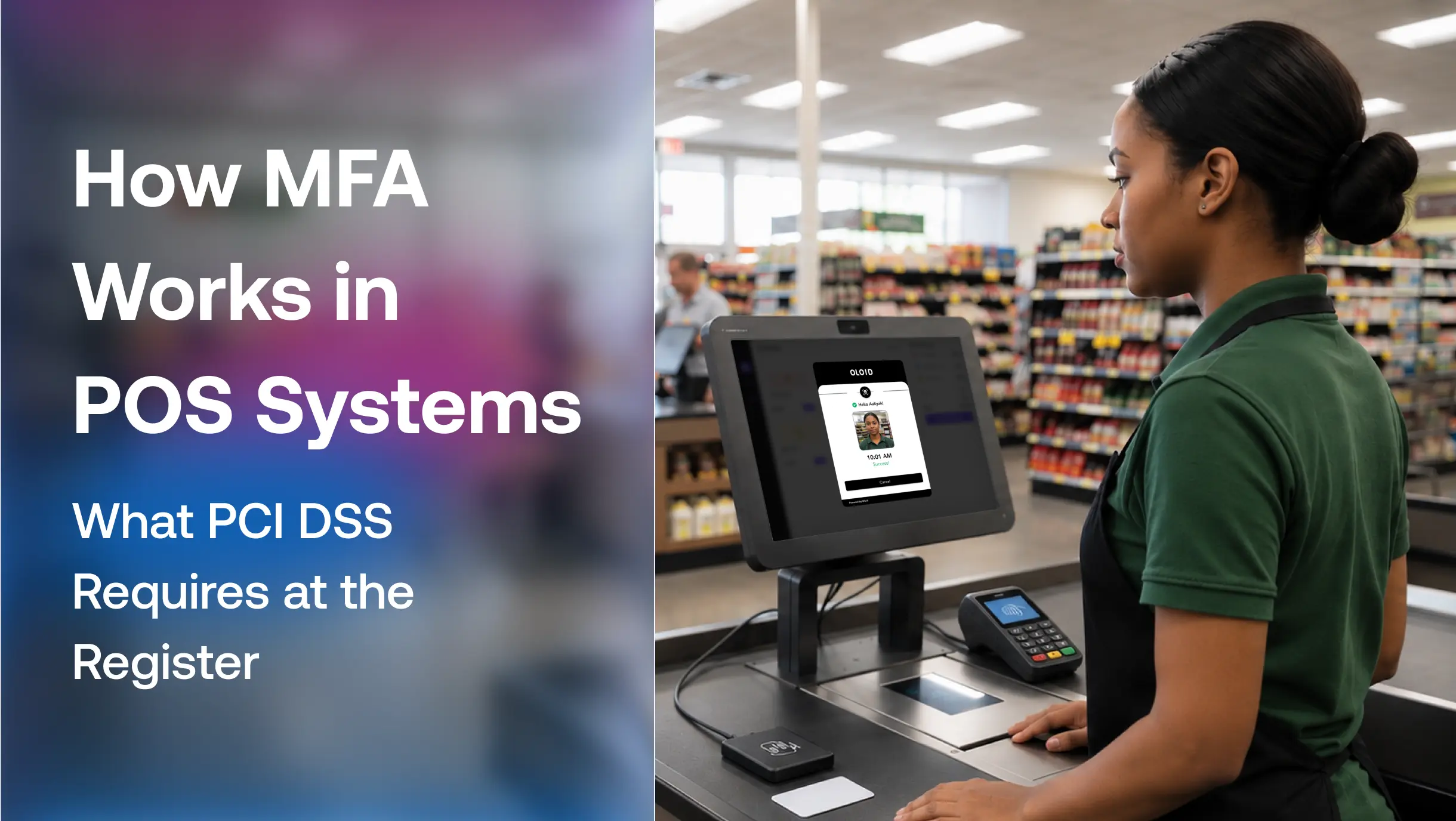
Retail and logistics environments share the manufacturing problem at different scale: high worker density, shared terminals, shift rotation, and restricted smartphone use on the floor. Retail environments that store, process, or transmit cardholder data may fall within PCI DSS scope. In shared-device environments, organizations also need controls that support accountability and appropriate user attribution.
Why Standard MFA Falls Short on Shared Devices
The Shared-Login Problem
Many conventional MFA implementations are designed around a one-worker, one-device model. That model becomes harder to apply when a single terminal is shared by multiple workers across a shift.
When authentication is friction-heavy or device-dependent, shared credentials become the path of least resistance. The MFA policy exists on paper, but the enforcement breaks down in practice. Workers share a login, leave sessions active, or find a workaround that IT does not know about. The result is an audit trail that records device activity rather than individual activity, which is a compliance failure in any regulated environment regardless of whether the MFA checkbox is checked.
Compliance Exposure When Sessions Are Not Tied to Individuals
HIPAA, PCI DSS, and OSHA recordkeeping requirements do not ask whether MFA is deployed. They ask whether access is attributable to a specific individual. Shared logins fail that test even when the authentication method itself is technically compliant.
When a security event occurs, the investigation depends on knowing who was at the terminal. In a shared-credential environment, that question has no answer. Incident response timelines extend, audit findings accumulate, and the organization carries liability for access it cannot account for.
How Passwordless Authentication Closes the Gap
Passwordless authentication replaces the credential-plus-second-factor model with methods that authenticate the person directly: biometrics, NFC badges, or cryptographic keys tied to the individual rather than a device. There is no password to share, no code to hand off, and no session to leave open.
For shared-device environments, passwordless authentication can help maintain individual session attribution without relying on passwords or personal smartphones. This creates an opportunity to rethink how frontline workers authenticate. OLOID supports face, badge, QR, and PIN-based authentication for frontline workers using shared terminals across healthcare, manufacturing, logistics, and retail. Workers authenticate in seconds without a personal smartphone, and every session logs to a verified individual rather than a shared device account.
How to Choose the Right MFA Method for Your Environment
The right method depends on three variables: the regulatory framework governing the environment, whether workers use personal devices on the floor, and how fast authentication must complete at shift change.
For office and hybrid environments with personal devices, TOTP or push notification MFA delivers strong protection with low deployment overhead. For environments that prioritize phishing-resistant authentication, FIDO2 security keys provide a well-established approach.
For shared-device, shift-based, or phone-restricted operational environments, standard MFA methods create friction that drives workarounds. The question therefore becomes not just which authentication method provides strong security, but which method can be deployed consistently without creating operational workarounds. Fast biometric or badge-based authentication that ties every session to an individual without requiring a personal device is the design target. That is where passwordless authentication closes the gap that MFA examples designed for knowledge workers leave open.
FAQs
1. What are the most common examples of multi-factor authentication?
The most common MFA examples are SMS one-time passwords, authenticator app codes (TOTP), push notification approvals, biometric authentication (fingerprint or facial recognition), and hardware security keys. SMS and push notifications dominate consumer deployments. Hardware keys and biometrics are more common in regulated enterprise and operational environments where stronger authentication is required.
2. What is the difference between MFA and 2FA?
2FA is a subset of MFA. Two-factor authentication requires exactly two verification factors. MFA requires two or more, and may incorporate additional contextual signals such as device posture, location, or behavior. Every 2FA implementation is technically MFA, but MFA is not limited to exactly two factors.
3. Can MFA be bypassed?
Yes. Adversary-in-the-middle phishing kits can intercept SMS codes and push notification approvals in real time, capturing session tokens that allow attackers to bypass the MFA challenge entirely. Phishing-resistant MFA using FIDO2 or hardware keys closes this gap because the authentication is cryptographically bound to the legitimate domain and cannot be relayed through a fake site.
4. Does MFA work on shared devices?
Standard MFA is designed for one-person, one-device environments and does not cleanly support multi-user shared terminal scenarios. Methods dependent on a personal smartphone are impractical when workers do not carry personal devices. Purpose-built shared device authentication using biometrics, NFC badges, or QR codes addresses this by tying each session to an individual worker without requiring a personal authenticator device.
5. What MFA method is required for HIPAA compliance?
HIPAA does not mandate a specific MFA method. The Security Rule (45 CFR §164.312(a)(2)(i)) requires unique user identification as a required implementation specification, meaning every user must authenticate under their own verified identity. MFA helps satisfy this requirement, but shared logins fail it regardless of whether MFA is technically deployed. Healthcare organizations with shared workstations need authentication that maintains individual session attribution, not just an MFA checkbox.
Get the latest updates! Subscribe now!

