


How MFA Works in POS Systems

Key Takeaways
- MFA for POS systems verifies employees accessing registers and retail infrastructure, while chip and PIN and online payment authentication protect cardholder transactions.
- PCI DSS 4.0.1 Requirement 8.4 establishes MFA requirements for applicable CDE, administrative, and remote access scenarios, with a limited exception for certain cashier accounts.
- Shared manager override PINs, inherited register sessions, and poorly controlled vendor access can weaken security and individual accountability.
- Badge-based authentication combined with a second factor, such as a PIN or biometric, can provide a practical approach to securing shared POS terminals without requiring personal smartphones.
- Retailers should prioritize individual authentication, fast session handoffs, and auditable access across their POS environments without introducing unnecessary friction at checkout.
A grocery store’s front end changes over at 3 p.m. Six cashiers log out, six more log in, and a refund request lands at register four before anyone has settled in. The manager is on the floor, so a senior cashier keys in the override PIN that half the front end already knows. The refund goes through, and the audit log credits it to a manager who never touched the register.
That gap between who the system thinks acted and who did is where attackers find room in retail. Sophos’s State of Ransomware in Retail 2025 found that compromised credentials drove 26% of ransomware attacks on retailers in 2025, up from 20% a year earlier.
MFA for POS systems means requiring two or more independent authentication factors before an employee, manager, or vendor can reach a POS terminal, a back-office console, or any management interface connected to the cardholder data environment (CDE). When one register serves several associates a shift, MFA for POS systems has to verify the person at the counter, not the terminal.
This guide covers where MFA sits, how a register login works, what PCI DSS 4.0.1 requires, which factors fit a busy counter, and where MFA for POS systems breaks down.
Staff MFA vs Cardholder Authentication at the POS
Two separate authentication processes operate in a payment environment.
Cardholder authentication verifies the customer making a payment. At a physical register, this may involve chip and PIN or other supported cardholder verification methods. For online payments, Strong Customer Authentication (SCA) under PSD2 and protocols such as 3D Secure help authenticate the cardholder.
Employee authentication protects access to the POS system itself. It verifies the cashier, supervisor, or technician accessing the register, approving a refund, or connecting to store infrastructure.
PCI DSS Requirement 8 governs access-related authentication controls. This is the employee authentication layer that this guide focuses on.
Where MFA Sits in a POS Environment
Most retail POS environments have five important access points to evaluate. Their PCI DSS scope depends on how each system connects to or can affect the cardholder data environment (CDE):
| Access point | Who uses it | MFA role |
|---|---|---|
| Register login | Cashiers and associates | Verifies each user at session start and at handoff |
| Manager override | Supervisors | Step-up check for refunds, voids, discounts, and cash drawer access |
| Back office and store server | Store managers and IT | Protects reporting, configuration, and local CDE systems |
| Remote vendor access and terminal management | POS vendors and MSPs | Secures the path attackers used in breaches such as Target’s |
| Cloud POS admin portal | Head office admins | Protects pricing, user management, and integrations |
The override and remote access rows carry the most risk. An override hands elevated permissions to whoever knows the code, and vendor remote access has opened the door to some of the largest POS security failures on record.
How an MFA Login Works at the Register, Step by Step
- Identify: The associate presents a badge, employee ID, or face.
- Check the first factor: The system validates something the person has or is, such as the badge.
- Check the second factor: The system validates a factor from a different category, such as a PIN paired with the badge or a face match.
- Validate: The POS server or identity provider confirms every factor before granting access.
- Open the session: The POS opens with that user’s role, and every transaction logs to that identity.
- Close at handoff: The session ends when the user taps out, steps away, or a timer expires, so the next associate starts clean.
Steps five and six decide whether MFA for POS systems protects anything after login.
Authentication at login establishes who starts the session. Session management and user switching ensure that subsequent actions remain attributable to the correct associate.
What PCI DSS 4.0.1 Requires for POS MFA
MFA for POS systems falls under PCI DSS v4.0.1, whose future-dated MFA requirements became mandatory on March 31, 2025.
Requirement 8.4: MFA for CDE, Remote, and Administrative Access
Requirement 8.4.1 covers non-console administrative access into the CDE, 8.4.2 extends MFA to all access into the CDE, and 8.4.3 covers remote network access from outside the network. The PCI SSC’s guidance on payment terminals tells assessors to confirm MFA on any access into the CDE, including remote access to payment terminals and the terminal management system. Retailers should distinguish between cashier access, administrative access, and remote access to systems within the CDE. The PCI DSS applicability exception for certain cashier accounts does not automatically extend to supervisors, administrators, store infrastructure, or vendor connections. Each access path should be assessed against the relevant Requirement 8 controls and the organization's PCI scope.
Requirement 8.5: Replay Protection, No Bypass, and Independent Factors
Requirement 8.5.1 defines how MFA systems must operate. They must be configured to resist replay attacks, prevent users from bypassing MFA unless a documented exception has been approved by management for a limited period, and require at least two different authentication factor types. Every required factor must be successfully authenticated before access is granted.
For retailers, this means that a shared manager PIN should not become an informal workaround that defeats the authentication controls protecting POS administration and other in-scope systems.
The Cashier Account Exemption and Where It Ends
PCI DSS carves out some Requirement 8 controls for POS user accounts that can access only one card number at a time to complete a single transaction, such as standard cashier IDs. Override accounts, back-office logins, store servers, admin portals, and vendor connections stay fully in scope. Version 4.0.1 also added an applicability note: accounts authenticated only with phishing-resistant factors do not need separate MFA for non-administrative CDE access.
Many retailers extend MFA to cashiers anyway, because a shared cashier login still breaks the individual audit trail that Requirement 10 depends on, as this PCI DSS access control checklist explains.
Which MFA Factors Work at a POS Counter
| Authentication method | Phone required? | Shared POS suitability | MFA consideration |
|---|---|---|---|
| Password + SMS OTP | Yes | Low | Two factors, but vulnerable to phishing and SIM-related attacks |
| Password + TOTP | Usually | Low to moderate | Two factors, but codes can be phished |
| Push + device authentication | Yes | Moderate | Depends on device binding and implementation |
| Badge + PIN | No | High | Possession + knowledge |
| Badge + face | No | High | Possession + biometric |
| FIDO2 security key + PIN/biometric | No phone | Moderate to high | Strong phishing-resistant architecture when correctly implemented |
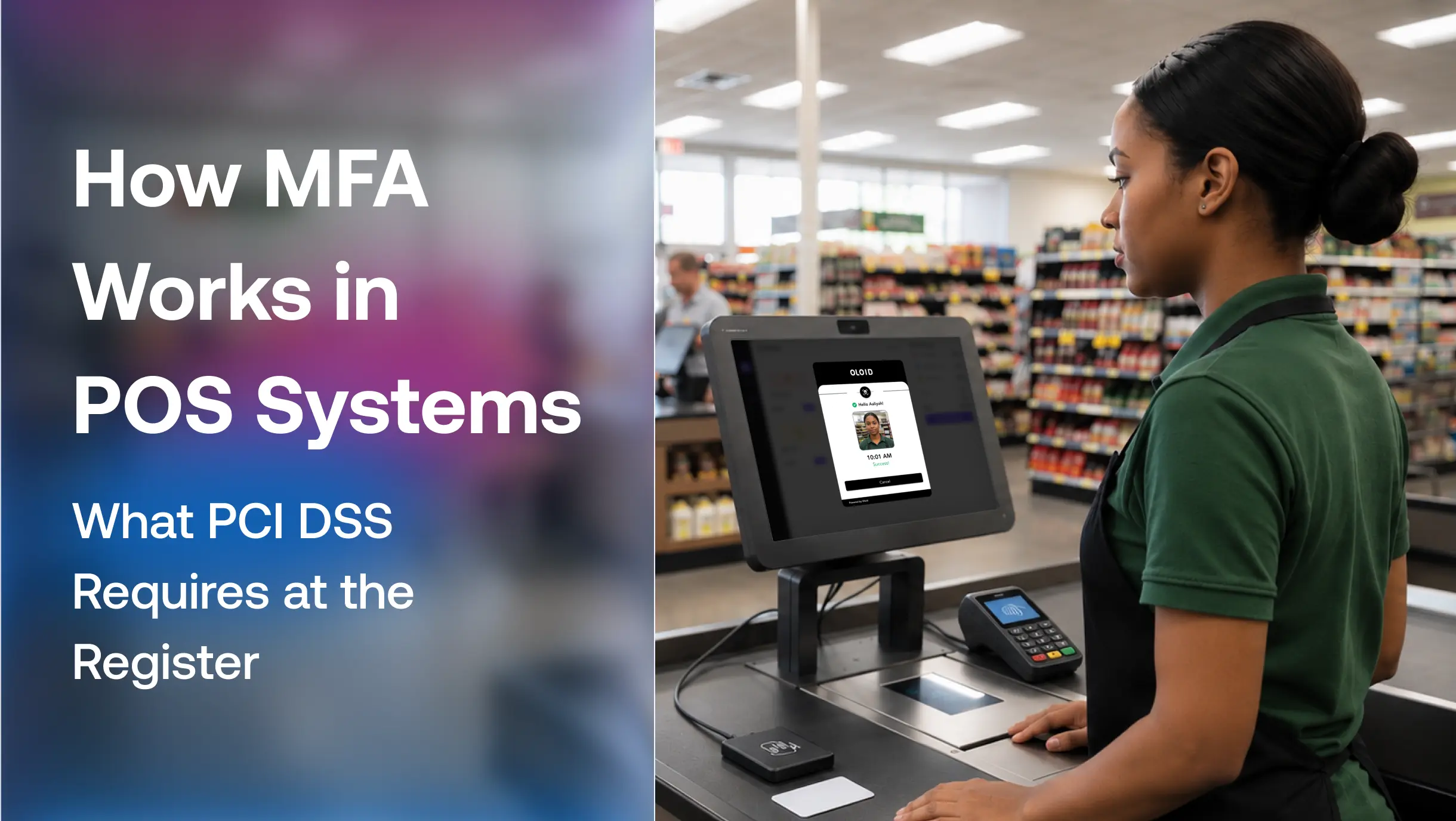
Phone-based MFA for POS systems struggles because many retailers restrict phones on the floor and turnover makes device enrollment impractical. Most stores need an MFA that works without phones. Badge tap and face authentication match how stores already run: associates carry badges, and most terminals have cameras. Platforms such as OLOID combine both on shared registers, so the factor travels with the associate rather than the device.
Where MFA for POS Systems Breaks Down in Daily Store Operations
Shared Manager Override PINs
When one override code circulates, every refund and void it approves points at the wrong person. Overrides need step-up authentication tied to the supervisor’s own identity. A better approach is to require the supervisor to authenticate using their own credentials when approving sensitive actions. This ensures that the person authorizing a refund or void is identifiable, rather than attributing the action to a shared manager account.
Sessions Left Open at Handoff
A strong login means little if the next associate inherits the previous session. Continuous authentication and presence detection lock the register when its user walks away.
Shared Tablets and Till Phones Used as the Second Factor
Some deployments use a shared tablet or phone at the register to receive authentication prompts. While this may introduce a possession-based factor, it does not necessarily establish which associate is approving the request if multiple employees can access the device. Retailers should ensure that every authentication factor is individually assigned, appropriately protected, and linked to the person requesting access.
Vendor Remote Access Left on Passwords
Vendor support tools often fall outside the policy that governs MFA for POS systems. One reused vendor password can open every location that vendor supports, which is why 2FA bypass techniques target these paths first.
How to Roll Out MFA for POS Systems Without Slowing Checkout
- Map every access point in the table above and mark which ones sit in CDE scope.
- Give every associate a unique identity and retire shared register logins.
- Choose factors associates already carry, such as badges and faces, so login takes seconds.
- Require step-up authentication for refunds, voids, and cash drawer access.
- Enforce MFA on all vendor and remote connections with no standing exceptions.
- Tie access to HR and shift data through zero-touch badge provisioning so it starts and ends automatically.
- Close sessions at handoff and log every action to one person through auditable shared account login.
- Pilot across different register configurations: Test authentication across legacy Windows terminals, newer POS systems, shared workstations, and different store formats before a broader rollout.
- Measure checkout impact: Track authentication time, session handoff time, failed logins, help desk tickets, and manager override frequency.
Adding MFA to Legacy POS Terminals Without Changing the POS Software
Many POS applications lack native support, so retailers add MFA for POS systems at the operating system layer with a credential provider that replaces the Windows login, through SSO in front of web-based POS consoles, or through the identity provider’s external authentication method so the POS inherits MFA from Okta or Entra ID. Each approach leaves the POS software untouched, and passwordless authentication platforms built for shared devices support all three.
Making Every POS Session Traceable to One Person
MFA for POS systems works when it verifies the person, protects the session after login, and covers every path into the CDE, including the ones only vendors use. PCI DSS sets the floor, but the practical test is simpler: can every refund, override, and transaction in your logs point to one verified individual?
OLOID’s retail authentication solution gives associates badge tap and face login on shared POS terminals, with each session tied to a verified individual and logged automatically.
FAQs
1. Does PCI DSS require MFA for POS systems?
Yes, for any access into the cardholder data environment, including back-office systems, admin consoles, and remote access to terminals. Some controls exclude POS accounts that access only one card number per transaction.
2. What is MFA in a POS system?
It requires a POS user to prove identity with two or more factors from different categories, such as a badge and a face match, before the register or back-office system opens.
3. Is a PIN alone considered MFA?
No. A PIN counts as one knowledge factor. It becomes part of MFA only when paired with a factor from another category, such as a badge or biometric.
4. Are cashiers exempt from MFA under PCI DSS?
Cashier accounts limited to one card number per transaction fall outside some Requirement 8 controls. Manager overrides, back-office logins, and admin access still require MFA.
5. How do you add MFA to a POS system without slowing checkout?
Use factors associates already carry, such as badges or face authentication, apply step-up checks only for sensitive actions, and close sessions automatically at each handoff.
6. Does MFA slow down POS transactions?
MFA does not necessarily slow down checkout. Authentication methods such as badge tap and supported biometric verification can reduce the time associates spend entering passwords or retrieving OTP codes. The impact depends on the authentication architecture, terminal configuration, and session management approach.



Get the latest updates! Subscribe now!

