




Unified Identity Management Explained: How It Simplifies Enterprise Security
Unified Identity Management (UIM) consolidates digital identities into a single authoritative system, eliminating fragmentation across enterprise platforms. This comprehensive guide examines how centralized identity repositories function, the security benefits they offer, and their role in ensuring regulatory compliance. Explore implementation strategies, real-world applications across hybrid environments, and expert tips for successful deployment.

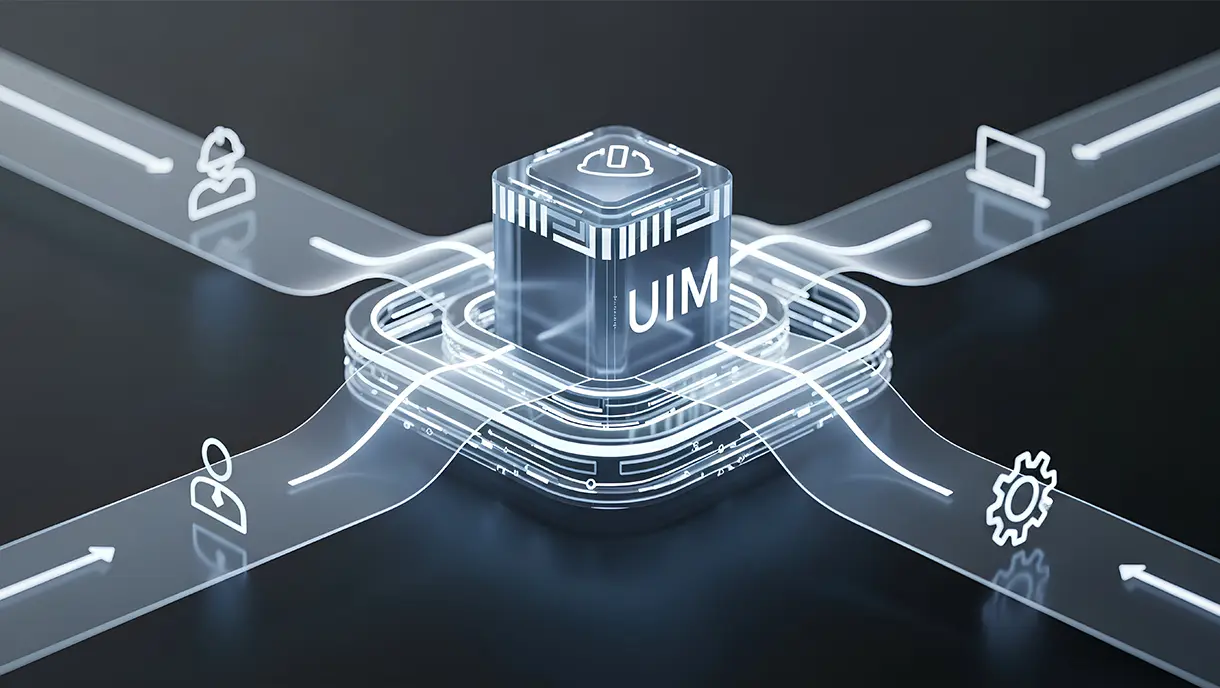
Enterprises today manage identities across dozens of platforms. Cloud applications, legacy systems, physical access controls, and mobile devices all require separate credentials. This fragmentation creates security gaps and frustrates users.
That’s where Unified Identity Management (UIM) comes in. It offers a centralized approach to managing identities across systems, applications, and devices through a single, secure, integrated platform.
By unifying authentication, authorization, and lifecycle management, UIM helps enterprises strengthen security, streamline access, and deliver frictionless user experiences, all while reducing administrative overhead.
In this guide, you’ll learn what unified identity management is, how it works, the key benefits it offers, and why it’s becoming essential for modern organizations pursuing zero trust and passwordless access strategies.
What Is Unified Identity Management?
Unified Identity Management (UIM) is a modern approach to managing all digital identities, employees, contractors, devices, and applications, through a single, centralized system. Instead of relying on separate identity silos for different departments or systems, UIM unifies identity data, authentication, and access control across the entire enterprise ecosystem.
At its core, unified identity management provides a single source of truth for identity information. It integrates multiple identity providers, directories, and access systems into a single platform that ensures consistent policies and seamless authentication, whether users access cloud applications, on-prem systems, or shared devices.
This approach marks a major evolution from traditional Identity and Access Management (IAM), which typically focuses on managing access within isolated environments or specific applications.
Why Do Organizations Need Unified Identity Management?
As enterprises embrace cloud adoption, remote work, and an expanding mix of digital tools, managing user identities has become increasingly complex and fragmented. Multiple systems, applications, and access points often operate in silos, creating inconsistencies, security risks, and administrative overhead.
1. Fragmented Identity Systems Create Security Gaps
Multiple identity stores exist across HR systems, applications, and devices. Each system maintains separate user records with different access policies. This fragmentation creates inconsistencies that attackers exploit.
Orphaned accounts persist long after employees leave the organization. Access permissions remain active in forgotten systems. These dormant credentials become entry points for unauthorized access and data breaches.
2. Rising Cyber Threats and Compliance Pressure
Identity has become the new attack surface in modern enterprises. Stolen credentials account for the majority of data breaches. Attackers target weak authentication and inconsistent access controls across systems.
Compliance frameworks require unified visibility into access activities. HIPAA, SOC 2, and GDPR demand comprehensive audit trails. Organizations cannot demonstrate compliance without centralized identity governance and monitoring capabilities.
3. Workforce Experience and Operational Efficiency
Login fatigue reduces productivity across the organization. Employees juggle dozens of different credentials for various applications. Password resets generate a constant stream of IT support tickets.
Managing multiple access systems creates an administrative burden for IT teams. Provisioning new employees takes hours, not minutes. Deprovisioning departing staff requires manual coordination across disconnected platforms.
[[cta]]
How Unified Identity Management Works
Unified identity management operates through interconnected components that work together seamlessly. Each component addresses specific identity challenges while maintaining overall system coherence and consistency. Understanding these elements helps organizations implement effective identity governance.
1. Centralized Identity Repository
A single source of truth stores all user identities. This repository synchronizes data across directories, HR systems, and cloud applications. Changes propagate automatically to every connected system.
The centralized approach eliminates duplicate user records. Identity attributes are updated once and reflected everywhere. This consistency prevents access mismatches and security gaps.
Key Capabilities
- Real-time synchronization across HR systems, Active Directory, and Cloud directories.
- Unified user profiles containing attributes from multiple sources.
- Automatic detection and resolution of conflicting identity data.
- Support for complex organizational hierarchies and reporting structures.
2. Unified Authentication and Authorization Layer
Integration with SSO, MFA, and passwordless authentication creates seamless access. Users authenticate once and gain access to all authorized applications. Policy enforcement happens consistently across all apps and endpoints.
The unified layer supports modern authentication protocols. SAML, OIDC, and SCIM enable standards-based connectivity. Organizations can enforce security policies regardless of underlying systems.
Authentication Capabilities
- Single sign-on across cloud applications and on-premise systems.
- Multi-factor authentication with biometric, badge, and PIN options.
- Passwordless authentication for frontline workers using shared devices.
- Context-aware access controls based on location, device, and risk level.
3. Lifecycle Management and Automation
Automated provisioning creates user accounts when employees join the organization. Role-based and attribute-based access controls assign appropriate permissions. Deprovisioning immediately revokes access when employment ends.
Lifecycle automation eliminates manual processes that introduce delays and errors, thereby enhancing efficiency and accuracy. New hires become productive on their first day. Departing employees lose access within minutes, not days.
Automation Capabilities
- Integration with HR systems like Workday, ADP, and SAP for automatic provisioning.
- Role-based access control that assigns permissions based on job function.
- Automated deprovisioning when employees leave or change roles.
- Periodic access reviews to identify and remove unnecessary permissions.
4. Interoperability with Existing Systems
Integration with identity and access providers, directories, and orchestration platforms preserves existing investments, ensuring seamless interoperability and continuity. The unified system connects rather than replaces the current infrastructure. Support for modern protocols ensures compatibility with a wide range of technology stacks.
Standards-based integration minimizes custom development work. Pre-built connectors link to major platforms. Organizations can extend coverage to legacy systems by utilizing APIs.
Integration Capabilities
- SAML 2.0 and OIDC support for SSO platforms like Okta, Microsoft Entra ID, OLOID, and Ping Identity.
- SCIM 2.0 for automated user provisioning and synchronization.
- RESTful APIs for custom integrations with legacy applications.
- Webhook notifications for real-time event processing and monitoring.
Overall, unified identity management is essential for modern enterprises to ensure productivity, compliance, and security. Let’s explore the benefits of UIM in detail.
4 Key Benefits Of Unified Identity Management
Implementing Unified Identity Management (UIM) empowers organizations to simplify access control, strengthen security, and deliver seamless user experiences, all from a single, integrated platform. Beyond efficiency, it helps enterprises stay compliant, reduce risk, and adapt quickly to evolving digital environments.
1. Strengthens Security Through Centralized Control
Consistent policies apply across all systems without exception. Security teams define access rules once and enforce them everywhere. This uniformity eliminates gaps that exist between disconnected platforms.
Reducing the risk of credential misuse protects sensitive data. Centralized monitoring detects suspicious access patterns immediately. Unauthorized access attempts trigger alerts before damage occurs.
2. Simplifies Compliance and Audit Readiness
Unified visibility into access activities satisfies regulatory requirements. Every authentication attempt and permission change is logged centrally. Auditors can review complete access histories from one location.
Enforcement of least-privilege principles becomes straightforward. Organizations can demonstrate that users access only the necessary resources. Comprehensive reporting demonstrates compliance across multiple frameworks simultaneously.
3. Enhances User Experience
Passwordless and single sign-on access eliminate authentication friction. Employees can access applications without needing to remember multiple usernames and passwords. Authentication happens seamlessly through biometrics or other convenient factors.
Frontline and remote employees benefit from simplified access. Shared device users authenticate quickly without complex passwords. This ease of use increases adoption and productivity.
4. Lowers IT Overhead and Speeds Up Onboarding
Automated workflows reduce the need for manual access management tasks. IT teams spend less time on password resets and permission changes. Provisioning happens automatically based on HR data.
Scalable and cost-efficient identity operations grow with the organization. Adding new applications or users doesn't create a proportional amount of work. Identity administration becomes predictable and manageable.
While these benefits highlight the value of a unified approach to identity management, the real impact becomes even clearer when you see how organizations are applying it across different environments and workforce scenarios.
[[cta-2]]
Use Cases Of Unified Identity Management
Unified identity management solves real-world challenges across diverse industries and scenarios. Organizations implement these systems to address specific security and operational needs. Understanding everyday use cases helps identify opportunities within your organization.
1. Hybrid and Multi-Cloud Identity Governance
Organizations manage identities consistently across cloud and on-premise environments. Unified systems synchronize user data between AWS, Azure, and internal directories. Access policies apply uniformly regardless of where resources live.
Key benefits:
- Synchronization of user identities across multiple cloud platforms and on-premise systems.
- Consistent policy enforcement, whether resources are hosted in AWS, Azure, or Google Cloud.
- Unified access controls for applications spanning a hybrid infrastructure.
- Simplified management of identities across disparate technology environments.
2. Secure Access for Frontline and Contract Workers
Frontline employees using shared devices need secure authentication without personal credentials. Unified identity management enables biometric and badge-based access. Contractors receive temporary access that automatically expires.
Key benefits:
- Passwordless authentication using face recognition or RFID badges for shared workstations.
- Unlimited users per device without enrollment limitations.
- Automated contractor lifecycle management with time-bound access.
- Individual accountability on shared credentials through auditable authentication logs.
3. Onboarding and Offboarding Automation in Large Enterprises
HR system integration triggers the automatic creation of accounts. New employees receive appropriate access on their first day. Departures trigger immediate deprovisioning across all systems.
Key benefits:
- Zero-touch provisioning from HR systems like Workday, ADP, and PeopleSoft.
- Automatic access assignment based on role, department, and location.
- Instant deprovisioning when employees terminate or change positions
- Elimination of orphaned accounts that create security vulnerabilities.
4. Compliance Management and Audit Readiness
Centralized audit logs document every access event. Organizations demonstrate compliance with HIPAA, SOC 2, and GDPR requirements. Periodic access reviews identify and remove unnecessary permissions.
Key benefits:
- Comprehensive audit trails for all authentication and authorization events.
- Automated reporting for HIPAA, SOC 2, GDPR, and other regulatory frameworks.
- Least-privilege enforcement through regular access reviews.
- Complete visibility into who accessed what data and when.
These use cases show how unified identity management can transform access control across industries and environments. To achieve similar results, organizations need a clear strategy and the right tools to implement UIM effectively.
How To Implement Unified Identity Management In Your Organization
Implementing Unified Identity Management (UIM) requires more than just deploying new software. It involves aligning systems, policies, and people to create a seamless, secure, and centralized identity framework across the enterprise. Here’s the step-by-step process to help you implement UI seamlessly.
Step 1: Assess Existing Identity Ecosystem
Document all current identity stores and access systems. Identify which applications integrate with the existing IAM infrastructure. Map out data flows between HR systems, directories, and applications.
Expert Tips for Assessment
- Conduct a comprehensive inventory of all identity sources, including Active Directory, LDAP, and cloud directories.
- Identify shadow IT applications that employees use outside official channels.
- Document legacy systems that lack modern integration capabilities.
- Conduct surveys to understand employees' pain points related to authentication and workflow disruptions.
Step 2: Choose a Centralized Identity Platform or Orchestration Layer
Select a platform that supports your authentication requirements. Ensure compatibility with existing SSO and directory services. Verify that the solution scales to your organization's size and requirements.
Expert Tips for Selection
- Prioritize platforms with pre-built connectors for your existing technology stack.
- Evaluate support for multiple authentication factors, including biometrics and badges.
- Consider deployment models such as cloud SaaS, hybrid gateway, or air-gapped installations.
- Verify that the solution supports an unlimited number of users per device for shared workstation environments.
Step 3: Integrate Directories, Applications, and Access Policies
Connect the centralized platform to directories like Active Directory. Integrate enterprise applications using SAML and OIDC protocols. Migrate access policies to the unified system.
Expert Tips for Integration
- Start with high-impact applications that generate the most support tickets.
- Use SCIM 2.0 for automated provisioning from HR systems like Workday and ADP.
- Implement phased rollouts rather than big-bang migrations to minimize disruption.
- Maintain fallback authentication methods during the transition period to ensure continuity.
Step 4: Enable Passwordless or Adaptive Authentication
Implement modern authentication factors that improve security and convenience. Deploy biometric authentication for frontline workers on shared devices. Configure adaptive authentication that adjusts to varying levels of risk.
Expert Tips for Authentication
- Offer multiple authentication options to accommodate different work environments and user preferences.
- Deploy face recognition with passive liveness detection for hands-free access.
- Leverage existing RFID badges from physical access control systems for digital authentication.
- Configure context-aware policies that require stronger authentication for sensitive applications.
Step 5: Monitor, Audit, and Continuously Optimize
Establish continuous monitoring of authentication activities. Generate regular reports for compliance and security reviews. Refine policies based on usage patterns and security incidents to enhance overall security and resilience.
Expert Tips for Optimization
- Integrate with SIEM platforms, such as Splunk or QRadar, for real-time security monitoring and incident response.
- Conduct quarterly access reviews to identify and remove unnecessary permissions.
- Track key metrics, including authentication success rates, password reset reduction, and user adoption.
- Establish feedback loops with end users to identify and resolve usability issues.
[[cta-3]]
Future Of Unified Identity Management
The shift toward decentralized and identity orchestration models is accelerating. Organizations will coordinate multiple identity providers through orchestration layers. This approach provides flexibility while maintaining centralized governance.
Integration with AI will enable risk-based and adaptive authentication. Machine learning algorithms will continuously analyze authentication patterns to identify potential security threats. Systems will adjust access requirements dynamically based on detected risk levels.
Unified identity plays a crucial role in future workforce mobility and automation. As employees work from anywhere using various devices, a consistent identity becomes essential. Automation will handle routine identity tasks while humans focus on exceptions and policy decisions.
Identity Management Across Your Organization With OLOID
Unified identity management provides the foundation for secure, frictionless, and scalable access. Centralized identity governance reduces security risks while improving compliance. Workforce productivity increases through simplified authentication and automated provisioning.
OLOID makes this transformation simple and achievable. As a modern passwordless authentication platform for the frontline workforce, OLOID unifies workforce access across applications, devices, and physical systems through seamless integrations and passwordless authentication. With capabilities like facial biometrics, SSO, and adaptive access, OLOID helps enterprises move toward a truly secure and connected workforce identity ecosystem.
Ready to streamline access and strengthen identity security across your organization? Request a demo to see how OLOID can help you build a unified, passwordless identity experience for your workforce.
Frequently Asked Questions on Unified Identity Management
1. How does unified identity management differ from traditional IAM?
Traditional IAM manages identities within specific system boundaries. Each application maintains its own user database and access controls. Unified identity management establishes a single, synchronized source of truth across all systems. It eliminates identity silos and ensures consistent policies across the board.
2. What are the key components of a unified identity management system?
Key components include a centralized identity repository for user data. Authentication and authorization layers integrate with SSO and MFA systems. Lifecycle management automates provisioning and deprovisioning. Integration capabilities connect with existing directories, HR systems, and applications through standard protocols.
3. How does unified identity management improve security and compliance?
Centralized control enables consistent policy enforcement across all systems. Organizations gain complete visibility into access activities for audit purposes. Automated provisioning and deprovisioning eliminate orphaned accounts. Comprehensive logging satisfies regulatory requirements for HIPAA, GDPR, and other frameworks.
4. Can unified identity management support zero-trust architecture?
Unified identity management provides the foundation for implementing zero-trust architecture. It enables continuous verification of user identity and device status. Context-aware authentication adjusts access requirements based on risk factors. The centralized approach simplifies enforcement of least-privilege access principles.
5. Is unified identity management suitable for hybrid or multi-cloud environments?
Unified identity management excels in hybrid and multi-cloud environments. It synchronizes identities across on-premise directories and cloud platforms. Standards-based protocols enable connectivity with AWS, Azure, and Google Cloud. Organizations maintain consistent access policies regardless of the location of their resources.


.webp)
Get the latest updates! Subscribe now!

