




What are the benefits of cloud-based access control?
Cloud-based access control systems offer a secure, flexible, and cost-effective way to manage physical access across locations. Unlike traditional systems, they require no on-site servers or heavy IT investment. Businesses can manage user access remotely, receive automatic updates, and integrate with other enterprise tools like HR systems. These systems improve scalability, security, and ease of use—making them ideal for both SMBs and large enterprises. Companies like OLOID provide modern solutions with biometric authentication, encryption, and regulatory compliance.

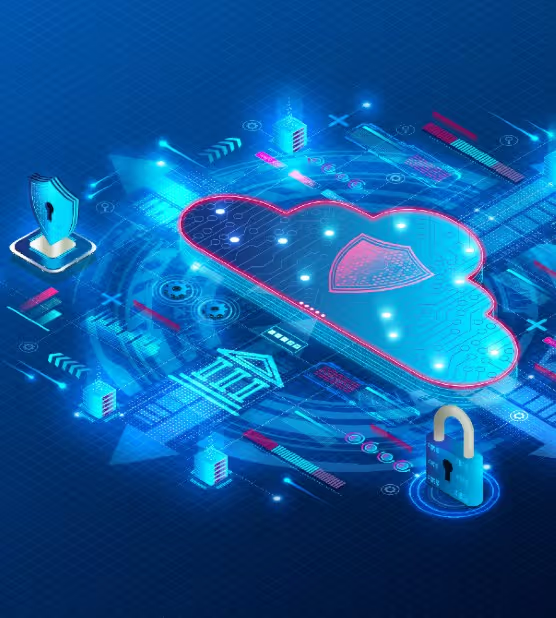
Are you looking for a secure and centralized way to manage your physical access systems?Consider a cloud-based access control system that provides:
- Centralized management
- Real-time updates
- Visibility
- Cloud wiring
- Diagnostics
- Other features at a lower cost than traditional systems
Modern cloud-based access control systems can also integrate with your company’s software to simplify visitor management and door scheduling.
What is Access Control?
Access control refers to any method used to prevent unauthorized entry. Protecting business security is crucial, and technology-enabled access control methods allow you to manage multiple offices from one central location.
For example:
- Many systems use biometrics (e.g., facial recognition) to authenticate users.
- This reduces the risk of unauthorized access.
- You can remotely add or remove users from access groups—no physical changes needed.
Traditional vs. Cloud-Based Systems
Traditional systems require:
- Upfront capital expenditure
- In-house security experts
- Physical servers and manual updates
Cloud-based access control offers:
- Scalability and flexibility
- Real-time video monitoring
- Access from any device, any time
- No need for local servers or complex updates
What is Cloud Technology?
According to a Statista survey, 90% of respondents find cloud services easy to access and manage.
Cloud computing stores and manages data on remote servers so you can access it from anywhere via the internet.
Benefits:
- Simple and cost-effective
- Ideal for large data sets, customer records, contracts
- No need for physical infrastructure—just rent services from a third-party provider
How Does Cloud-Based Access Control Work?
Forget managing large on-site servers. A cloud-based access control system:
- Runs remotely on servers in secure data centers
- Connects devices and readers via the internet
- Offers centralized access control and key management
- Is owned and operated by a third-party provider
Admins can control everything from anywhere—without worrying about setup or maintenance costs.
Industry Adoption of Cloud-Based Access Control
The market is expected to reach $20 billion by 2027.
Who's adopting it?
Small and Medium Businesses (SMBs):
- First to adopt cloud access due to limited IT resources
- Needed affordable, flexible solutions
Enterprises:
- Are now adopting cloud access control for:
- Remote management
- Cost reduction
- Security improvements
- Easy updates
Benefits of Cloud-Based Access Control
- Scalability: Grows with your business
- Flexibility: Instantly change access remotely
- Cost-Effectiveness: No need for expensive hardware or maintenance
- Security: Includes encryption and multi-factor authentication
- Ease of Use: User-friendly systems need less training
- Integration: Works with HR, payroll, and other systems
- Off-Site Hosting: No server maintenance needed
- Automatic Updates: Weekly updates with no downtime
- Remote Access: Manage the system globally
- Improved Security: Uses secure protocols like HTTPS and TLS
What Are the Risks, and How Can They Be Mitigated?
Cloud systems do carry some risks:
Risks:
- Cyberattacks due to internet connectivity
- Data leakage or loss
Mitigation Strategies:
- Conduct cybersecurity risk assessments
- Use role-based access controls
- Limit access to necessary functionalities
- Choose providers with strong security and compliance
Conclusion
More enterprises are adopting cloud-based access control. Companies like OLOID offer solutions with:
- Multi-modal authentication
- Easy self-installation
- Compatibility with existing badge systems
- End-to-end encryption
- GDPR and CCPA compliance
Cloud-based access control is the future—secure, flexible, and cost-effective.


.webp)
Get the latest updates! Subscribe now!

