




IAM vs PAM vs PIM: Key Differences Explained

Key Takeaways
- IAM, PIM, and PAM all manage access, but at different scopes and stages of the access lifecycle
- IAM covers every user and verifies identity across the organization
- PIM decides who can become privileged and for how long
- PAM secures and monitors privileged sessions once access is active
- Security sources disagree on the exact hierarchy, but IAM as the outer layer with PIM and PAM as overlapping subsets is the clearest model
- Shared-device and frontline environments need identity-first, passwordless approaches that traditional PAM and PIM tools were not originally built for
A retail chain's IT team rolled out a new IAM platform across every store location and considered the identity problem solved. Every employee got a verified login, role-based permissions, and single sign-on across point-of-sale systems. Six months later, an attacker used a forgotten vendor credential with standing admin rights to a backend payment system, an account that IAM had verified as legitimate but never flagged as privileged. The breach had nothing to do with IAM failing. It happened in the gap IAM was never built to cover.
That gap is exactly where the confusion around IAM vs PAM vs PIM comes from, and the stakes behind it keep growing. CrowdStrike's 2026 Global Threat Report found that 82% of detections in 2025 involved no malware at all. Attackers simply used valid credentials, trusted identity flows, and approved SaaS integrations to move through networks undetected. Identity has become the primary attack surface, and IAM, PAM, and PIM each defend a different layer of it.
IAM verifies who someone is and sets their baseline access. PIM decides who can become privileged and for how long. PAM secures and monitors what privileged users actually do once that access is active. The same layered gap shows up in shared-device environments like hospital wards and warehouse floors, where a single shared terminal can pass through a dozen workers in a single shift, making it just as easy to lose track of who has elevated access at any given moment.
This guide breaks down what each framework actually controls, clarifies the contradictory claims about hierarchy you'll find across most vendor content, and shows where these frameworks fall short in real operational environments.
IAM vs PIM vs PAM
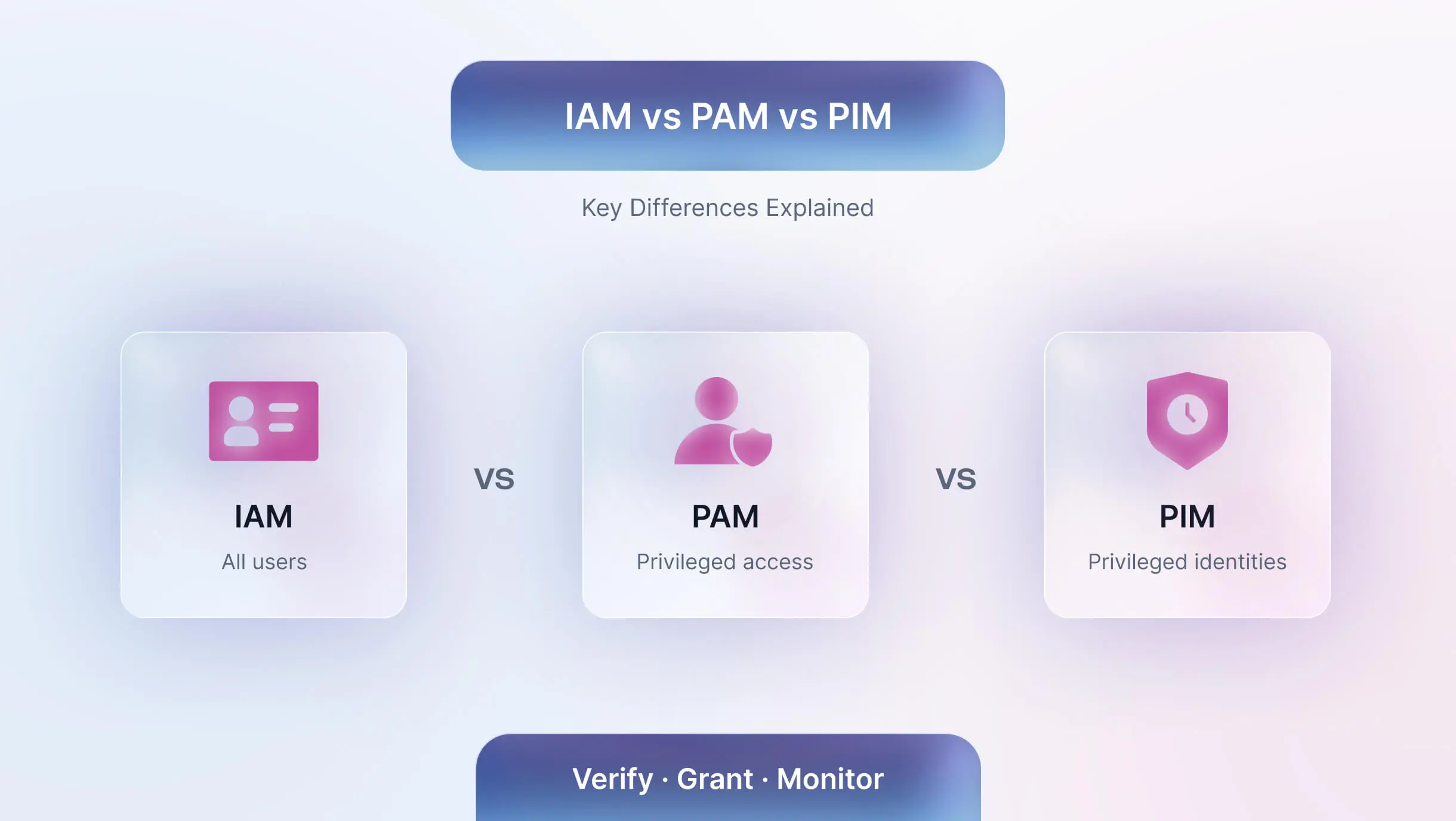
IAM covers every user in the organization. PIM and PAM both deal with privileged users, but PIM focuses on granting and timing that privilege, while PAM focuses on securing and monitoring it once granted.
What is IAM?
Identity and Access Management gives every user in an organization a verified identity and a defined level of access. It answers one question: who should reach which resource, and under what conditions.
A complete IAM program includes authentication, which confirms identity through passwords, biometrics, or multi-factor methods. It includes authorization, which determines what an authenticated user can actually do once verified. It includes provisioning and deprovisioning, which create and remove access automatically as people join, change roles, or leave. It includes single sign-on, which lets a verified user move across multiple applications without repeated logins.
IAM acts as the front gate for the entire workforce, and it applies that gate consistently. A warehouse associate clocking into a handheld scanner gets the same identity verification as a finance manager logging into payroll software. What IAM does not do is distinguish between an account with standard access and one that can reach production databases, financial systems, or infrastructure controls. That distinction belongs to PIM and PAM.
Why IAM Alone Is No Longer Enough
Modern attacks rarely bypass identity systems entirely. Instead, they exploit legitimate credentials that already have access, the same pattern behind the retail breach in this article's opening story. IAM verifies that a person is who they claim to be and grants them baseline access accordingly. What IAM does not do is control how privileged access gets granted, monitored, or revoked once an identity holds it.
This gap explains why a verified, legitimate login can still become the way into a sensitive system. An attacker who steals or buys a valid credential passes every check IAM is designed to perform, because IAM was never built to ask whether that credential carries elevated reach or whether someone is watching what it does once active. Organizations increasingly extend IAM with PIM and PAM specifically to close this gap, which is exactly where these two frameworks pick up.
What is PIM?
Privileged Identity Management narrows the focus to a smaller group of accounts: the ones with elevated permissions to sensitive systems. PIM decides who can become privileged, under what conditions, and for how long.
A PIM program typically includes just-in-time access, which grants elevated permissions only for a limited window and revokes them automatically once the task ends. It includes least privilege enforcement, which limits every account to the minimum access it actually needs. It includes separation of duties, which splits high-risk tasks across more than one person so no single account can complete a sensitive action alone. It includes approval-based activation, which requires sign-off before a privileged role becomes active.
A PIM policy might let an IT admin activate elevated rights only between specific hours, only from a managed device, and only after manager approval. Once the task ends, the system revokes the privilege without anyone needing to remember to do it manually.
What is PAM?
Privileged Access Management picks up where PIM leaves off. PAM secures, monitors, and records what privileged users actually do once their access is active.
A PAM program centers on credential vaulting, which stores and rotates sensitive passwords in a secure location rather than a spreadsheet or config file. It includes session recording, which captures privileged activity for audits and incident investigations. It includes anomaly detection, which flags unusual login times or unfamiliar locations. It includes approval workflows that add oversight before particularly sensitive actions are executed.
PAM treats every privileged account as a high-value target and builds continuous monitoring around it, because a compromised admin credential exposes far more than a single compromised employee login ever could.
What About Service Accounts and Non-Human Identities?
Not all privileged access belongs to a person. Applications, scripts, bots, and automation tools routinely hold credentials with elevated reach, accessing databases, triggering deployments, or connecting to APIs without a human ever logging in. These service accounts and machine identities often carry standing privileges that nobody actively monitors, since they were set up once during a deployment and never revisited.
This blind spot is larger than most security teams assume. CyberArk's 2025 Identity Security Landscape report found that 88% of organizations define a privileged user as a human account only, yet 42% of machine identities actually carry privileged or sensitive access. A forgotten vendor integration or an automation script left running with admin rights creates the same risk as an unmonitored human admin account, often with less visibility, since nobody reviews it in a quarterly access audit the way they would a person's login.
PAM increasingly extends to cover these machine identities alongside human administrators, applying the same vaulting, rotation, and monitoring to API keys, service account credentials, and bot logins that it applies to a database administrator's password. IAM and PIM, by contrast, were both built around the assumption of a human requesting access, which is part of why PAM has had to grow into this space rather than IAM absorbing it directly.
Resolving the Hierarchy Confusion
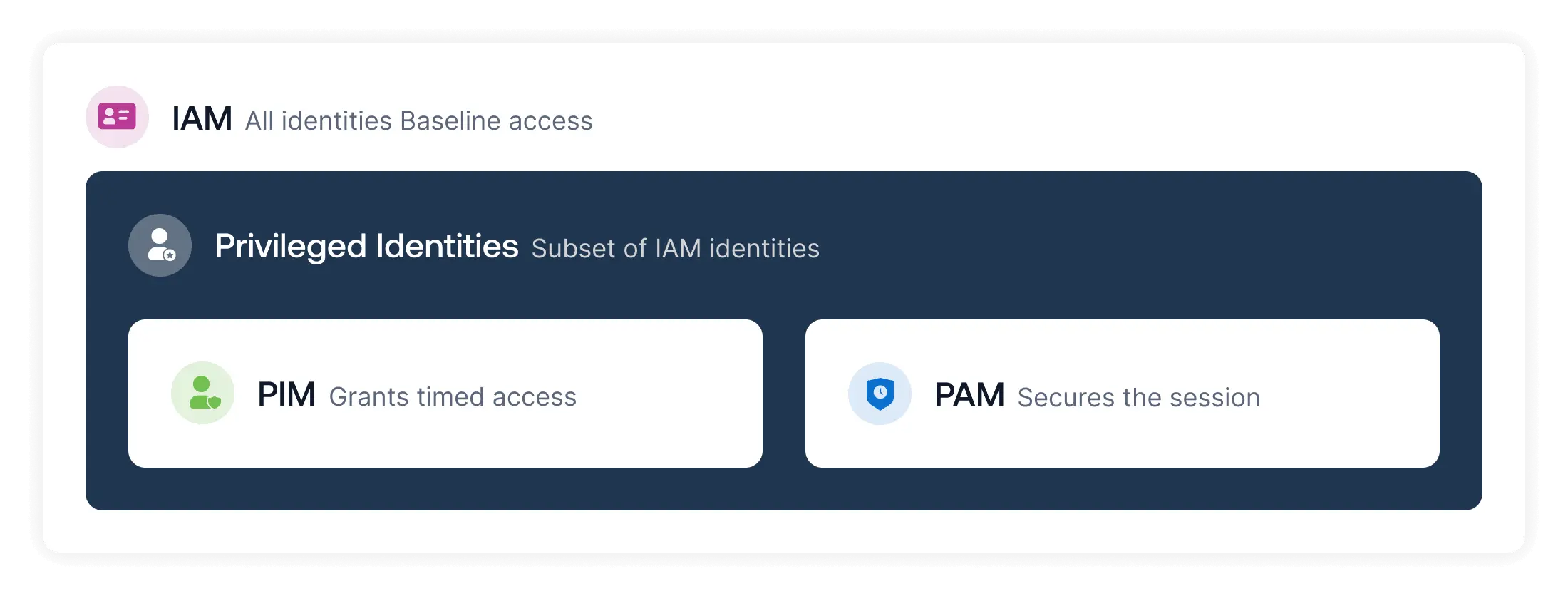
The clearest way to think about it treats IAM as the outer layer covering every identity in the organization. PIM and PAM sit inside that layer as two closely related, overlapping disciplines focused specifically on privileged accounts. PIM governs who receives elevated access and when. PAM governs what happens during and after that access gets used. Neither one replaces the other, and most mature security programs run both alongside a broader IAM strategy rather than treating one as a stepping stone to the other.
How IAM, PAM, and PIM Work Together
IAM verifies every identity in the organization and sets baseline access rules. PIM steps in for privileged accounts, granting elevated rights only when needed and pulling them back automatically once the need passes. PAM then watches over that elevated session, vaulting the credentials, recording the activity, and flagging anything unusual.
Picture a database administrator who needs emergency access to fix a production issue at 2 am. IAM already knows who this person is and confirms their identity. PIM grants them temporary elevated access for a defined window, requiring approval before the role activates. PAM then vaults the actual database credentials, records the session in full, and alerts the security team if the administrator does anything outside the expected scope of the fix. Each framework handles a different moment in that same sequence.
Example: A plant supervisor temporarily receives elevated permissions to modify production schedules. IAM verifies identity, PIM grants time-limited access, and PAM records changes made during the session.
Run IAM without PAM, and admin credentials sit exposed with no monitoring layer around them. Run PIM without PAM, and you grant time-bound roles but keep no audit trail if something goes wrong during that window. Run PAM without PIM, and you secure sessions for accounts that may never have needed standing privilege in the first place. Each framework covers a different gap, and skipping one leaves a real hole that the others cannot backfill.
Common Misunderstandings About IAM, PAM, and PIM
A few assumptions about IAM vs PAM vs PIM cause more risk than the acronym confusion itself. "We have IAM, so we're covered" is the most common one, and it's the same assumption that left the retail chain in our opening story exposed. IAM verifying an identity says nothing about whether that identity holds dangerous levels of access.
"PIM is a Microsoft-only feature" is another common misconception, since Microsoft's Entra ID PIM feature is the most visible implementation, but the underlying discipline applies to any platform with privileged roles, not just Microsoft environments. A third misunderstanding treats PAM as something only large enterprises need. Privileged credentials exist in organizations of every size, and a small healthcare clinic with a handful of shared admin logins carries the same fundamental risk as a hospital network with thousands.
Where Traditional Assumptions Break Down
Most IAM, PAM, and PIM guidance assumes a fixed pattern: one user, one device, one login, largely desk-based work. That assumption fails quickly in healthcare wards, manufacturing floors, logistics hubs, and retail stores, where dozens of frontline workers often share the same terminal, kiosk, or handheld device across a single shift.
A traditional PAM tool built around individual desktop sessions struggles to attribute actions cleanly when five nurses tap into the same workstation over eight hours. A PIM policy designed for occasional admin elevation does not map neatly onto a warehouse floor where access needs shift by task, shift, and location throughout the day. Platforms built specifically for shared-device and frontline environments, including OLOID, address this gap by binding identity to the person rather than the device, so access stays attributable even when the hardware gets passed between dozens of hands a day.
IAM, PAM, PIM, and Zero Trust
Zero trust architecture rests on three core principles: verify explicitly, enforce least privilege, and validate continuously rather than trusting a session once it starts. IAM, PIM, and PAM map almost directly onto these three principles, which is why most zero trust programs end up built on top of all three frameworks rather than replacing them.
Verify explicitly is IAM's job. Zero trust assumes no user or device gets trusted by default, regardless of network location, so every access request needs identity verification at the point of request. IAM provides that verification layer, confirming who someone is through authentication before granting any access at all.
Least privilege is PIM's job. Zero trust calls for minimizing standing access so a compromised account carries the smallest possible blast radius. PIM enforces this directly through just-in-time activation and time-bound roles, keeping privileged access at zero by default and granting it only for the specific window a task requires.
Continuous validation is PAM's job. Zero trust treats trust as something that needs to be re-earned throughout a session, not granted once and forgotten. PAM provides this through session monitoring, anomaly detection, and recording, watching what a privileged account does for as long as that access stays active rather than trusting it the moment it's granted.
Together, these three frameworks form a foundational layer of zero trust architecture. IAM answers who you are. PIM answers what you're allowed to do right now, and for how long. PAM answers what you're actually doing with that access while it's active. A zero trust program missing any one of the three has a verification step, a privilege step, or a monitoring step that nothing else in the stack covers.
The Passwordless Shift in Privileged Access
Passwords remain the weakest link across IAM, PIM, and PAM alike. Credential theft, password reuse, and shared logins still drive a large share of identity-based incidents, and shared-device environments make the problem worse, since passwords get written down, shared verbally, or left logged in for convenience between shifts.
Passwordless authentication methods, including badge taps, biometrics, and proximity-based verification, remove that weak point at the source. Instead of vaulting and rotating a password that a privileged user might still share with a colleague out of habit, organizations can verify the person directly every time. OLOID applies this approach specifically to frontline and shared-device settings, letting hospitals, plants, and warehouses enforce IAM, PIM, and PAM principles without forcing desk-bound login flows onto operational teams who never sit at a single workstation.
Which One Do You Need?
Start with IAM if you're managing access for the entire workforce, including frontline and shared-device users, since every other framework depends on having verified identities in place first. Add PIM once you need to grant temporary elevated roles to admins or specialists, rather than leaving privileges standing indefinitely. Add PAM once privileged users need active monitoring, since granting access without watching what happens during it leaves the same blind spot IAM alone has.
Organizations operating in healthcare, manufacturing, logistics, or retail with shared terminals benefit from pairing all three with a passwordless, identity-first layer built for non-desk environments, since the standard assumptions behind each framework were not built with shift-based, shared-device work in mind.
Most organizations eventually need all three. The right starting point depends on which gap creates the most risk today, not on which framework sounds most complete on paper.
FAQs
1. Is PAM a subset of IAM?
Yes. PAM focuses specifically on privileged accounts within the broader identity framework that IAM manages for all users.
2. What is the main difference between PIM and PAM?
PIM controls who receives privileged access and for how long. PAM secures and monitors that access once it becomes active.
3. Do organizations need IAM, PAM, and PIM all at once?
Most mature security programs use all three together, since each one closes a different gap that the others leave open.
4. Is Microsoft PIM the same thing as PAM?
No. Microsoft's PIM feature handles time-bound role activation inside Entra ID, while PAM tools add session recording, credential vaulting, and broader monitoring across systems.
5. Is Active Directory considered an IAM solution?
Active Directory can manage identities and access within a Windows environment, but it lacks the full feature set, like adaptive access and lifecycle automation, that dedicated IAM platforms provide for modern hybrid environments.



Get the latest updates! Subscribe now!

