




SaaS vs SECaaS: Key Differences in Software & Security
This blog explains the key differences between SaaS (Software-as-a-Service) and SECaaS (Security-as-a-Service), two popular cloud-based services that businesses use for software and security needs. Learn how SaaS focuses on delivering software applications for operations and efficiency, while SECaaS delivers security solutions to protect businesses from digital threats.

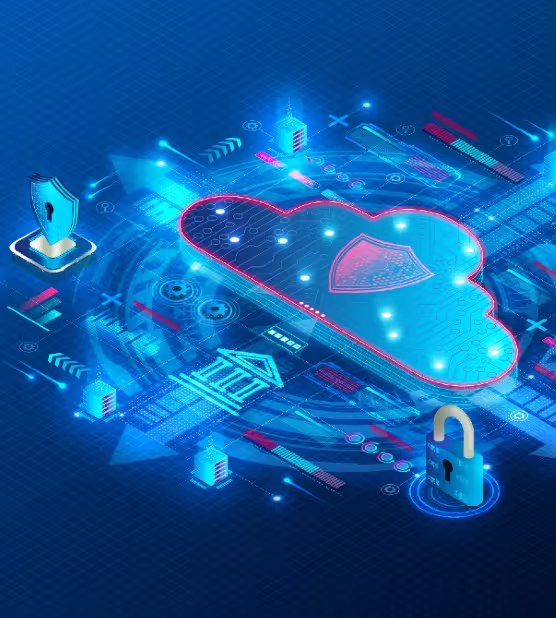
In today’s digital age, cloud computing has become increasingly popular, with businesses of all sizes adopting cloud-based solutions to improve their operations. Two popular cloud computing services are SaaS and SECaaS, but what are they, and how do they differ? This blog post will explore the differences between SaaS and SECaaS and their benefits.
What is SaaS?
Software-as-a-Service (SaaS) is a cloud computing service that delivers software applications online. With SaaS, users can access and use software applications on a subscription basis without the need to install or maintain the software themselves. SaaS providers host and support the software applications on their servers, and users can access them through a web browser or mobile application. Examples of SaaS applications include email services like Gmail, project management tools like Asana, and video conferencing platforms like Zoom.
What is SECaaS?
Security-as-a-Service (SECaaS) is a cloud computing service that delivers security solutions over the Internet. As per the Internet Crime Complaint Center, the number of cybercrimes reported increased by 300% since the beginning of the pandemic. With SECaaS, businesses can subscribe to cloud-based security services like firewalls, intrusion detection and prevention systems, vulnerability scanning, and threat intelligence. SECaaS providers offer these services on a subscription basis, eliminating the need for businesses to invest in expensive security hardware and software. Security as a service provider is one of the many cloud-based services companies use in today’s business environment. The global security as a Service (SECaaS) market is projected to become more than 22 billion US dollars in 2026.
Examples of SECaaS services include cloud-based antivirus software like Norton and cloud-based firewall services like Palo Alto Networks. SECaaS providers offer a range of security solutions to meet the needs of different businesses, and they handle the maintenance and updates of the security solutions.
Benefits of SECaaS vs. SaaS
The benefits of Security-as-a-Service (SECaaS) and Software-as-a-Service (SaaS) differ, as these cloud computing services have distinct focuses and purposes. Here are some of the benefits of each:
Benefits of SECaaS
- Enhanced Security: The primary benefit of SECaaS is the improved security it provides to businesses. Companies can access top-notch security features by subscribing to cloud-based security solutions without investing in expensive hardware and software.
- Lower Costs: SECaaS eliminates the need for businesses to purchase and maintain their security infrastructure, which can be expensive. With SECaaS, companies can subscribe to security solutions on a pay-as-you-go basis, which can help reduce costs.
- Increased Flexibility: SECaaS providers offer a range of security solutions to meet the needs of different businesses. This allows companies to choose the security solutions that best fit their requirements.
Benefits of SaaS
- Lower Costs: SaaS eliminates the need for businesses to purchase and maintain their software infrastructure, which can be expensive. Companies can access top-notch features by subscribing to cloud-based software applications without investing in expensive hardware and software.
- Increased Scalability: SaaS providers can quickly scale their software applications to meet the needs of growing businesses. This allows firms to increase their software usage as their needs grow.
- Easy Access: With SaaS, businesses can access software applications through a web browser or mobile application, making it easy for employees to work from anywhere with an internet connection.
Differences between SaaS and SECaaS
While SaaS and SECaaS are cloud computing services, their focus and purpose differ. SaaS is focused on delivering software applications, while SECaaS is focused on providing security solutions.
Here are some key differences between SaaS and SECaaS:
- Types of Services Offered: SaaS providers provide business software applications. In contrast, SECaaS providers offer security solutions for businesses to use.
- Security Features and Benefits: SaaS providers offer some security features, but they are not the primary focus of SaaS. SECaaS providers provide a range of security solutions to meet the needs of businesses, and they are focused on delivering the best security possible.
- Cost Differences: SaaS and SECaaS are subscription-based services, but the cost structures differ. SaaS providers charge based on users or software usage, while SECaaS providers charge based on the number of security solutions subscribed to.
- Use Cases for SaaS vs. SECaaS: SaaS is best suited for businesses that need software applications to improve their operations. In contrast, SECaaS is best suited for businesses that need to improve their security posture.
Conclusion
SaaS and SECaaS are both popular cloud computing services that offer significant benefits to businesses. While SaaS is focused on delivering software applications, SECaaS is focused on delivering security solutions. Both services offer different features and benefits, and the choice between the two will depend on the specific needs and priorities of your business. By understanding the differences between SaaS and SECaaS, you can make an informed decision on which cloud computing service to choose.
FAQs
1. What is the difference between SaaS and SECaaS?
SaaS focuses on delivering software applications, while SECaaS specializes in providing cloud-based security solutions.
2. How does SECaaS enhance security?
SECaaS offers top-notch security features without the need for expensive hardware and software investments.
3. What are the benefits of SaaS?
SaaS eliminates costly software infrastructure and provides easy access to applications from anywhere with an internet connection.
4. How does SECaaS address emerging tech needs?
SECaaS keeps up with emerging technology by offering various security solutions to meet evolving business requirements.
5. Are SaaS and SECaaS cost-effective?
SaaS and SECaaS provide cost savings by offering subscription-based services instead of investing in hardware or security infrastructure.

Get the latest updates! Subscribe now!

