




Importance of a Facial Recognition-based Time Clock
Facial recognition time clocks are redefining how organizations manage employee attendance by combining speed, accuracy, and security in a fully touchless process. This blog examines how facial recognition technology operates, its advantages over traditional punch-in systems, and its increasing role in reducing time theft and manual errors. Learn how businesses are adopting AI-powered, contactless attendance systems to streamline workforce management and ensure compliance.

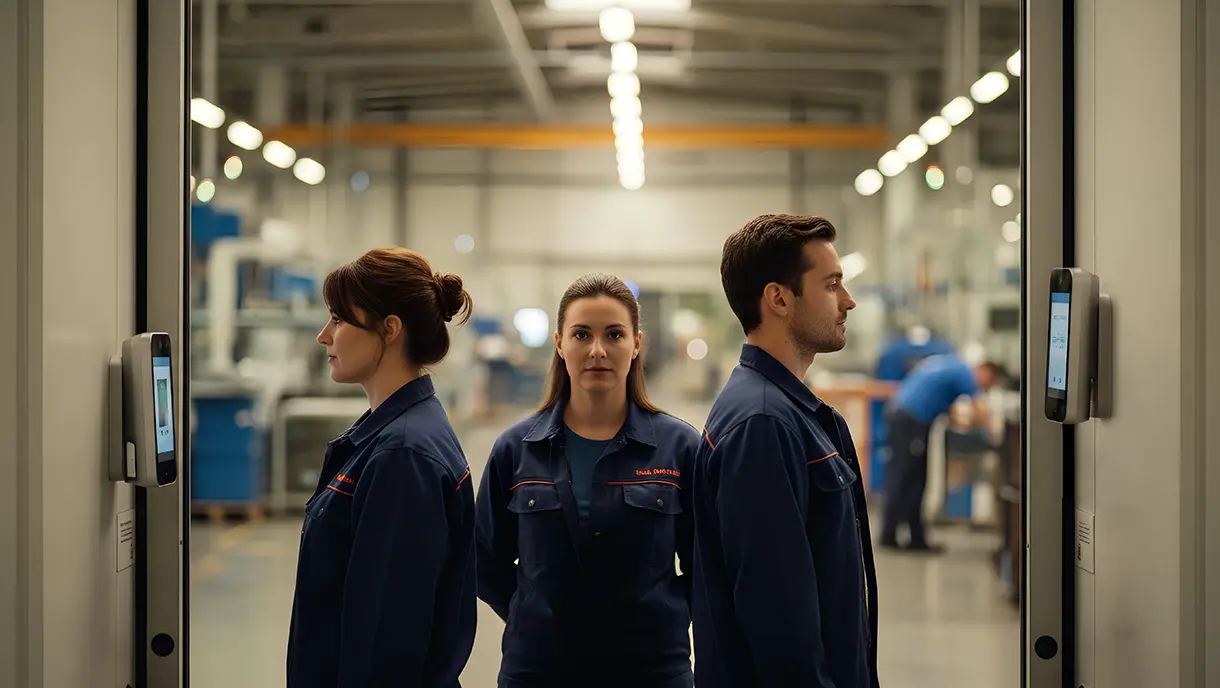
Traditional time tracking methods create significant operational challenges for organizations managing frontline workforces. Buddy punching and attendance fraud drain resources, while manual timesheets burden HR teams with administrative work. Physical punch cards and swipe systems prove vulnerable to sharing, loss, and manipulation. The need for accurate, automated, and fraud-proof attendance systems is intensifying.
Facial recognition time clocks address these challenges through AI-powered biometric authentication technology. These systems verify employee identity instantly using advanced facial mapping algorithms. Workers simply approach a tablet or terminal, and the system recognizes them, logging their attendance. This touchless approach eliminates physical contact, prevents fraud, and streamlines workforce management.
The technology has matured significantly with improved accuracy and affordability across diverse work environments. Modern facial recognition systems work reliably across different lighting conditions and authenticate employees in seconds. Integration with existing HR and payroll platforms is seamless via standard APIs.
Organizations implementing facial recognition time clocks experience measurable improvements in attendance accuracy and payroll processing efficiency. The technology supports diverse work environments from manufacturing floors to construction sites. Both on-site and mobile workforce scenarios benefit from this modern time-tracking approach.
What Is a Facial Recognition Time Clock?
A facial recognition time clock is an advanced employee attendance system that uses AI-powered facial recognition to identify and accurately record when employees begin and end their shifts. Instead of requiring a physical punch card, PIN, or fingerprint scan, it authenticates identity simply through a quick, touchless face scan.
Unlike traditional time clocks, which rely on manual input or shared devices, facial recognition systems use computer vision and machine learning algorithms to map unique facial features. This ensures every check-in or check-out is accurate, fast, and free from buddy punching or fraudulent logins.
The system operates through three core components working together:
- Capture device: A tablet or terminal with a camera that takes employee facial images
- AI processing engine: Software that analyzes facial features and creates unique biometric templates
- Integration layer: Connectors that sync attendance data with HR, payroll, and workforce management systems
Modern facial recognition time clocks eliminate the need for physical tokens or credentials. Employees need only their faces to clock in and out of shifts. The touchless nature makes these systems ideal for hygiene-conscious environments and high-traffic areas, such as shift changes.
Facial Recognition Time Clocks vs Traditional Time Clocks
The shift from traditional time tracking to facial recognition represents a fundamental change in how organizations manage attendance and prevent fraud.
| Parameter | Facial Recognition Time Clocks | Traditional Time Clocks |
|---|---|---|
| Authentication Method | Biometric facial verification using AI-powered algorithms | PIN codes, swipe cards, punch cards, or manual sign-in sheets |
| Touch Requirement | Completely touchless and contactless operation | Requires physical contact with cards, keypads, or paper |
| Accuracy | High accuracy with advanced liveness detection and anti-spoofing | Prone to errors from forgotten cards, shared PINs, and manual mistakes |
| Speed of Clock-In | Instant recognition and logging within seconds | Slower depending on card reading or PIN entry |
| Fraud Prevention | Eliminates buddy punching through unique biometric identity | Vulnerable to buddy punching, card sharing, and PIN sharing |
| Scalability | Software-based solution works on standard tablets and mobile devices | Requires dedicated hardware installations at each location |
This comparison shows why organizations are rapidly transitioning to biometric time-tracking solutions to improve security and efficiency.
How Does a Facial Recognition Time Clock Work?
The facial recognition time clock process combines computer vision, artificial intelligence, and cloud connectivity to deliver seamless authentication. Understanding each step helps organizations appreciate the technology's sophistication and reliability.
Step 1: Capturing the Employee's Facial Image
When an employee approaches the time clock terminal, the camera automatically detects their presence and captures a live facial image. Modern systems use high-resolution cameras that perform effectively across a wide range of lighting conditions. The capture happens instantly without requiring employees to pose or press any buttons.
Step 2: Converting the Image into a Digital Template
The AI engine analyzes the captured image and identifies unique facial features like eye distance, nose shape, and jawline contours. These measurements convert into a mathematical representation called a biometric template. The original photo is discarded, and only the encrypted template is stored for future matching.
Step 3: Matching the Face with Stored Records
The system compares the newly created template against all enrolled employee templates in its database. Advanced algorithms calculate similarity scores and identify the closest match within milliseconds. Anti-spoofing technology ensures the system recognizes only live faces, not photos or videos.
Step 4: Logging Attendance Automatically
Once the system confirms a match, it automatically records the timestamp along with employee details and location information. The data logs include clock-in time, clock-out time, break duration, and any relevant shift information. Real-time notifications can alert supervisors to attendance anomalies or policy violations.
Step 5: Integrating with HR and Payroll Systems
The attendance data syncs automatically with connected HRIS, payroll, and workforce management platforms through secure APIs. This integration eliminates manual data entry and ensures payroll calculations reflect the actual hours worked. Organizations can configure custom rules for overtime, breaks, and compliance tracking.
This automated workflow transforms attendance management from a time-consuming administrative task into a streamlined background process. Next, let’s explore the key benefits of implementing facial authentication time clocks.
Key Benefits of Using Facial Recognition for Employee Time Tracking
The benefits of a facial time clock extend beyond simple time tracking to impact workforce productivity, payroll accuracy, and security. Here's how facial recognition technology transforms attendance management.
1. Enables Touchless and Hygienic Attendance
Facial recognition eliminates the need for physical contact during clock-in, making it an ideal solution for maintaining workplace safety standards. Employees walk up to the terminal and are recognized instantly without touching any surface. This touchless approach reduces disease transmission and maintains cleanliness in high-traffic areas.
2. Eliminates Buddy Punching and Attendance Fraud
Biometric authentication prevents employees from clocking in for absent coworkers, addressing widespread attendance fraud. Each person's facial features are unique and cannot be shared like PINs or access cards. Organizations typically see a significant reduction in payroll costs after implementing facial recognition time tracking.
3. Provides Faster and More Accurate Clock-Ins
Recognition happens instantly, unlike traditional card-based systems, reducing congestion during shift changes. The speed improvement becomes significant when hundreds of workers clock in simultaneously. Faster processing means employees spend less time in lines and more time on productive work.
4. Integrates Seamlessly with Payroll and HR Software
Modern facial recognition time clocks, such as those offered by OLOID, integrate with platforms like ADP, Workday, Kronos, and other major HRIS solutions. Attendance data flows automatically into payroll systems without manual intervention or data re-entry. This integration reduces payroll processing time substantially while eliminating transcription errors.
5. Improves Workforce Accountability and Compliance
Automated attendance tracking creates detailed audit trails for labor law compliance and dispute resolution. The system captures precise timestamps and location data for each clock event. Organizations can generate compliance reports for overtime regulations, break requirements, and mandatory rest periods.
6. Supports Flexible Work Models
Facial recognition works across multiple scenarios, including fixed locations, mobile workforces, and hybrid arrangements. Tablet-based systems can be deployed at construction sites or temporary locations within hours. The same authentication method works for both physical access control and digital application login.
These benefits combine to deliver a meaningful return on investment for most organizations by reducing payroll losses and improving administrative efficiency. Next, let’s explore how different industries are using facial time clocks.
[[cta]]
Use Cases of Facial Recognition Time Clocks Across Different Industries
Facial recognition time clocks serve diverse industries with unique workforce management challenges. Each sector benefits from customized applications of the core technology. Understanding industry-specific use cases helps organizations identify relevant implementation strategies.
1. Manufacturing & Warehousing: Shift-Based Workforce Management
Manufacturing facilities with shift-based operations struggle with attendance accuracy during high-volume clock-ins and clock-outs. Facial recognition time clocks process entire shift changes in minutes without creating bottlenecks at entry points.
Key Advantages
- Instant authentication for large groups of workers during shift transitions.
- Break compliance tracking to meet labor regulations.
- Integration with production management systems for accurate labor costing.
- Offline operation capability for locations with intermittent internet connectivity.
2. Retail & Hospitality: Managing Large On-Ground Staff
Retail stores and hospitality venues employ large teams across multiple shifts with varying schedules. Traditional time-tracking methods are inadequate for effectively managing these dynamic workforces.
Key Advantages
- Quick clock-ins during peak business hours without service disruption.
- Real-time attendance visibility for shift supervisors and store managers.
- Automatic overtime alerts to control labor costs.
- Multi-location synchronization for chain operations.
3. Healthcare: Secure and Hygienic Attendance in Sensitive Areas
Healthcare facilities require both stringent hygiene standards and secure access control for sensitive patient areas. Facial recognition addresses both needs while supporting complex scheduling requirements.
Key Advantages
- Touchless authentication reduces infection risk in clinical environments.
- Dual-purpose systems provide both attendance tracking and access control.
- Credential verification for licensed personnel accessing restricted areas.
- Audit trails for compliance with healthcare privacy regulations.
4. Construction: Remote Site Attendance Tracking
Construction projects face unique challenges with temporary work sites, outdoor conditions, and dispersed workforce locations. Portable facial recognition systems adapt effectively to these demanding environments.
Key Advantages
- Mobile tablet-based systems that relocate as projects progress.
- Weatherproof deployment options for outdoor installation.
- Offline data capture with automatic sync when connectivity returns.
- GPS tagging to verify attendance at specific project sites.
5. Corporate Offices: Seamless Access Control & Attendance Integration
Corporate environments benefit from unified systems that combine physical access control with attendance tracking. Facial recognition provides a single credential for building entry, workspace access, and time logging.
Key Advantages
- Unified identity management across building access and IT systems.
- Touchless entry for improved employee experience.
- Visitor management integration for complete facility security.
- Conference room access and usage tracking.
These industry applications demonstrate the versatility of facial recognition technology in addressing sector-specific workforce management requirements. Now that you know how facial recognition time clocks are functional in different industries, let’s understand how to implement them.
[[cta-2]]
How to Implement a Facial Recognition Time Clock in Your Workplace
Successful facial recognition time clock implementation requires careful planning and systematic execution. Organizations should follow a structured approach to ensure smooth deployment and high adoption rates.
Step 1: Evaluate Workforce Size, Work Models, and Access Points
Begin by assessing your current attendance tracking needs and identifying specific pain points. Determine how many employees will use the system and across how many locations.
Expert Tips for Evaluation
- Count the number of simultaneous clock-ins during peak shift changes.
- Map all physical entry points where time clocks will be installed.
- Document current attendance fraud incidents and their cost impact.
- Identify existing HRIS and payroll systems requiring integration.
Step 2: Choose Between Hardware-Based or Software-Based Systems
Software-based solutions run on standard tablets like iPads, while hardware systems use dedicated biometric terminals. Most organizations now prefer tablet-based options for their flexibility and lower upfront costs.
Expert Tips for Selection
- Software-based systems offer significantly lower total cost of ownership.
- Tablet solutions can be repositioned or relocated easily as needs change.
- Evaluate camera quality requirements based on your facility's lighting conditions.
- Consider offline operation capability for locations with unreliable connectivity.
Step 3: Integrate with HRMS/Payroll Tools
Ensure your chosen facial recognition system offers pre-built connectors for your existing HR and payroll platforms. Proper integration eliminates manual data transfer and ensures accurate payroll processing.
Expert Tips for Integration
- Verify API compatibility with platforms like ADP, Workday, or Kronos.
- Configure custom fields for capturing industry-specific data requirements.
- Set up automated business rules for overtime, breaks, and shift differentials.
- Test data flow thoroughly before going live with actual payroll processing.
Step 4: Train Staff and Communicate Policies
Employee buy-in is critical for successful adoption. Clearly communicate the benefits, address privacy concerns, and provide hands-on training opportunities.
Expert Tips for Training
- Conduct enrollment sessions in small groups to address individual concerns.
- Create simple visual guides showing the clock-in process.
- Address privacy concerns transparently by providing information about data protection.
- Designate workplace champions who can assist colleagues during the initial rollout.
Step 5: Monitor and Optimize Usage
Track system performance and user adoption rates during the first several months. Use analytics to identify bottlenecks or areas requiring additional training.
Expert Tips for Optimization
- Review daily attendance reports to catch any recognition accuracy issues.
- Gather employee feedback on the user experience.
- Adjust camera angles or lighting to improve recognition rates.
- Configure additional business rules based on observed usage patterns.
Following these implementation steps ensures that organizations maximize their investment in facial recognition time-tracking technology. Next, let’s discuss the challenges that organizations face in implementing a facial time clock system.
5 Common Challenges in Implementing Facial Biometrics Time Clock and How to Overcome Them
Even with careful planning, organizations may encounter obstacles during the deployment of facial recognition time clocks. Understanding common challenges and their solutions helps project teams navigate implementation successfully.
1. Inconsistent Recognition in Varying Lighting Conditions
Poor lighting creates recognition accuracy problems, particularly in facilities with inconsistent natural light or harsh industrial lighting. Early morning shifts or evening operations may experience different conditions than midday usage. Recognition failures frustrate employees and undermine confidence in the system.
How to Overcome This Challenge
- Select systems with advanced image processing that compensates for lighting variations.
- Install supplemental LED lighting near time clock terminals to ensure consistent illumination.
- Position cameras to avoid backlighting from windows or doors behind employees.
- Test recognition performance at different times of day during the pilot phase.
- Choose systems with infrared or depth-sensing cameras for low-light environments.
2. Employee Privacy and Data Protection Concerns
Employees may worry about biometric data collection, storage, and potential misuse of their facial information. Privacy concerns can lead to adoption resistance and negatively impact rollout success. Regulatory requirements such as GDPR, BIPA, and CCPA add to compliance complexity.
How to Overcome This Challenge
- Communicate clearly that systems store encrypted mathematical templates, not actual photos.
- Provide transparent documentation about data storage, access controls, and retention policies.
- Ensure your chosen system complies with relevant biometric privacy regulations.
- Allow employees to review how their biometric data is protected.
- Offer alternative authentication methods for employees with legitimate objections.
- Publish a clear privacy policy specific to biometric time tracking.
3. Integration with Existing HR and Access Control Systems
Legacy HRIS platforms may lack modern APIs, making integration difficult or impossible. Multiple disconnected systems create data silos and require manual reconciliation. Custom integration development can add significant cost and timeline delays.
How to Overcome This Challenge:
- Choose facial recognition platforms with pre-built connectors for major HRIS vendors.
- Evaluate middleware solutions that bridge legacy systems with modern applications.
- Plan for phased integration, starting with critical payroll connections first.
- Budget for professional services support if custom integration work is required.
- Consider upgrading the HRIS platform if integration limitations are severe.
- Implement manual backup processes during the transition period.
4. Resistance to Change Among Employees
Longtime employees who are comfortable with existing processes may resist new technology regardless of its benefits. Fear of the unknown, or technology anxiety, contributes to reluctance to adopt. Union environments may require additional consultation and negotiation.
How to Overcome This Challenge:
- Involve employee representatives in the selection and pilot process.
- Demonstrate time savings and convenience benefits through hands-on trials.
- Address concerns about job security or increased monitoring transparently.
- Share success stories from similar organizations or departments.
- Provide extra support and patience during the learning period.
- Celebrate early adopters who help their colleagues learn the system.
5. Hardware and Maintenance Costs
Dedicated biometric terminals can represent a substantial investment, making large deployments expensive. Hardware failures require spare inventory and technical support resources. Proprietary systems may lock organizations into specific vendors for maintenance and upgrades.
How to Overcome This Challenge:
- Choose tablet-based software solutions that work on standard commercial devices.
- Leverage existing tablet investments by repurposing devices across locations.
- Select vendors offering cloud-based systems that reduce on-premises infrastructure.
- Factor total cost of ownership, including support, maintenance, and upgrades.
- Negotiate service-level agreements that include provisions for hardware replacement.
- Start with pilot deployments to validate costs before organization-wide rollout.
Addressing these challenges proactively prevents implementation delays and ensures employee acceptance of the new attendance tracking system.
[[cta-3]]
Enable Passwordless, Contactless Attendance with OLOID
Facial recognition time clocks represent the future of workforce attendance management by combining speed, security, and accuracy. The shift toward touchless, identity-first systems accelerates as organizations recognize the limitations of card-based and PIN-based authentication. Modern biometric solutions eliminate fraud while improving employee experience and operational efficiency.
OLOID stands out as one of the top providers of passwordless authentication. Its facial recognition time clock helps transform how organizations track attendance across diverse work environments.
OLOID’s time clock solution runs on standard tablets, integrates seamlessly with platforms like ADP and Workday, and deploys in minutes without the need for expensive custom hardware. Organizations using OLOID report significant payroll savings through fraud elimination and improved accuracy.
Ready to modernize your attendance tracking? Schedule a demo to see how OLOID's AI-powered tablet-based smart time clock delivers touchless, fraud-proof time tracking for your workforce.
FAQs on Facial Recognition Time Clocks
1. Are facial recognition time clocks secure and compliant?
Yes, modern facial recognition time clocks use encrypted biometric templates rather than storing actual photos. Leading solutions comply with regulations like GDPR, CCPA, and BIPA through data minimization and secure storage practices. Systems include anti-spoofing technology and liveness detection to prevent authentication using photos or videos. Organizations should verify that their chosen solution meets the applicable privacy regulations in their jurisdiction.
2. How accurate are facial recognition time clocks compared to fingerprint or RFID systems?
Facial recognition systems achieve high accuracy with advanced AI algorithms and proper implementation. This matches or exceeds fingerprint reader accuracy while offering the advantages of touchless operation. RFID cards remain vulnerable to sharing and loss, making them less secure for attendance verification. Facial recognition eliminates these security gaps by verifying the identity of the actual person rather than a token they possess.
3. Can facial recognition time clocks integrate with payroll or HR software?
Yes, enterprise facial recognition time clocks offer pre-built integrations with major HRIS and payroll platforms. Solutions connect with ADP, Workday, Kronos, SAP SuccessFactors, and many others through standard APIs. The integration allows automatic transfer of attendance data, eliminating manual entry and reducing payroll processing time. Organizations can configure custom fields and business rules to match their specific requirements.
4. Can facial recognition time clocks be used for remote or field employees?
Absolutely, modern tablet-based facial recognition systems work effectively for mobile and remote workforces. Employees can use company tablets at temporary job sites or construction locations. Some solutions offer smartphone-based clock-in options with GPS verification for field staff. Offline operation capability ensures attendance capture continues even without internet connectivity, and it syncs automatically when connectivity returns.
5. How much does a facial recognition time clock cost?
Facial recognition time clock costs vary widely based on deployment model and features:
- Software-based tablet solutions typically charge per employee annually for cloud-based subscriptions
- Hardware terminals require an upfront investment per device for dedicated biometric readers
- Implementation services vary depending on organization size and complexity
- Integration costs may be included with modern platforms or require custom development for legacy systems
Platforms like OLOID offer a favorable total cost of ownership by eliminating the need for expensive hardware investments. Most organizations achieve return on investment within months through reduced payroll fraud and administrative efficiency.




Get the latest updates! Subscribe now!

